Patina 1.2

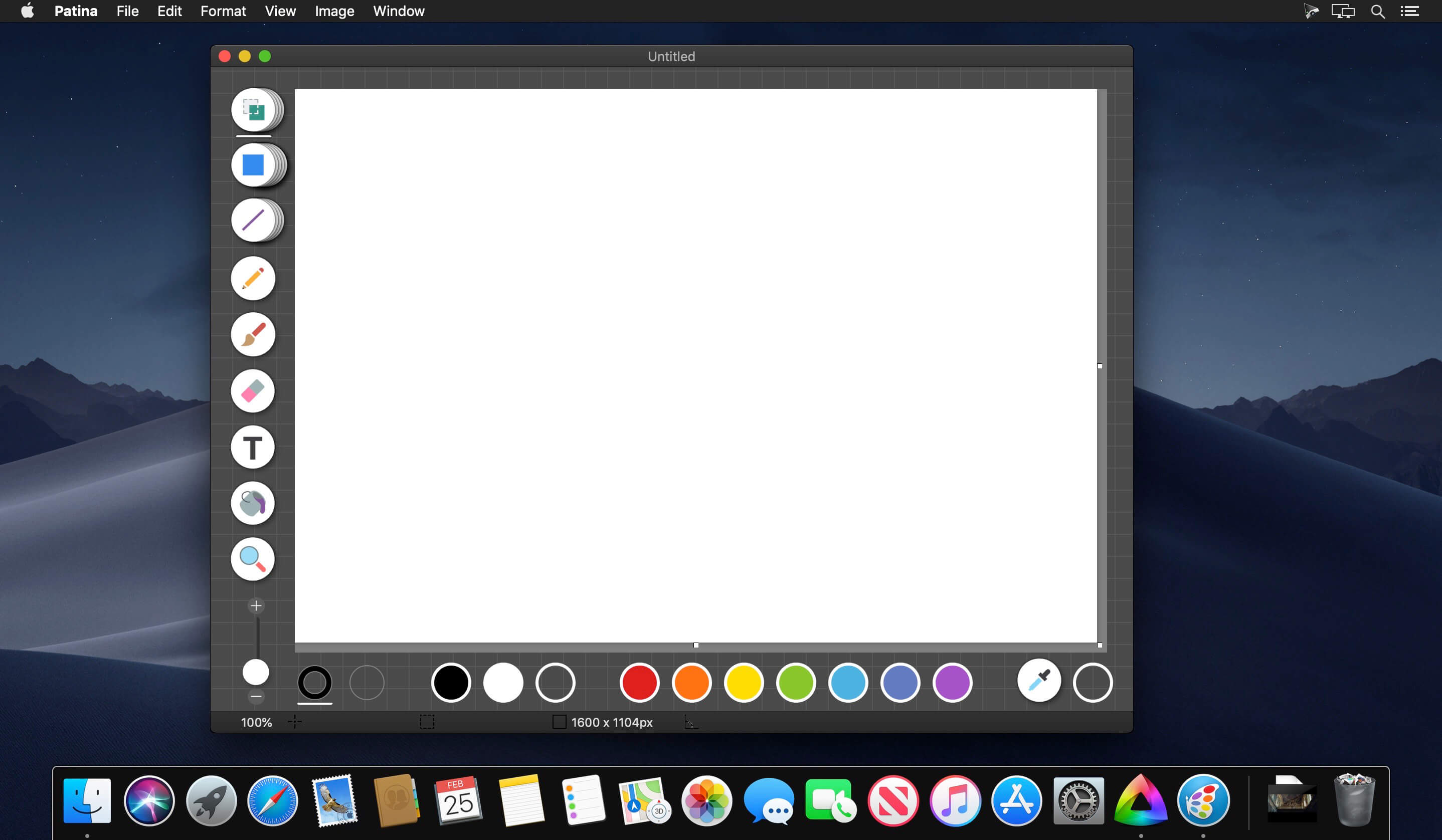
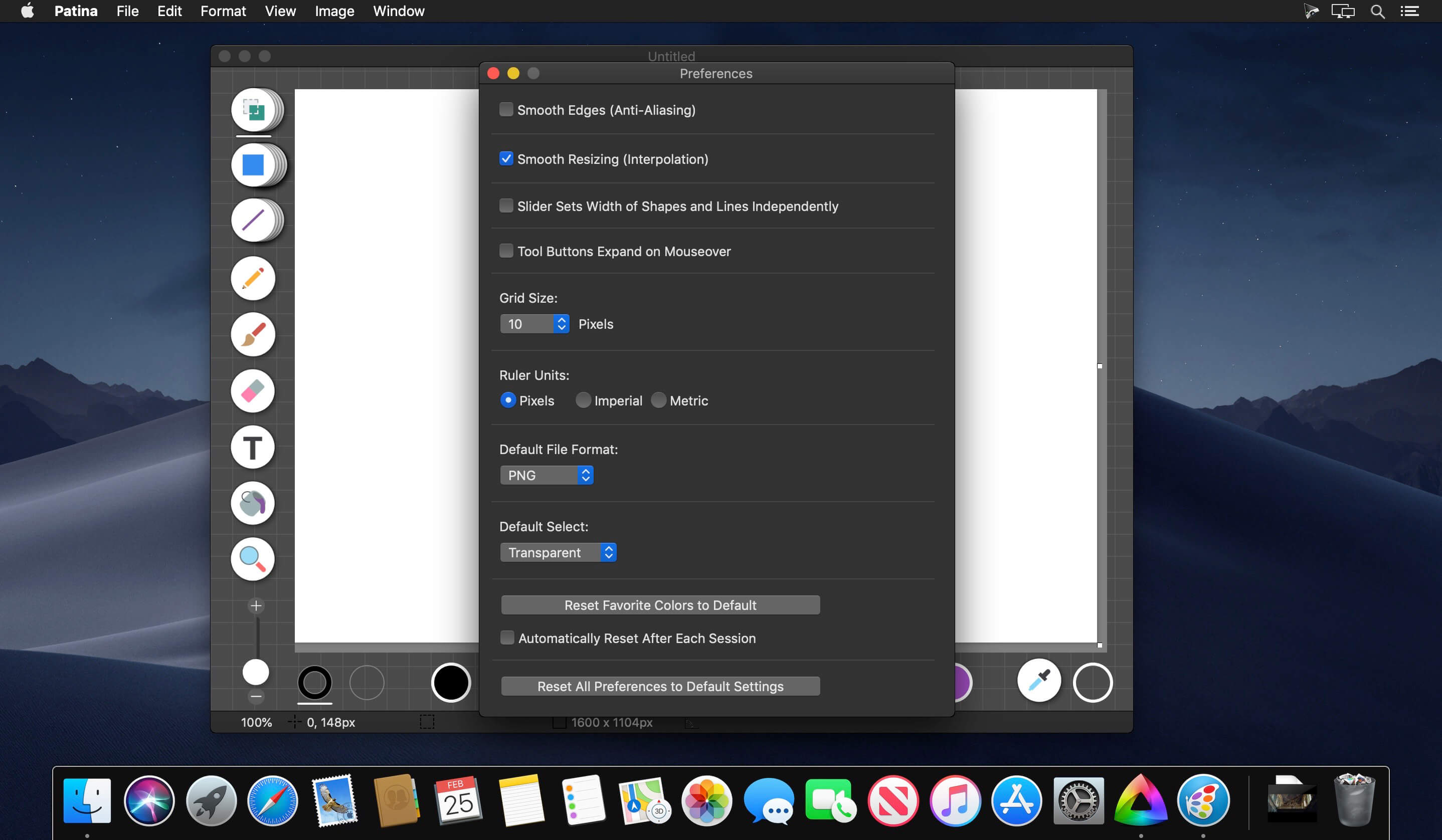
Patina is a great way to draw sketches, diagrams, and simple illustrations on your Mac. As a Mac user accustomed to attractive, well-designed software, you'll appreciate Patina's elegant and intuitive interface. And if you've used Windows before, you'll find that Patina not only offers the simplicity you like about Microsoft Paint, but also has some great additional features, including:
- Continuous shape rotation - objects can be rotated at any angle instead of being limited to specific degrees of rotation
- Easy tool width adjustment - use the slider to adjust the thickness of shape strokes as well as text font size
- Intuitive color management - user-configurable favorite colors are prominently displayed and easily selected or edited
- Transparent image saving - allows you to create an image that has no background color
- Independently moveable crop frame - easily move and resize crop frame without affecting the image
- Alpha blending of colors - blend a translucent color with the canvas color to create a new color
- Anti-aliasing control - turn on and off smooth edges at any time
Version 1.2
Patina is now better than ever. Here's what's new in this version:
Patina is now better than ever. Here's what's new in this version:
- Improvement in "undo" functionality (sorry for any instability you may have experienced previously - it should be rock solid stable now)
- Improvement in methods for saving transparent images (for more details, read the related topics in the Quick Start Guide and FAQs on patinaapp.com/support)
- Added support for opening/importing EPS format files
Frequently asked questions
How do I install the app?
Mount the image, drag the app into the "Applications" folder and launch it. If the system blocks the launch, allow it in "System Settings → Privacy & Security".
The app is damaged or won't launch
Reinstalling from a fresh image usually helps. Make sure your macOS version matches the one listed in the compatibility specs.
How do I update?
Download the new version from the site and install it over the current one — your settings will be preserved.
The download link doesn't work
Try a mirror or a download manager. For large files the browser often drops the connection.
How do I completely remove the app?
Use an uninstaller utility — it cleans up the service files that remain after moving the app to the trash.
VersionPatina 1.2
DeveloperAtek, Inc
CompatibilityOS X 10.10 or later, 64-bit processor
LanguageEnglish, French, German, Italian, Japanese, Korean, Portuguese, Russian, Simplified Chinese, Spanish, Traditional Chinese
IncludesK'ed by TNT



Information
Visitors in the group Guests cannot leave comments on this publication.
Choose a download source
Patina 1.2 · 5.48 MB