
Picture Instruments Color Cone Standalone Pro 2.3.0 fix
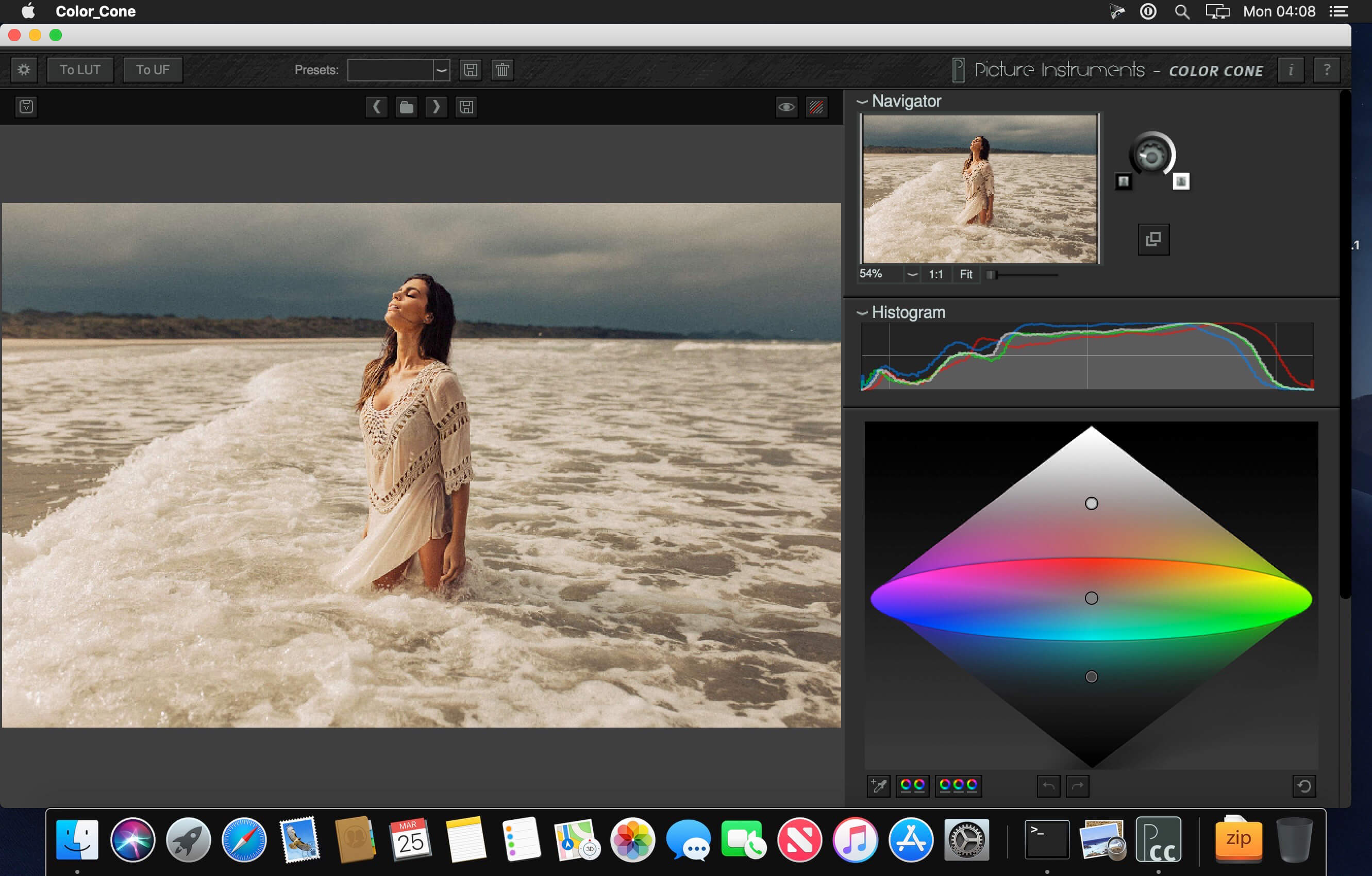

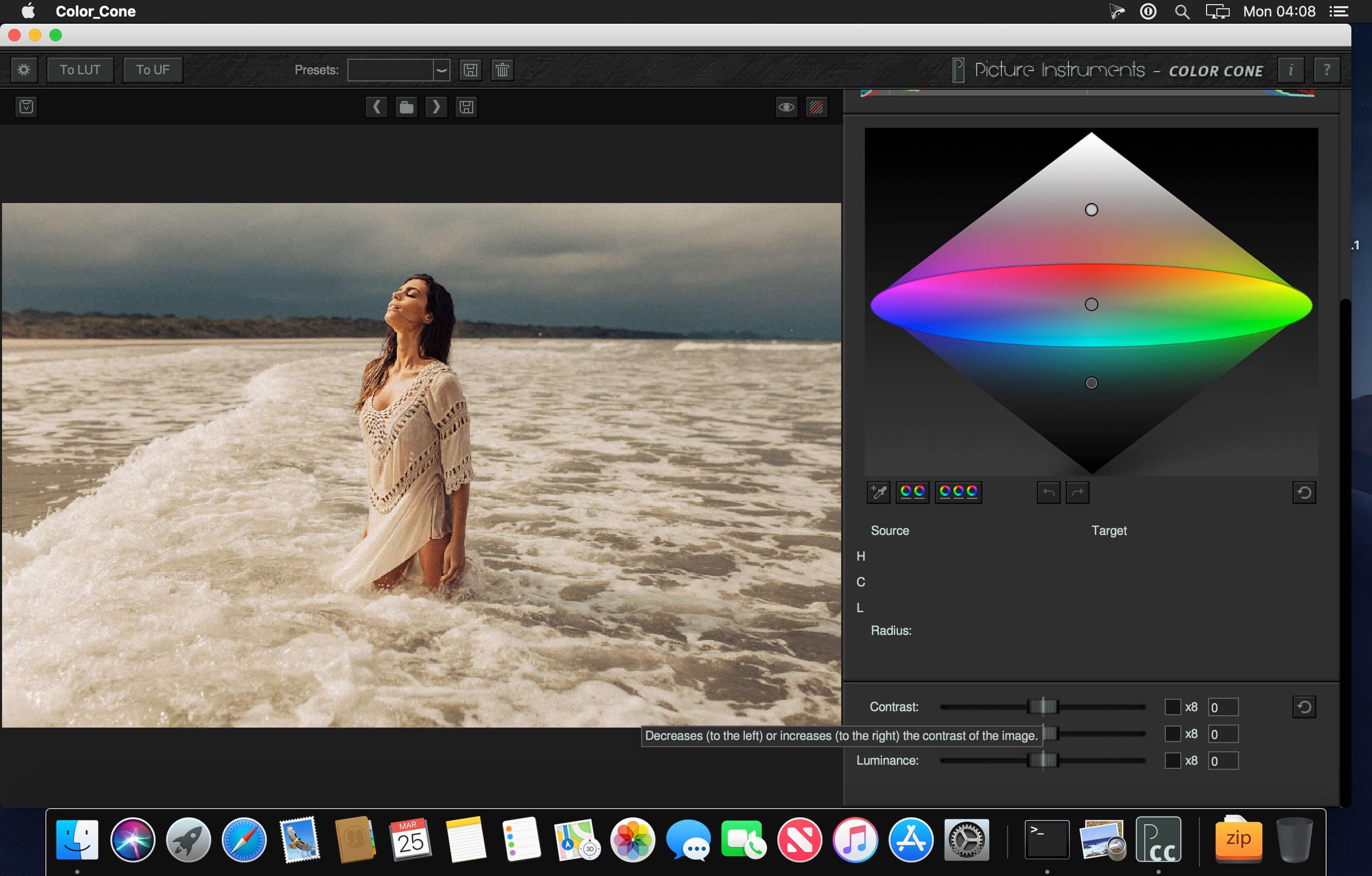
Color Cone is an entirely new concept for color correction as well as the creation of looks. This software is powerful as well as intuitive and it is able to deliver impressive results with a few clicks. Color Cone is based on an HCL–color model which is visualized in the form of a bicone (which has also given Color Cone it's name).
The HCL– color model is not as common or as widespread as for example the HSV model but much more suitable for photo editing. It offers several advantages since shadows and highlights possess almost no chroma in this color model. 100% black and 100% white generally have no saturation even if other models allow for this. Even identical colors in various positions as they occur in the upper and lower part of a color cylinder are excluded in the HCL-model.
Through a clever transformation from the source to the target colors with Picture Instruments' own Color Warp technology even drastic changes in color even in 8- bit images can still look very smooth.
Enough of the theory!
To create a look or correct colors you can define one or several points. Each of these points has a source and a target color value as well as a radius defining how great the effects should be to the surrounding colors. In this way very specific edits can be done using a very small radius whereas a bigger radius can help you create a desired atmosphere in an image.
Overview:
- Creating a look
- Color correction
- Color Warp technology for smooth transitions
- Color grading for videos
- Reconciling Mixed White Balance Scenarios
Color Cone standalone offers the following additional features:
3D LUT export, handover of looks to Unlimited Filters, histogram, RGB-clipping overlay, preset management, controls for contrast, saturation and luminance.
Version 2.3.0:
- Release notes were unavailable when this listing was updated.
Frequently asked questions
How do I install the app?
Mount the image, drag the app into the "Applications" folder and launch it. If the system blocks the launch, allow it in "System Settings → Privacy & Security".
The app is damaged or won't launch
Reinstalling from a fresh image usually helps. Make sure your macOS version matches the one listed in the compatibility specs.
How do I update?
Download the new version from the site and install it over the current one — your settings will be preserved.
The download link doesn't work
Try a mirror or a download manager. For large files the browser often drops the connection.
How do I completely remove the app?
Use an uninstaller utility — it cleans up the service files that remain after moving the app to the trash.




Choose a download source
Picture Instruments Color Cone Standalone Pro 2.3.0 fix · 21.82 MB