
Picture Instruments Chroma Mask 2.0.10 fix
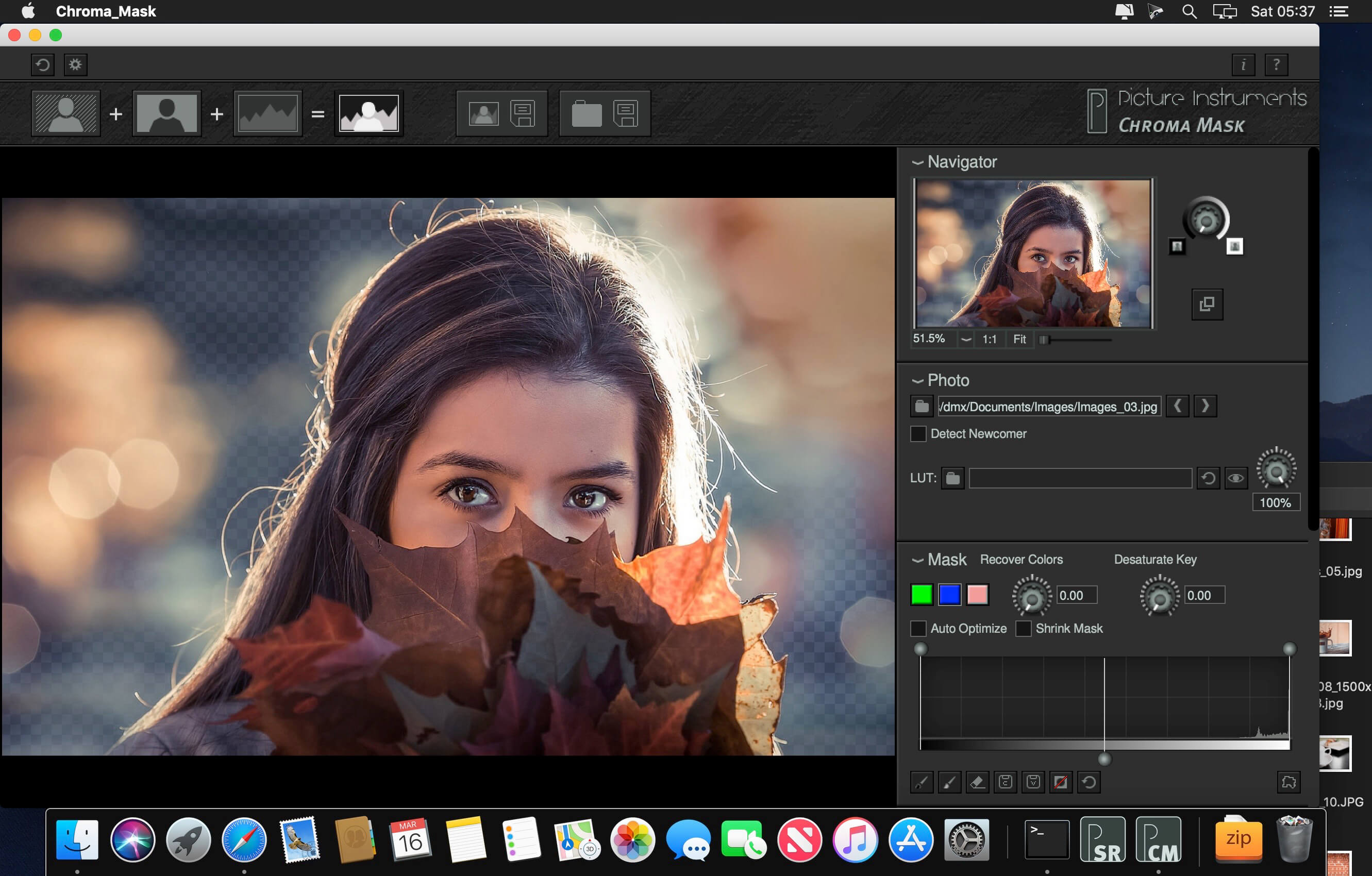
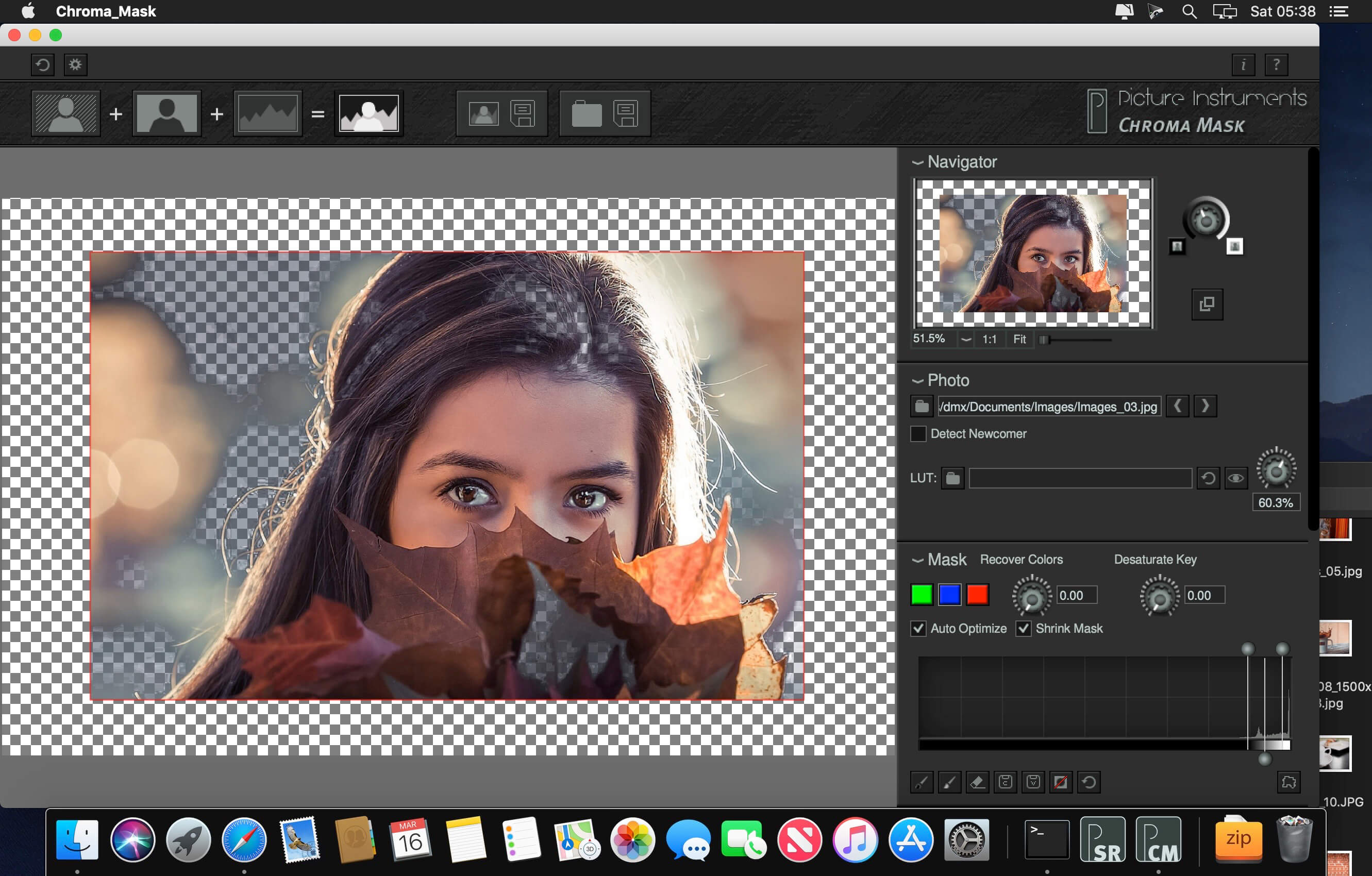

Chroma Mask is THE software for masking and cropping using Chroma Key. It can automatically mask and crop the subject already while shooting and display the cropped subject in front of a new background.
You can save color corrections along with a background as a "theme" so spontaneous motto-shoots are always possible. Besides using the popular green and blue background for masking Chroma Key also lets you key using the red channel. This is usually avoided in people photography since skin tones are rich in reds but it can be a great solution for shooting products that feature a lot of blue or green.
Overview:
- Remove a green, blue or red background automatically while still shooting
- Our special color spill correction removes colored reflections caused by the background and recovers the original color of the subject
- Easy adjustment of the mask in edge mode
- 3D LUT support for color grading the subject (e.g. to match the background)
- Save the background image along with the 3D LUT as a "theme"
- Blur the background image
- Automatically detect, load and mask new images for tethered shootings
Compared with our well-established masking software Mask Integrator, Chroma Mask has advantages as well as disadvantages. It is therefore advisable to carefully choose between those two applications.
Chroma Keys' advantages over masking with backlight
- The image containing the subject is also the image used for the cut out mask using the color channel. A fast moving subject or blowing hair presents no problem.
- By using a colored infinity cove it is very easy to mask subjects from top to bottom.
- Shadows cast by the subject can be transferred to the new background by using a lighter compression of the tone values.
Chroma Keys' disadvantages compared to masking with backlight
- Extremely fine details like fur or hair can be masked better using backlight photography.
- A backlit image usually has a better contrast than a single color channel and therefore allows for softer transitions at the edges or when using semi-transparent materials.
Preferred applications for Chroma Mask:
- Shooting a subject for another background (compositing)
- Motto Shoots
- Photo Booth
- Product Photography
Frequently asked questions
How do I install the app?
Mount the image, drag the app into the "Applications" folder and launch it. If the system blocks the launch, allow it in "System Settings → Privacy & Security".
The app is damaged or won't launch
Reinstalling from a fresh image usually helps. Make sure your macOS version matches the one listed in the compatibility specs.
How do I update?
Download the new version from the site and install it over the current one — your settings will be preserved.
The download link doesn't work
Try a mirror or a download manager. For large files the browser often drops the connection.
How do I completely remove the app?
Use an uninstaller utility — it cleans up the service files that remain after moving the app to the trash.




Choose a download source
Picture Instruments Chroma Mask 2.0.10 fix · 21.85 MB