File Extractor 1.3
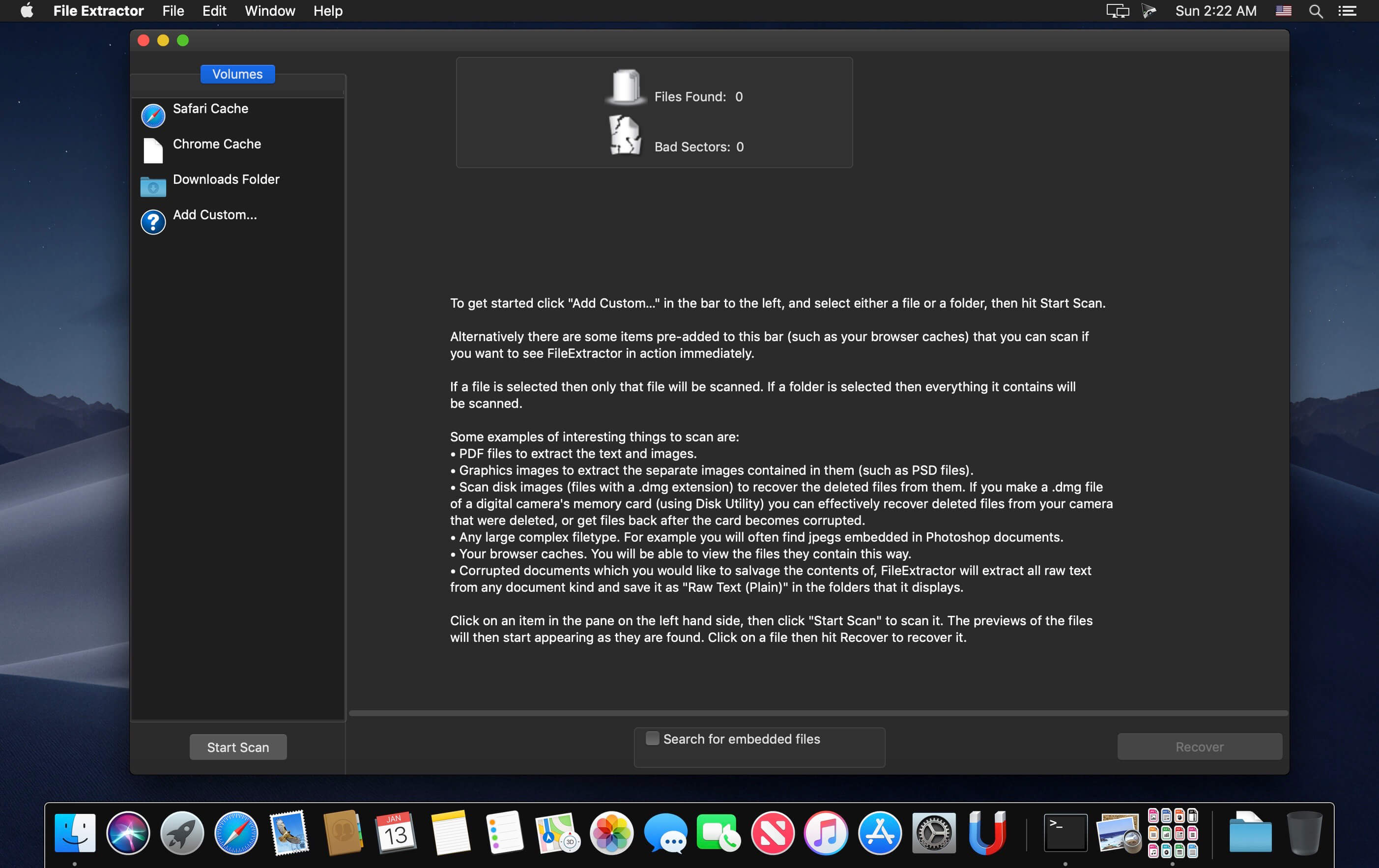
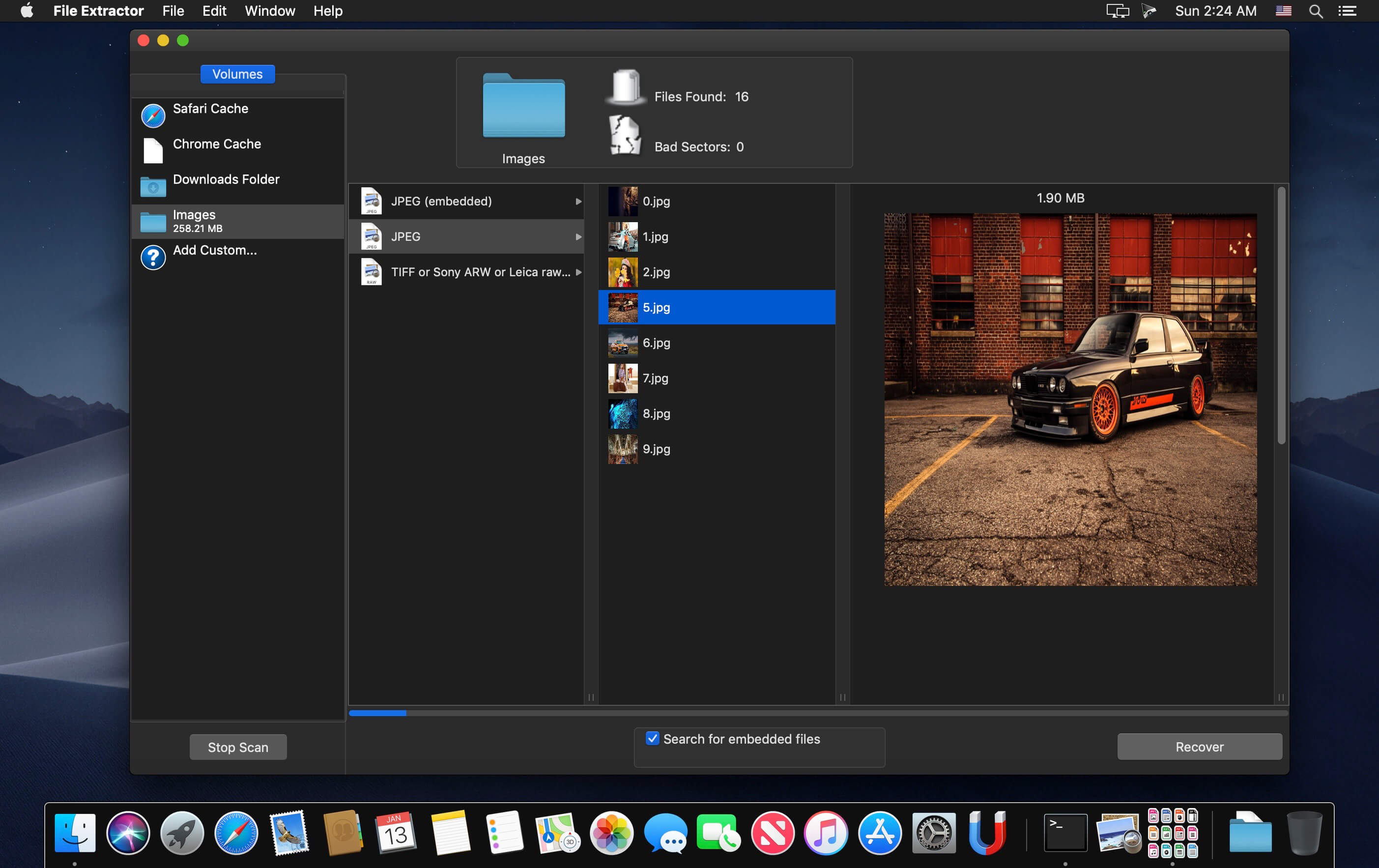
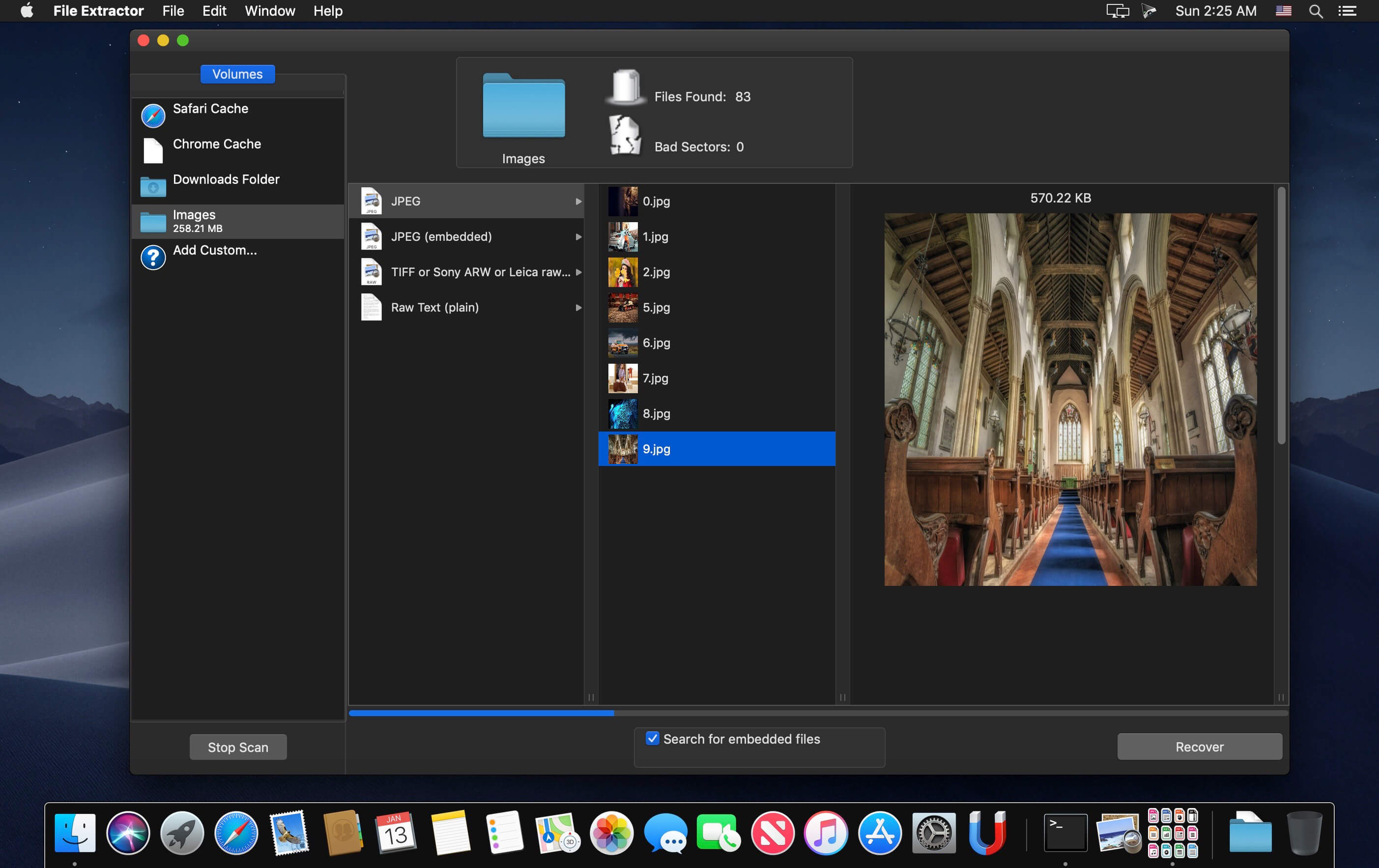
FileExtractor is a powerful utility that will scan your selected files or folders and extract the individual files, text, and other data contained in them.
It is useful for extracting wanted files out of other files in a variety of circumstances. For example when you have a 3rd party file that you need the contents of which are otherwise inaccessible, or when you need to access the contents of your own files that are corrupt or otherwise hard to obtain.
Another feature it has is that if you make a disk image using Disk Utility and scan that it will recover deleted files from that. This can be used with camera SD cards, spinning hard disks, and most other media types.
Some Examples Of Interesting Things To Scan Are:
- PDF files to extract the text and images
- Graphics images to extract the separate images contained in them (such as PSD files)
- Scan disk images (with the .dmg extension) to recover the deleted files from them. If you make a .dmg file of a digital camera's memory card (using Disk Utility) you can effectively recover deleted files from your camera that were deleted, or get files back after the card becomes corrupted.
- Any large complex filetype. For example you will often find jpegs embedded in Photoshop documents.
- Your browser caches. You will be able to view the files they contain this way.
- Corrupted documents which you would like to salvage the contents of. FileExtractor will extract all raw text from any document kind and save it as "Raw Text (Plain)" in the folders that it displays.
Frequently asked questions
How do I install the app?
Mount the image, drag the app into the "Applications" folder and launch it. If the system blocks the launch, allow it in "System Settings → Privacy & Security".
The app is damaged or won't launch
Reinstalling from a fresh image usually helps. Make sure your macOS version matches the one listed in the compatibility specs.
How do I update?
Download the new version from the site and install it over the current one — your settings will be preserved.
The download link doesn't work
Try a mirror or a download manager. For large files the browser often drops the connection.
How do I completely remove the app?
Use an uninstaller utility — it cleans up the service files that remain after moving the app to the trash.
VersionFile Extractor 1.3
DeveloperFelixDev
CompatibilityOS X 10.10 or later, 64-bit processor
LanguageEnglish
IncludesK'ed by TNT




Information
Visitors in the group Guests cannot leave comments on this publication.
Choose a download source
File Extractor 1.3 · 4.53 MB