
KPlayer 2.2.0
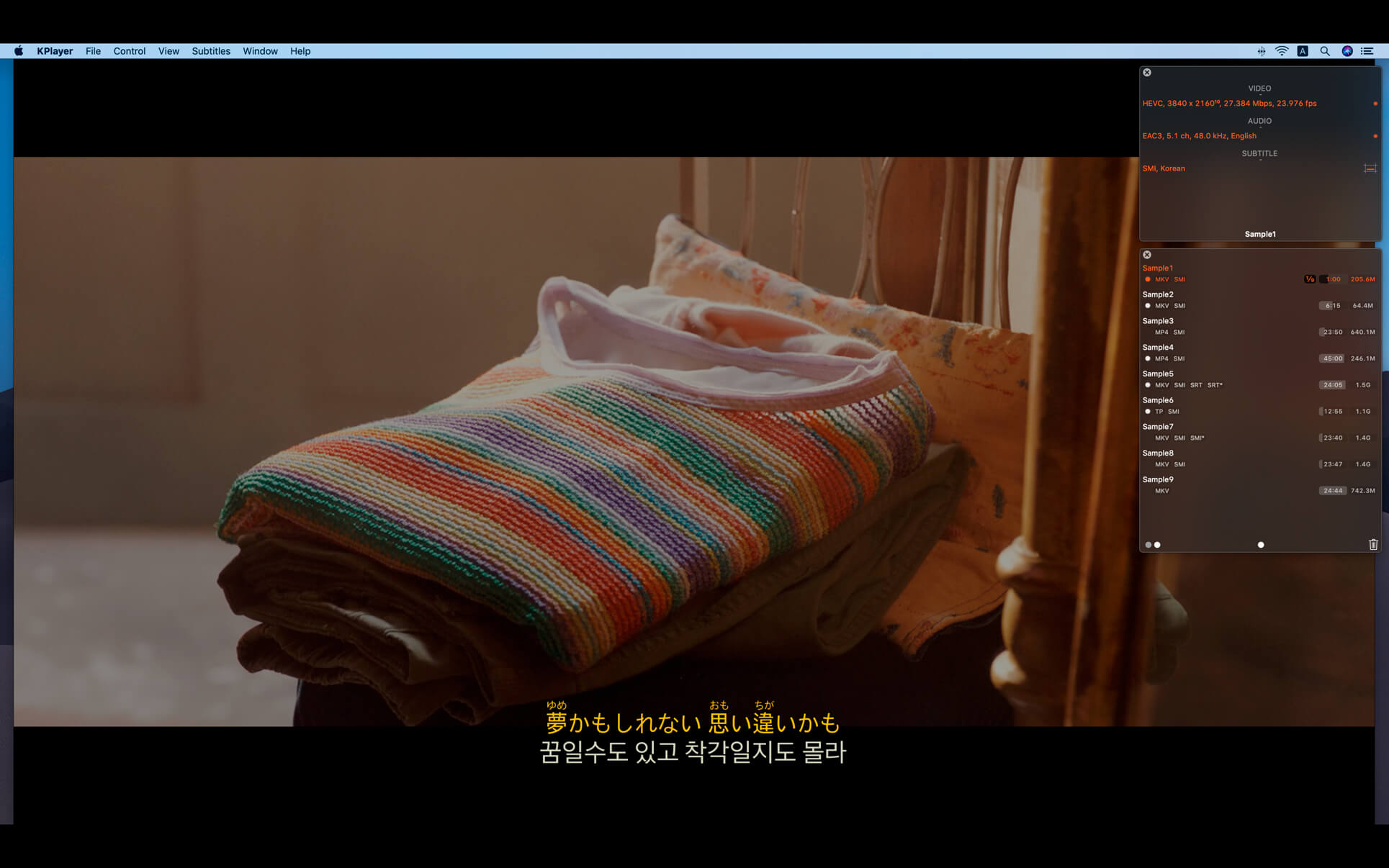

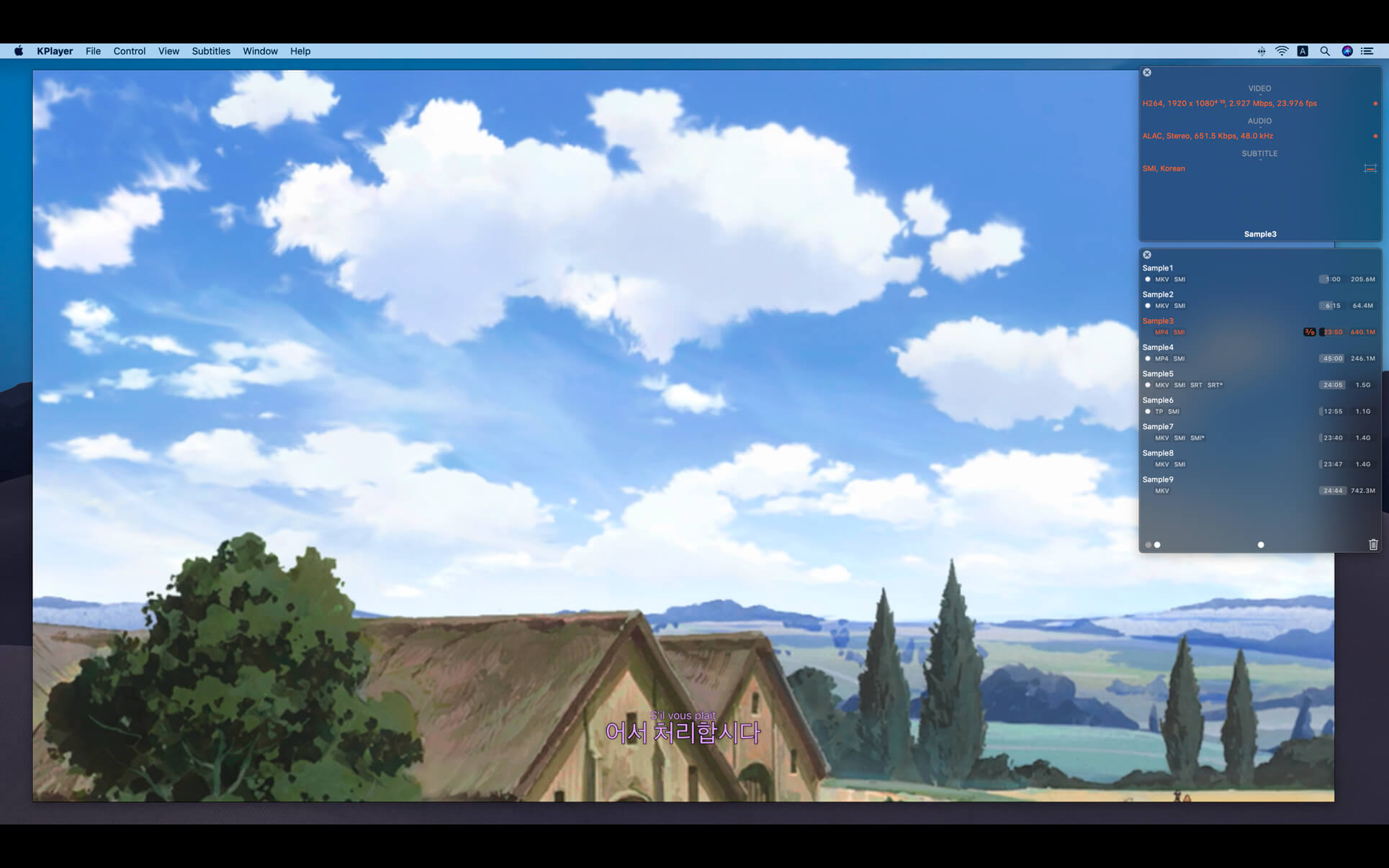
KPlayer is the video playback app. If 'H.264/HEVC Hardware Acceleration' is supported, it can play 1080p, 4K video files better smoothly.¹ Also it can enjoy a movie in the concise interface with the high-quality subtitles that are displayed quickly.
• 'H.264/HEVC Hardware Acceleration' support¹
• 'Aspect Ratio Settings' support
• 'Playback Speed Settings' support
• 'Skip' support
• 'Playlist' support²
• 'Continued Play' support
• 'Move to Trash’ support
• 'Subtitles' (Sandbox²)
- It supports SMI, SRT type.
- Ruby tag is also available.
- Subtitles are displayed in real time even if it searches the playback position through the time slider.
- If it opens the video (file_name), it searches and opens the subtitles (named like these).
▹ (file_name/file_name*) at the same folder, or manually open (file_name/file_name*) from the same folder.
▹ Only if it opens the BDMV's folder, (folder_name/folder_name*) and then (file_name/file_name*) at the current ‘P Folder’, or manually open (folder_name/folder_name*) or (file_name/file_name*) from anywhere. (folder_name/folder_name*) is only for file with maximum duration in the playlist.
• 'Commentary' (Sandbox²)
- It supports TXT (plain text) type.
- It shows a plain text commentary file in a separate window.
- If it opens the video (file_name), it searches and opens the commentary (named like these).
▹ (file_name) at the same folder, or manually open (file_name) from the same folder.
▹ Only if it opens the BDMV's folder, (folder_name) and then (file_name) at the current ‘P Folder’, or manually open (folder_name) or (file_name) from anywhere. (folder_name) is only for file with maximum duration in the playlist.
• Playable Types³
- 'Native' mode: M4V, MP4, MOV.
- 'FFmpeg' mode: M4V, MP4, MOV, MKV, AVI, FLV, WMV, RMVB, M2TS, TP, TS, TRP.
It can get more detail informations about these features at "KPlayer Support".
1. H.264/HEVC Hardware Acceleration
- 'H.264 Hardware Acceleration' may not be supported according to CPU/GPU or file format.
- 'HEVC(H.265) Hardware Acceleration' requires macOS 10.13 or later and recent CPU.
▹ 6th(8-bit)/7th(10-bit) Generation Intel CPU or later.
- On 'Native' mode, it requires M4V, MP4 or MOV types encoded in H.264(8-bit)/HEVC(8-bit) and AAC/ALAC
On 'FFmpeg' mode, it requires the video encoded in H.264(8-bit)/HEVC(8 or 10-bit).
- If the video track was encoded in settings that macOS doesn't support, it may not be supported.
If it is not supported, playback and navigating may not be smooth according to CPU. (especially when plays 1080p, 4K)
2. Sandbox
- If it opens not 'folders' but ‘video files' and these ‘files’ are not in the following folder or its subfolders; ‘P Folder' folders in 'Preferences’,
▹ it should open the same-named subtitle files manually,
▹ and it doesn't support the feature that playlist is automatically made up of the similar-named video files.
- 'P Folder' option remembers folders once opened by this option. So, even if changes the current 'P Folder' value, it can access old 'P Folder' folders.
3. Playable Types
- It doesn't support the playback of a protected video file.
- When it opens the BDMV’s folder, ‘m2ts' files that are contained in 'BDMV' will be automatically added to the playlist.
▹ For example, if DSK/BDMV, please open the ‘DSK’ folder.
- The video file encoded in 'YUV420P' pixel format can be played normally on Native/FFmpeg mode.
‘YUV420P 10-bit’, 'YUV444P 8/10-bit' pixel formats can be played only on FFmpeg mode.
※ KPlayer uses some dynamic libraries of 'FFmpeg' licensed under the LGPLv2.1. It can get more informations at 'http://ffmpeg.org'.
Version 2.2.0
- Requires macOS 10.13 or later.
- Updated FFmpeg libraries.
- Added ±10 seconds to subtitles sync.
- Click 'Sync +10.0', 'Sync -10.0' on 'Subtitles' menu.
- Or hold down ⌘ and click '+', '-' icons on the control bar.
- Optimized portrait(vertical) video playback.
- Improved stability.
- Fixed bugs.
Frequently asked questions
How do I install the app?
Mount the image, drag the app into the "Applications" folder and launch it. If the system blocks the launch, allow it in "System Settings → Privacy & Security".
The app is damaged or won't launch
Reinstalling from a fresh image usually helps. Make sure your macOS version matches the one listed in the compatibility specs.
How do I update?
Download the new version from the site and install it over the current one — your settings will be preserved.
The download link doesn't work
Try a mirror or a download manager. For large files the browser often drops the connection.
How do I completely remove the app?
Use an uninstaller utility — it cleans up the service files that remain after moving the app to the trash.



Choose a download source
KPlayer 2.2.0 · 35.37 MB
Previous versions
KPlayer 2.2.0
Previous versions are available to registered users.