
SlideFlow - Slideshow on TV 1.0.2
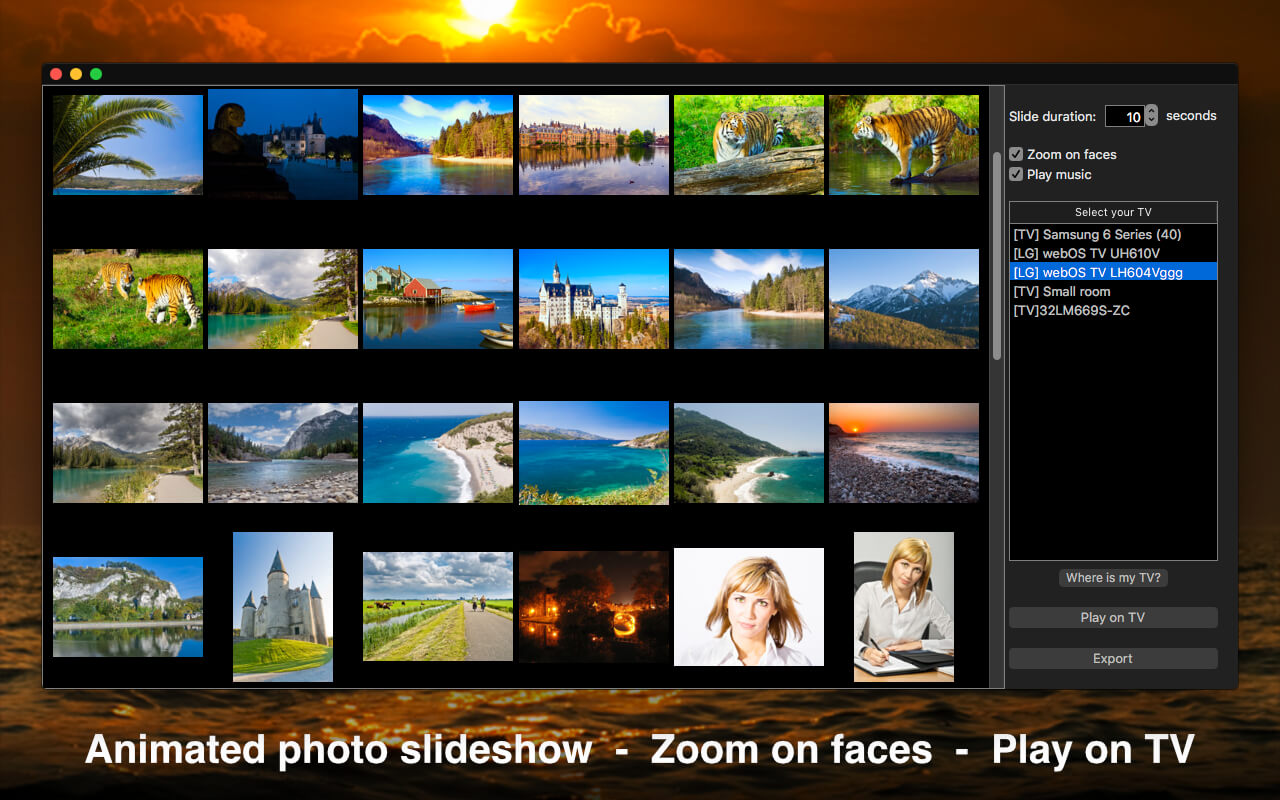
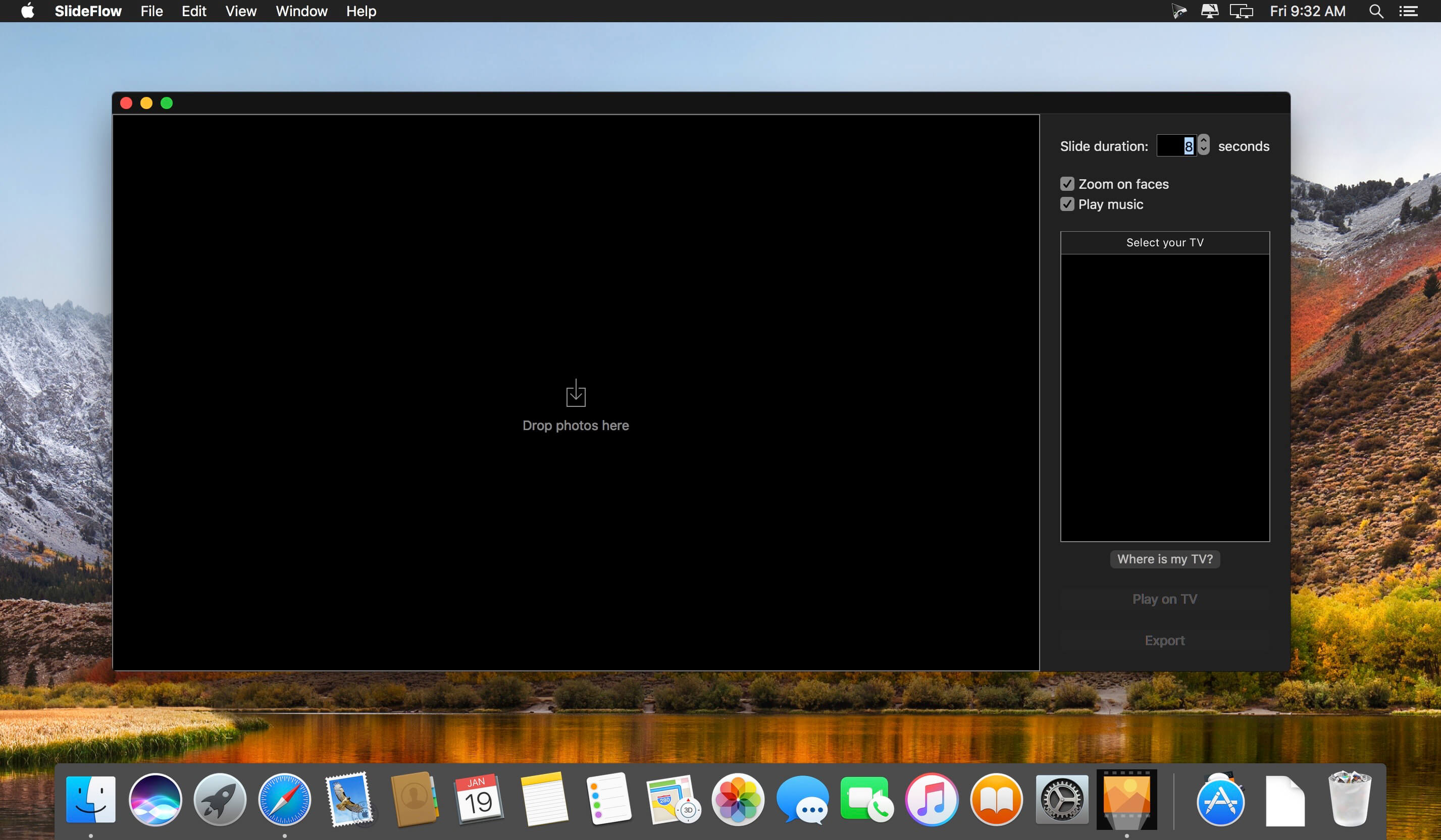

Create animated photo slideshow with background music. Zoom on faces. Play slideshow directly on a smart TV, or export to a video file. Enjoy the most natural viewing experience, presenting the full photograph, and then applying Ken Burns effect to zoom on human faces! SlideFlow is remarkably easy to use: just drop some photos and click "Play"!
SlideFlow works over your local Wi-Fi network with many modern smart TVs. For example with most Samsung, LG, and Sony TVs of 2012 and later models. It is also expected to work with other DLNA devices. Please download SlideFlow for free and check if your device and network setup are supported.
Version 1.0.2
- SlideFlow now also runs on macOS 10.11 El Capitan
- User interface improvements
Frequently asked questions
How do I install the app?
Mount the image, drag the app into the "Applications" folder and launch it. If the system blocks the launch, allow it in "System Settings → Privacy & Security".
The app is damaged or won't launch
Reinstalling from a fresh image usually helps. Make sure your macOS version matches the one listed in the compatibility specs.
How do I update?
Download the new version from the site and install it over the current one — your settings will be preserved.
The download link doesn't work
Try a mirror or a download manager. For large files the browser often drops the connection.
How do I completely remove the app?
Use an uninstaller utility — it cleans up the service files that remain after moving the app to the trash.
VersionSlideFlow - Slideshow on TV 1.0.2
DeveloperVeprIT
CompatibilityOS X 10.10 or later, 64-bit processor
LanguageEnglish
IncludesK'ed by TNT


Information
Visitors in the group Guests cannot leave comments on this publication.
Choose a download source
SlideFlow - Slideshow on TV 1.0.2 · 23.42 MB