
Photo Slideshow-PhotoVideo DVD 3.3.6
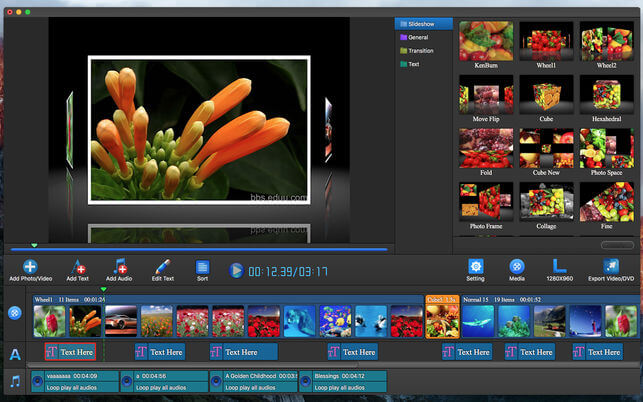
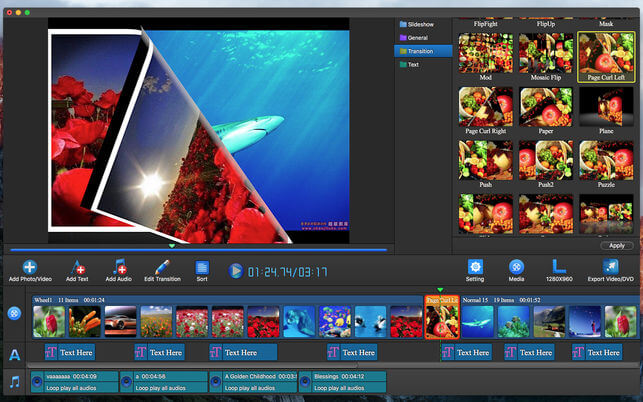
The app can showcase your story to fit any occasion-with a real film feel, effortlessly make a stylish movies using photos and music. Just drag in your photos and music, drop in a few of the array of built-in themes and your memories are transformed into wonderful movies you can share on DVD, all your iDevices and more.
The app provide motion, transition and slideshow effects, you can add any background music and professional subtitles. which is cool, you can share with your parents, business partners or your friends and so on.
*Export To Video - Save standard or high definition movies to Mac hard disk for editing or sharing.
*Export To DVD - Burn the slideshow to DVD, the video will loop play in your DVD player.
Photo Track
- When you drag and drop your Photo into Timeline, random animation is applied automatically.
- Provide text, transition and slideshow effects.
- Edit photo (rotate photo, crop photo, effect photo).
- Effect photo: 36 kinds of photo effects for you to choose.
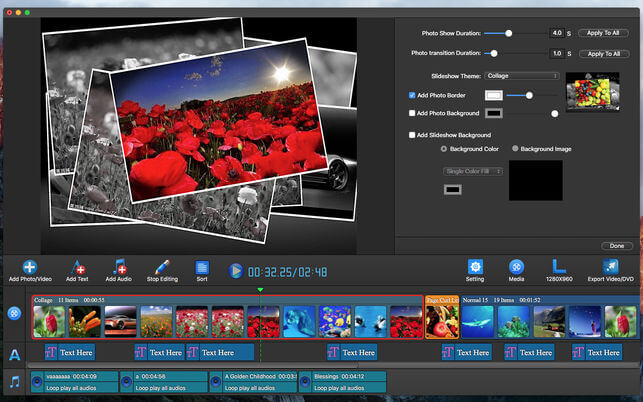
- Change the display time for each themes.
- Add background color or background image for each themes.
- Drag Photo or themes anywhere to adjust their order and position.
- Import images directly from the Photos app.
- Support load all video and photo format file.
- 1Add border and background form every photo .
- Drag text anywhere to adjust their order and position.
- Add animated captions to photos to help tell the story.
- Change move in duration and move out duration for subtitles themes.
- Preview the subtitles themes.
- 12 kinds of subtitles effects for you to choose.
- Edit audio (Trim, Fade In, Fade Out, volume).
- Loop play the imported musics.
- Custom background music start play time and end play time at slideshow video.
- Drag anywhere to adjust their order and position.
Version 3.3.6
- Resolved some bugs.
Frequently asked questions
How do I install the app?
Mount the image, drag the app into the "Applications" folder and launch it. If the system blocks the launch, allow it in "System Settings → Privacy & Security".
The app is damaged or won't launch
Reinstalling from a fresh image usually helps. Make sure your macOS version matches the one listed in the compatibility specs.
How do I update?
Download the new version from the site and install it over the current one — your settings will be preserved.
The download link doesn't work
Try a mirror or a download manager. For large files the browser often drops the connection.
How do I completely remove the app?
Use an uninstaller utility — it cleans up the service files that remain after moving the app to the trash.
VersionPhoto Slideshow-PhotoVideo DVD 3.3.6
DeveloperDIGITAL SOFTWARE
CompatibilityOS X 10.8 or later, 64-bit processor
LanguageEnglish
IncludesK'ed by TNT

Information
Visitors in the group Guests cannot leave comments on this publication.
Choose a download source
Photo Slideshow-PhotoVideo DVD 3.3.6 · 34.11 MB