Movavi Slideshow Maker 8.0.1
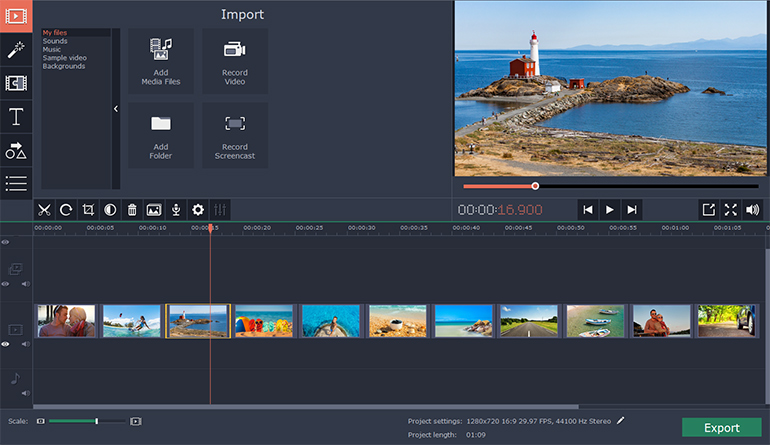
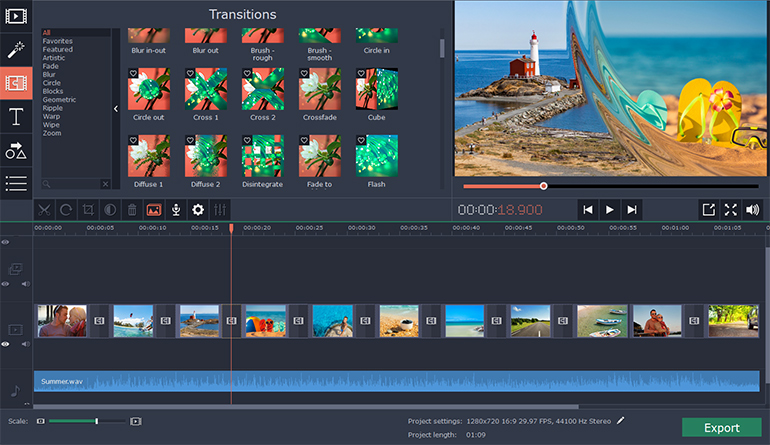
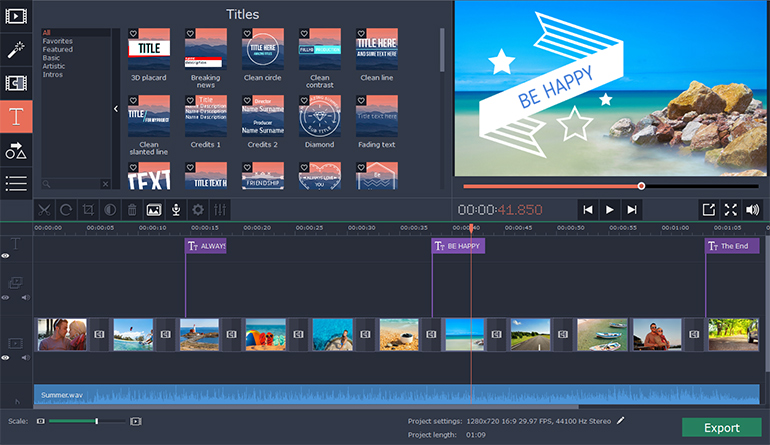
Check out Slideshow Maker Movavi – a handy app that will help you turn your photos into a spectacular movie in no time.
With our easy-to-use Slideshow Maker, you can:
- Make high-quality slideshows in a few clicks
- Crop, rotate, and make other edits to your images
- Improve picture quality automatically or by hand
- Join media files together using stylish transitions
- Add your own audio or select from the default soundtracks
- Use automatic beat detection and sync slides with background music
- Export the slideshow in any popular format
- Prepare your movie for viewing on iPod, iPad, iPhone, or other mobile devices
- Share your creative work with the whole world using the special export presets for Facebook, YouTube, and other social networks
Slideshow Maker lets you combine photos into stunning movies with almost no effort. Import your photos in BMP, JPEG, PNG, GIF, or other image format and join them together to create amazing slideshows. Insert stylish animated transitions between the photos to give your movie a smooth flow.
Edit your video to make it perfect:
- Change the composition: crop, rotate and flip images
- Emphasize important elements: zoom and pan, highlight, or conceal
- Adjust colors by hand or use Magic Enhance for automatic fixes
The best way to make your slideshow your own is to add a soundtrack. Import sound effects or music in MP3, FLAC, WAV, or other popular format to generate a specific atmosphere in your video. Automatic beat detection will help you sync your slides with the background music and give your slideshow added appeal.
Try Slideshow Wizard and create a photo-based presentation in 3 simple steps:
- Add photos one by one or in groups, or upload entire folders
- Choose a transition style: crossfade, simple, geometric, artistic, or random
- Add music: upload your own soundtrack or choose from the built-in library
Save your slideshow in any convenient format – AVI, MP4, M2TS, and more. You can also choose one of the many export presets and prepare your file for viewing on a specific mobile device or for uploading to the web.
Version 8.0.1:
- Release notes were unavailable when this listing was updated.
Frequently asked questions
How do I install the app?
Mount the image, drag the app into the "Applications" folder and launch it. If the system blocks the launch, allow it in "System Settings → Privacy & Security".
The app is damaged or won't launch
Reinstalling from a fresh image usually helps. Make sure your macOS version matches the one listed in the compatibility specs.
How do I update?
Download the new version from the site and install it over the current one — your settings will be preserved.
The download link doesn't work
Try a mirror or a download manager. For large files the browser often drops the connection.
How do I completely remove the app?
Use an uninstaller utility — it cleans up the service files that remain after moving the app to the trash.


Choose a download source
Movavi Slideshow Maker 8.0.1 · 118.39 MB
Previous versions
Movavi Slideshow Maker 8.0.1
Previous versions are available to registered users.