
DxO Perspective 1.0.6
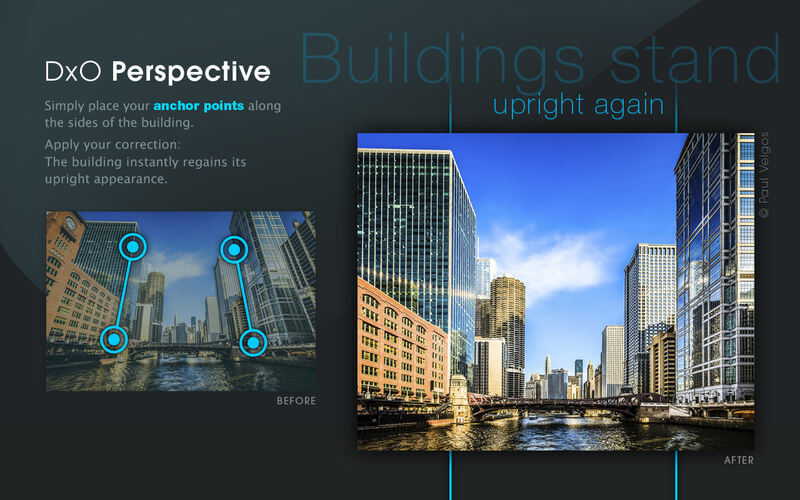
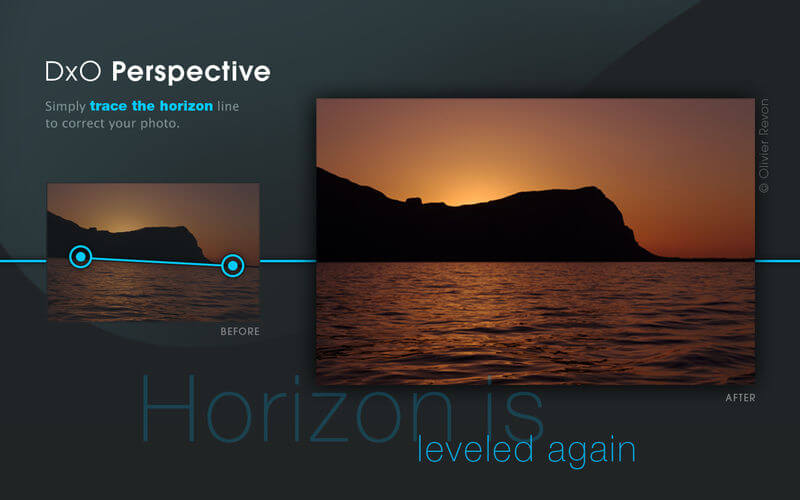
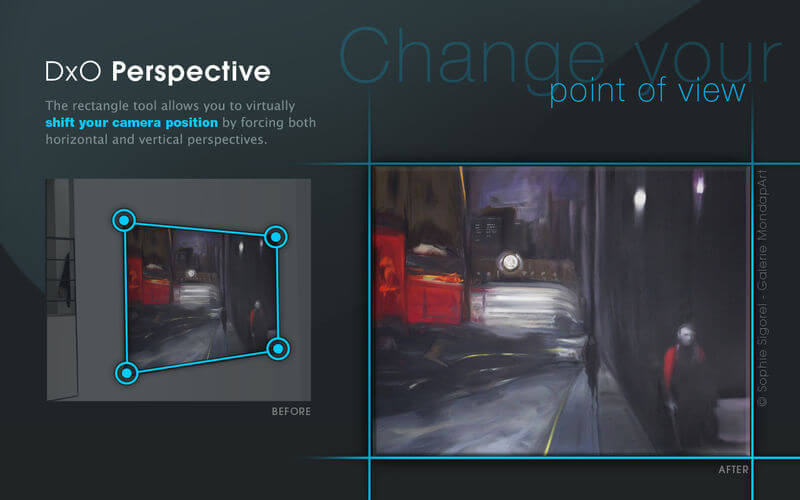
With DxO Perspective, you can correct any perspective issues in your images in just a few clicks. A skewed building? A tilted horizon? Simply place the anchor points along the lines you want to fix, and your image instantly achieves a more natural look.
Automatically corrects even the most complex perspective problems:
- Several correction tools adapted to different kinds of photo compositions
- Horizon recovery
- Optimized cropping to maximize the visible field
Easy to use:
- DxO Perspective provides a simple solution for correcting your images, thanks to an innovative system of anchor points that you apply directly on your image
- Advanced tools let you fine-tune corrections according to your own tastes
The perfect solution for:
- Street and architectural photos
- Interior shots
- Landscape photos
- Reproductions of posters or paintings
Version 1.0.6
- Fixes an issue when accessing paths with non-latin characters.
Frequently asked questions
How do I install the app?
Mount the image, drag the app into the "Applications" folder and launch it. If the system blocks the launch, allow it in "System Settings → Privacy & Security".
The app is damaged or won't launch
Reinstalling from a fresh image usually helps. Make sure your macOS version matches the one listed in the compatibility specs.
How do I update?
Download the new version from the site and install it over the current one — your settings will be preserved.
The download link doesn't work
Try a mirror or a download manager. For large files the browser often drops the connection.
How do I completely remove the app?
Use an uninstaller utility — it cleans up the service files that remain after moving the app to the trash.
VersionDxO Perspective 1.0.6
DeveloperDxO Labs
CompatibilityOS X 10.7.5 or later, 64-bit processor
LanguageEnglish, French, German, Japanese
IncludesK'ed by TNT




Information
Visitors in the group Guests cannot leave comments on this publication.
Choose a download source
DxO Perspective 1.0.6 · 43.57 MB