
Photo Sense - Bulk Enhancement 2.1.3
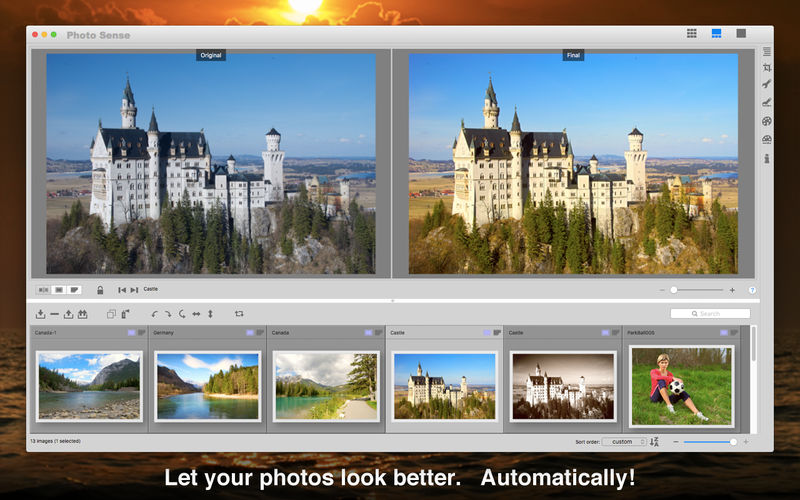

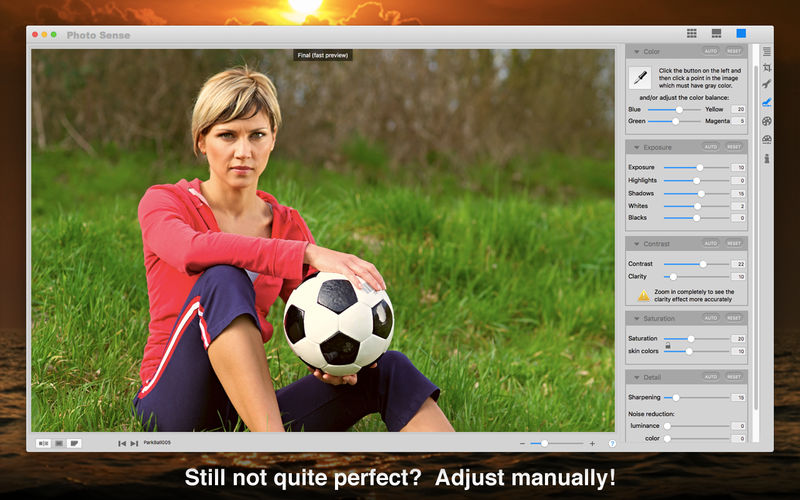
Photo Sense makes your photos look better while saving your time on tedious photo editing tasks. It advocates the automatic-first workflow: instead of adjusting every image manually, it enhances all photos automatically, and offers effective tools to customize the results as much as you wish. Batch processing, image settings synchronization, custom presets, and other offered tools save your time on customization. Photo Sense can also give your photos an artistic finishing touch with various creative effects.
Main Features:
- Flexible workflow allowing to choose the preferred complexity
- Efficient automatic-first photo enhancement workflow. You only adjust the auto enhancement imperfections, if any, rather than doing everything manually from scratch
- Quick and easy basic adjustments in batch mode
- More advanced manual adjustments on image by image basis
- Artistic effects applied with a single click in batch mode
- Combine and customise artistic effects as you wish, achieve unique creative results
- Copy any desired settings between images, including selected adjustments, crop & straighten configuration, artistic effects, and metadata
- Define custom presets with any desired image settings, including selected adjustments, crop aspect ratio, artistic effects, and metadata
- Collection of predefined presets offering various photo styles and artistic effects
- Batch rotation and flipping
- Direct sharing on social media services
- Export to other software, including Photos and Lightroom
- Flexible file export options, including powerful filename generation options and image size constraints defining dimensions, megapixel count, and even file size
- Custom export presets to keep and quickly access any export configurations
- Export image settings to configuration files and restore all the settings in Photo Sense later
- Non-destructive operation
- Simple and efficient user interface
Version 2.1.3
- Enable export in the HEIC file format on macOS 10.13 (High Sierra) and later. Including the Image Quality (compression strength) setting.
- Fix a number of possible crashes, e.g. after export.
Frequently asked questions
How do I install the app?
Mount the image, drag the app into the "Applications" folder and launch it. If the system blocks the launch, allow it in "System Settings → Privacy & Security".
The app is damaged or won't launch
Reinstalling from a fresh image usually helps. Make sure your macOS version matches the one listed in the compatibility specs.
How do I update?
Download the new version from the site and install it over the current one — your settings will be preserved.
The download link doesn't work
Try a mirror or a download manager. For large files the browser often drops the connection.
How do I completely remove the app?
Use an uninstaller utility — it cleans up the service files that remain after moving the app to the trash.





Choose a download source
Photo Sense - Bulk Enhancement 2.1.3 · 16.55 MB