

JixiPix Watercolor Studio Pro 1.4.24
Photo to watercolor on Mac with real paint flow
Screenshots
Click to enlarge
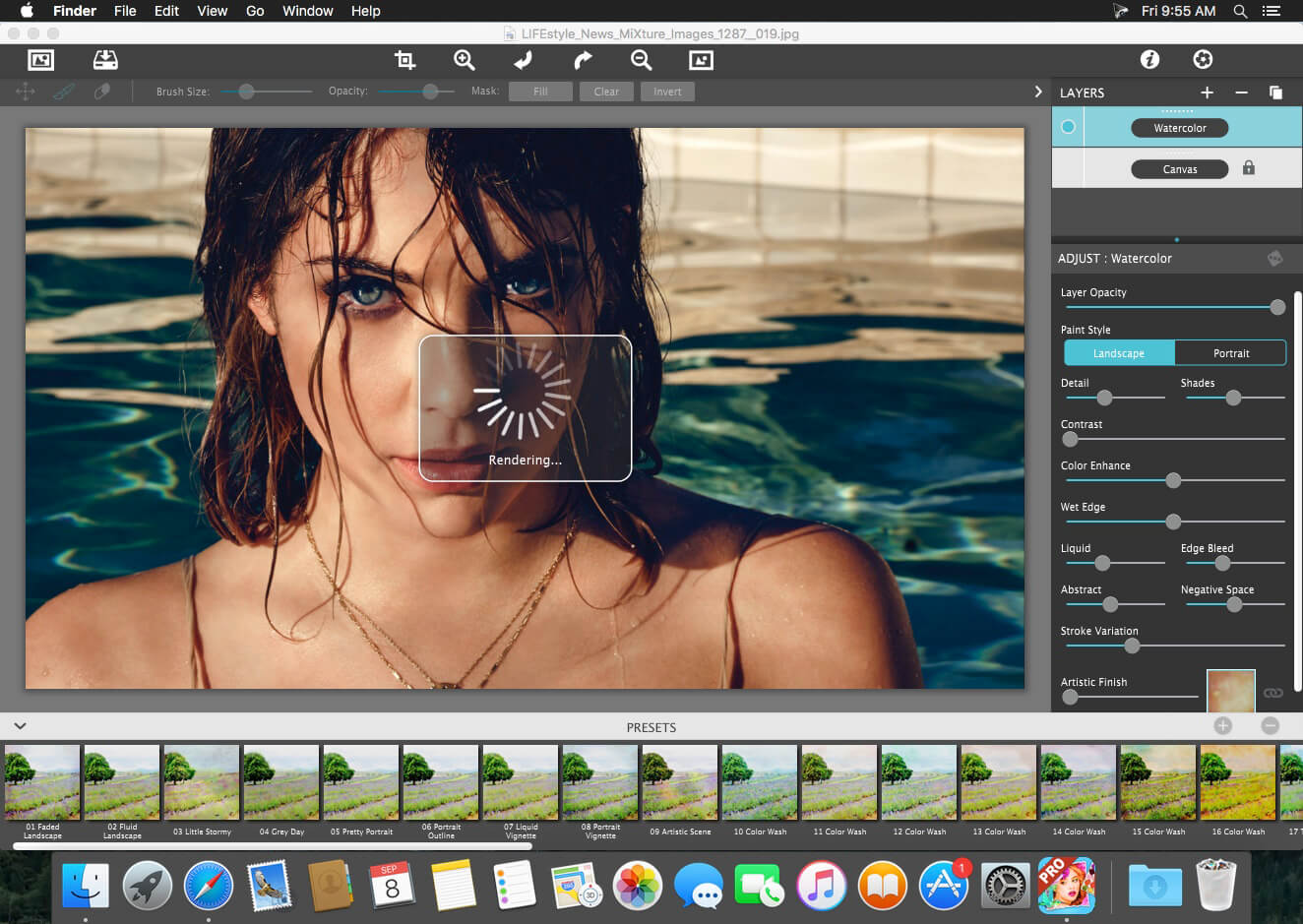

Description
Watercolor Studio Pro turns photographs into print quality watercolors on your Mac. The app uses artificial intelligence and image recognition to render the first watercolor automatically, then hands you the controls: sliders, layers, brushes, color washes and artistic finishes. You can leave the result as it is or push it toward an ink wash, a loose wet-in-wet landscape or a carefully defined portrait, and no artistic skill is required to get there.
Paint that behaves like paint
The beauty of a real watercolor comes from transparent pigment on paper and from the way water carries color across the sheet. The Liquid slider spreads color through the painting for an ultra wet style, while the Wet Edge slider builds pigment along the edges and lets color bleed inward naturally. A Liquefy Layer dilutes and bleeds color wherever you brush it, smoothing areas the way a wet brush would.
Layers, washes and artistic finishes
Paint Layers let you stack watercolor layers, blend color washes and texture, and brush in details. Color Wash blends handmade washes and textures into the painting while keeping some or all of the original color, and render modes combine those washes with watercolor, ink wash and outline layers. From there you can adjust detail, shades, negative space and coloring until the painting looks the way you want it.
- AI watercolor rendering: image recognition produces an initial watercolor from any photo, with full control over the settings afterward.
- Liquid slider: bleeds color throughout the painting for an ultra wet, free flowing style.
- Wet Edge slider: defines edges with built-up pigment and color that bleeds inward naturally.
- Paint Layers: stack watercolor layers, blend color washes and texture, and brush in details.
- Watercolor—Portrait: a wet-on-dry painting for fine-tuning portrait detail and shades while contours stay clear and color defined.
- Watercolor—Landscape: an abstract wet-in-wet style that spreads indiscriminate detail and lets colors bleed together.
- Ink Wash: renders photos into soft, subtle paintings of one to three colors, with a library of washes to choose from.
- Liquefy Layer: a transparent layer for diluting and blending color with a continuous brush motion.
- Color Wash: warms, cools or dapples light and color throughout the painting, with control over how much wash is applied.
- Brushes and spatter: brush in details and add liquid spots for a more expressive finish.
Open a photo, let the app render it, and take the painting as far as you want. Get Watercolor Studio Pro for Mac and start with the next image on your desktop.
Comments
No comments yet. Be the first.