Tomates - Time Management 9.0
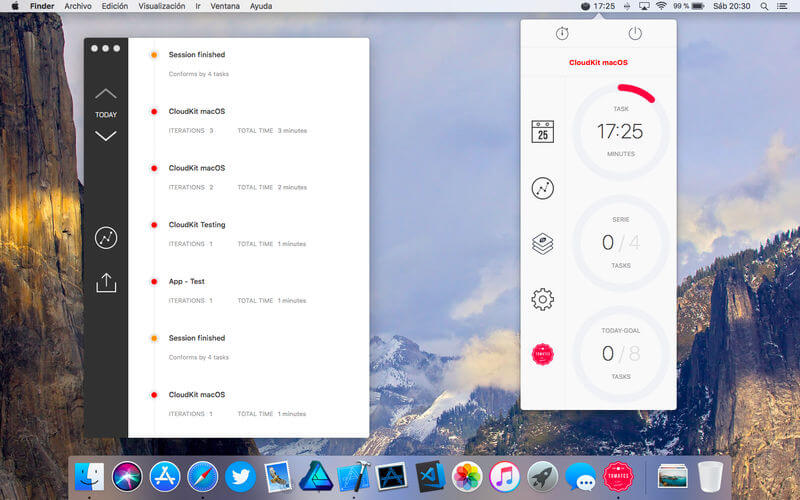

Tomates Time Management helps you to improve your productivity using one of the most effective management method in personal or pair working environments.
The app is highly configurable in aspects like time for breaks or tasks, notifications, task series, all of it in a beautiful and detailed interface.
We say Hi! to Touch Bar
Proud to announce Tomates Time Management adds support to Touch Bar on the new MacBook Pro.
International.
Since version 5 we speak english and Español también.
- Inside Tomates Time Management you will find...
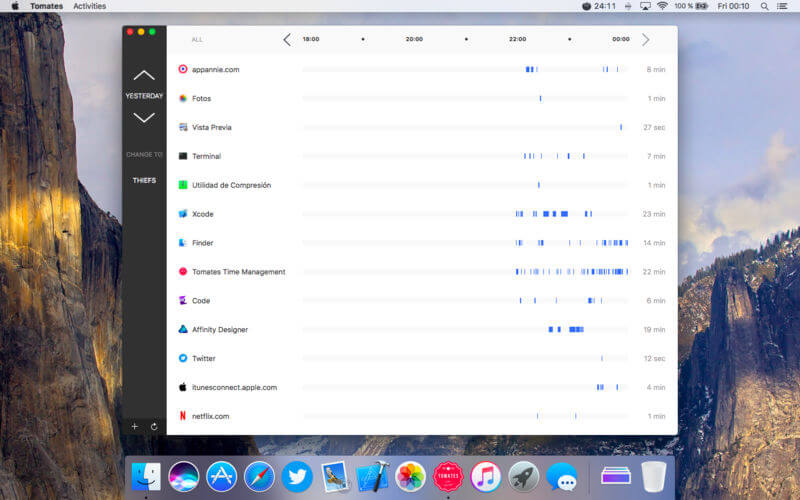
- Reports to compare your productivity
- Beautiful graphs to check your progress in a blink of an eye
- Customize task time
- Customize short and long break time
- Choose to play a sound or not when a break or a task has finished
- Set how many tasks are a Work Serie
- The task timer can be paused/resumed/reseted
- Session and Goal counters can be reseted
Version 9.0
What's new in this update...
+ Welcome to Dark Mode
Frequently asked questions
How do I install the app?
Mount the image, drag the app into the "Applications" folder and launch it. If the system blocks the launch, allow it in "System Settings → Privacy & Security".
The app is damaged or won't launch
Reinstalling from a fresh image usually helps. Make sure your macOS version matches the one listed in the compatibility specs.
How do I update?
Download the new version from the site and install it over the current one — your settings will be preserved.
The download link doesn't work
Try a mirror or a download manager. For large files the browser often drops the connection.
How do I completely remove the app?
Use an uninstaller utility — it cleans up the service files that remain after moving the app to the trash.


Choose a download source
Tomates - Time Management 9.0 · 10.84 MB