
Kerio Notes 1.0.4
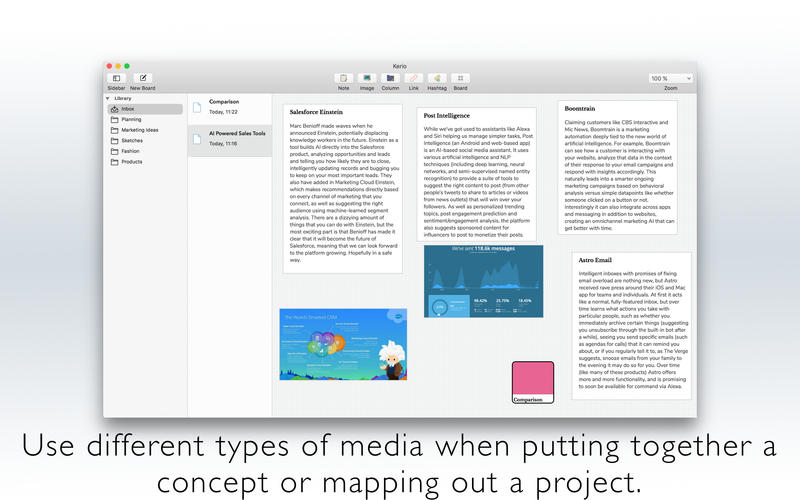
Kerio Notes is a great way to clarify thinking, brainstorm and visualize concepts.
Features
Capture your ideas
- Kerio Notes is the best place to lay down ideas or research for writings--experiment with different tools to create beautiful, hand-crafted notes all in one place; it couldn't be any more perfect for this use
Take solid notes by keeping them simple
- Kerio Notes is a place to put your ideas, notes or research together
- Easily manage infinite boards by creating a simple folder structure
- Kerio Notes isn't like traditional note taking solutions - so you don't have to structure your folders the traditional way, either; just add one or more hashtags to your board and it automatically appears on the left sidebar
Different media types
- Collect an array of different types of media when putting together a concept and mapping out a project
WHAT’S NEW
Version 1.0.4
- Fixed crashes on macOS 10.11
- Drag & Drop images from "Finder".
SCREENSHOTS


Frequently asked questions
How do I install the app?
Mount the image, drag the app into the "Applications" folder and launch it. If the system blocks the launch, allow it in "System Settings → Privacy & Security".
The app is damaged or won't launch
Reinstalling from a fresh image usually helps. Make sure your macOS version matches the one listed in the compatibility specs.
How do I update?
Download the new version from the site and install it over the current one — your settings will be preserved.
The download link doesn't work
Try a mirror or a download manager. For large files the browser often drops the connection.
How do I completely remove the app?
Use an uninstaller utility — it cleans up the service files that remain after moving the app to the trash.
VersionKerio Notes 1.0.4
DeveloperRuslan Sayfutdinov
CompatibilityOS X 10.11 or later, 64-bit processor
LanguageEnglish
IncludesPre-K'ed




Information
Visitors in the group Guests cannot leave comments on this publication.
Choose a download source
Kerio Notes 1.0.4 · 4.15 MB