
Expert Bundle - Templates for MS Office 3.1
Templates for MS Office - Alungu Designs is an impressive collection of 262 original templates for your Word documents, 30 spreadsheet templates for Excel, and 10 stylish presentation themes for PowerPoint. Make the best of what Mac OS X has to offer and bring off the top results with Suite for MS Office Templates!
Word Templates
The collection of 262 easy-to-use templates for creating business and personal documents with MS Word presents a mix of designs, from business proposals and newsletters to books and menus. Every layout – from the prime elegance of text-only pages to the light-hearted fusion of pictures and slogans in the poster templates – features quality design and great usability. Available in the US and international page sizes.
Excel Templates
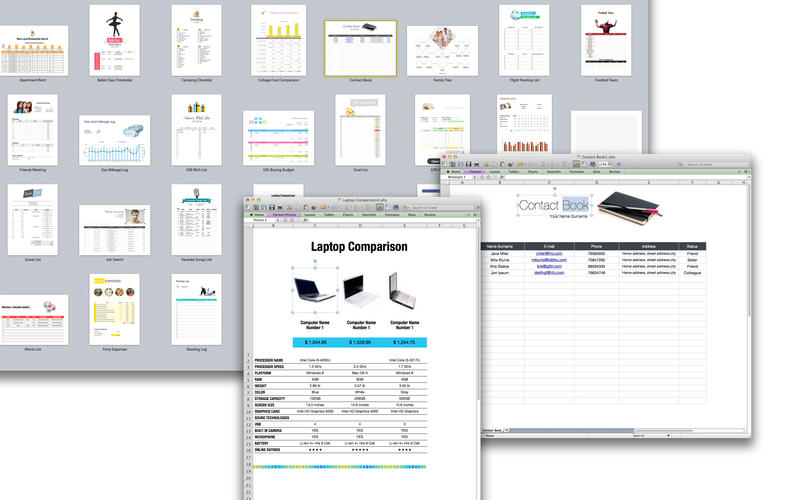
Make use of these 30 diverse and practical templates for MS Excel to make your daily job much more manageable. Personalize the templates for your business or personal requirements: create tables, make calculations, draw diagrams, and insert images, handling your duties with structure and without trouble. Available in the US and international page sizes.
PowerPoint Templates
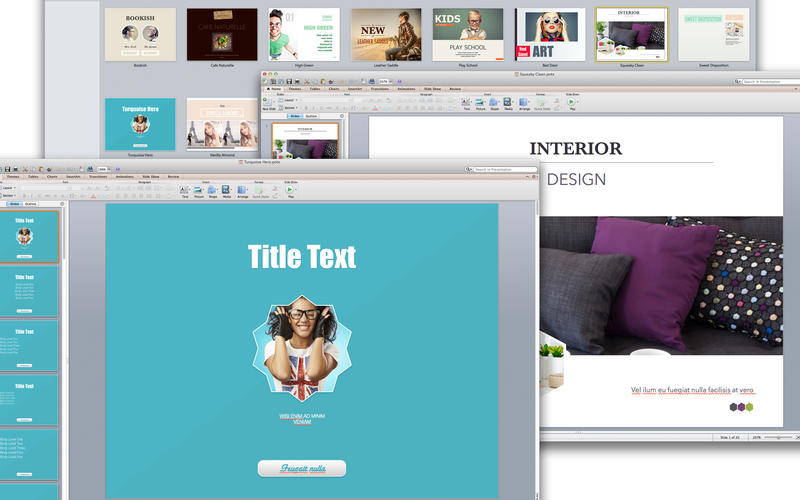
These 10 high-quality designs for PowerPoint presentations are more than just good-looking backgrounds. They cover up to 20 diverse master slides, which allows you to select the most fitting layout for your information, whether it mostly consists of bullet points, combines text with illustrations, or presents multiple graphs and tables.
*Requires Microsoft Office 2008 or later, which has to be purchased separately.
WHAT’S NEW
Version 3.1
- Bug Fixes.
SCREENSHOTS

Frequently asked questions
How do I install the app?
Mount the image, drag the app into the "Applications" folder and launch it. If the system blocks the launch, allow it in "System Settings → Privacy & Security".
The app is damaged or won't launch
Reinstalling from a fresh image usually helps. Make sure your macOS version matches the one listed in the compatibility specs.
How do I update?
Download the new version from the site and install it over the current one — your settings will be preserved.
The download link doesn't work
Try a mirror or a download manager. For large files the browser often drops the connection.
How do I completely remove the app?
Use an uninstaller utility — it cleans up the service files that remain after moving the app to the trash.
VersionExpert Bundle - Templates for MS Office 3.1
DeveloperAlungu UAB
CompatibilityOS X 10.6.6 or later, 64-bit processor
LanguageEnglish
IncludesK'ed by TNT

Information
Visitors in the group Guests cannot leave comments on this publication.
Choose a download source
Expert Bundle - Templates for MS Office 3.1 · 340.86 MB