
Blink Pro 4.5.1
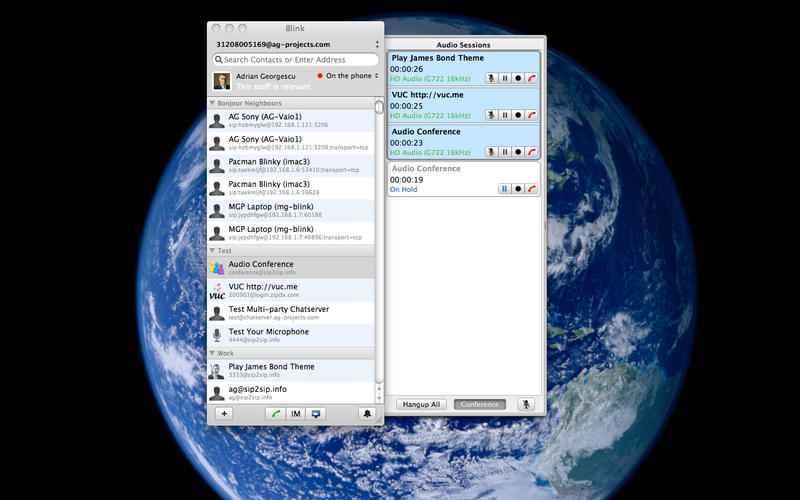
Blink is a state of the art, easy to use multimedia SIP client. It is elegant, intuitive to use and feature-full.
Blink can be used without an account on the LAN, or can be configured to use SIP accounts from any service provider. Free account sign-up to SIP2SIP free service is also provided in case you don't have a SIP account.
- OSX Integration (iCloud, iTunes, Address Book, Keychain, Voice Over)
- Audio (Opus codec) optimised for full spectrum audio
- Video (H.264 codec) supporting HD 720 @30fps
- Acoustic echo cancelation, no headsets needed
- Presence (SIP SIMPLE RLS and XCAP protocols)
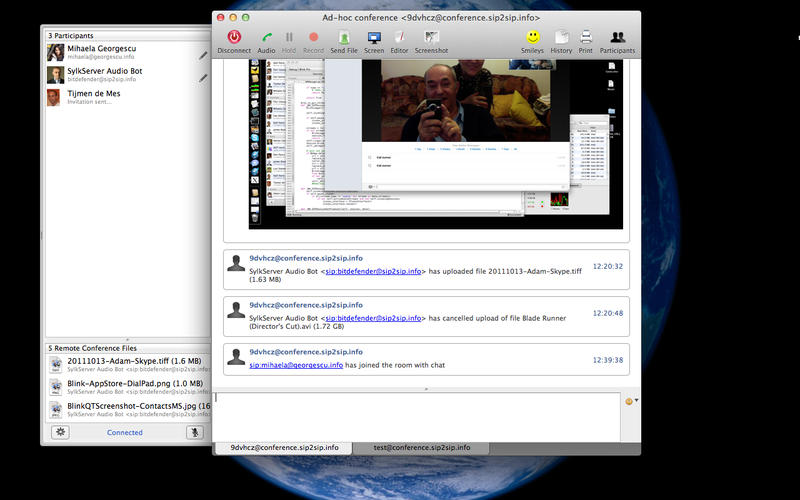
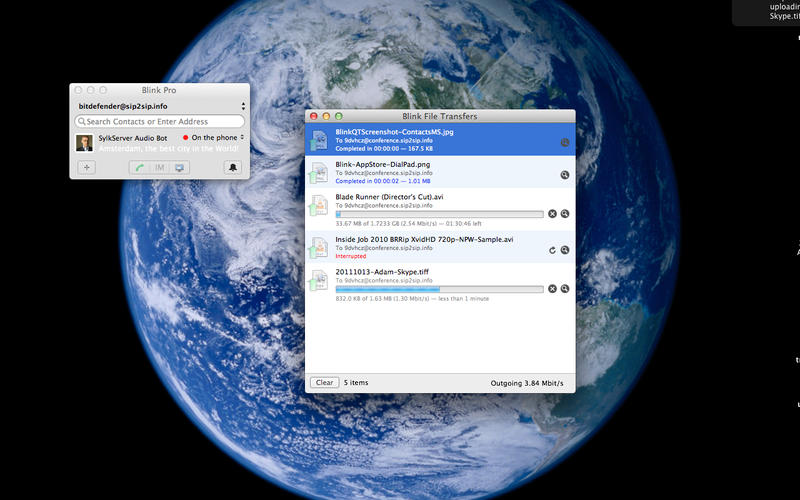
- Instant Messaging and File Transfers (MSRP protocol)
- Screen Sharing (Apple VNC over MSRP protocol)
- Multiparty conferencing (audio, chat and file transfers)
- End-to-end chat encryption (OTR protocol)
- End-to-end audio and video encryption (ZRTP protocol)
- Corporate directory services (LDAP protocol)
- Compatible with telephony applications (dialpad, call hold, call transfer)
- Fine-grained settings for SIP experts
WHAT’S NEW
Version 4.5.1
- Fix Presence and XCAP contacts on OSX 10.12
SCREENSHOTS
Frequently asked questions
How do I install the app?
Mount the image, drag the app into the "Applications" folder and launch it. If the system blocks the launch, allow it in "System Settings → Privacy & Security".
The app is damaged or won't launch
Reinstalling from a fresh image usually helps. Make sure your macOS version matches the one listed in the compatibility specs.
How do I update?
Download the new version from the site and install it over the current one — your settings will be preserved.
The download link doesn't work
Try a mirror or a download manager. For large files the browser often drops the connection.
How do I completely remove the app?
Use an uninstaller utility — it cleans up the service files that remain after moving the app to the trash.
VersionBlink Pro 4.5.1
DeveloperAG Projects
CompatibilityOS X 10.11 +
LanguageEnglish, Dutch, Portuguese, Romanian, Spanish
IncludesPre-K'ed





Information
Visitors in the group Guests cannot leave comments on this publication.
Choose a download source
Blink Pro 4.5.1 · 36.72 MB