
Ephnic Movie Maker 2.4.2
Screenshots
Click to enlarge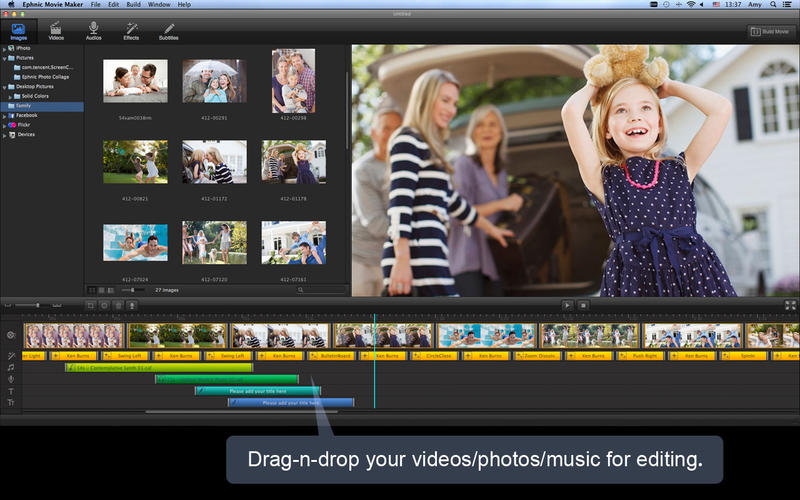

Movie Maker is an easy-to-use yet powerful movie maker for the Mac. With Movie Maker, you can add your digital photos and videos to make home movies with background music. Add subtitles, and 2D/3D transition effects for your home movies and share them with the world on Apple TV, YouTube, and iPhone.
Features
- Drag and drop to add your photos/videos/music.
- Automatically apply Ken Burns and transitions effects onto your photos/videos.
- Import background music from MP3, M4A, WAV, AAC, AMR, AIFF, AU, CAF audio formats.
- Import photos from online websites, like Facebook/Flickr.
- Import photos from devices, like iPad, iPhone, etc.
- Easily trim the background soundtrack to match your home movies.
- Record your own voice as narrations;
- Customize your own Ken Burns effect to make your movies special.
- Mute the video to add your own soundtrack for home movies.
- Add multiple animated subtitles for your movies.
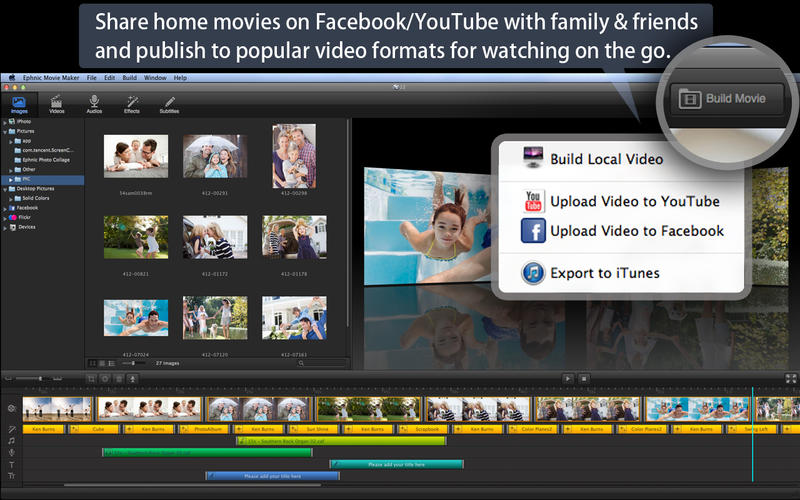
- Save your home movies as High Definition QuickTime movie, and MP4, AVI, 3GP, M4V video formats.
- Save your movies for watching on iPhone, Apple TV, iPad, iPod.
- Upload your movies to YouTube/Facebook directly to share with the world.
- Burn your home movies to DVD with Apple built-in iDVD.
- Automatically save your project for later use.
Version 2.4.0:
- Support import images and videos from Photos Library.
- Improves performance of the timeline play.
- Fully support Mac OS 10.12.
- Fix other bugs.
Comments
No comments yet. Be the first.
Information
Visitors in the group Guests cannot leave comments on this publication.