
Movavi Video Editor 15.4.1

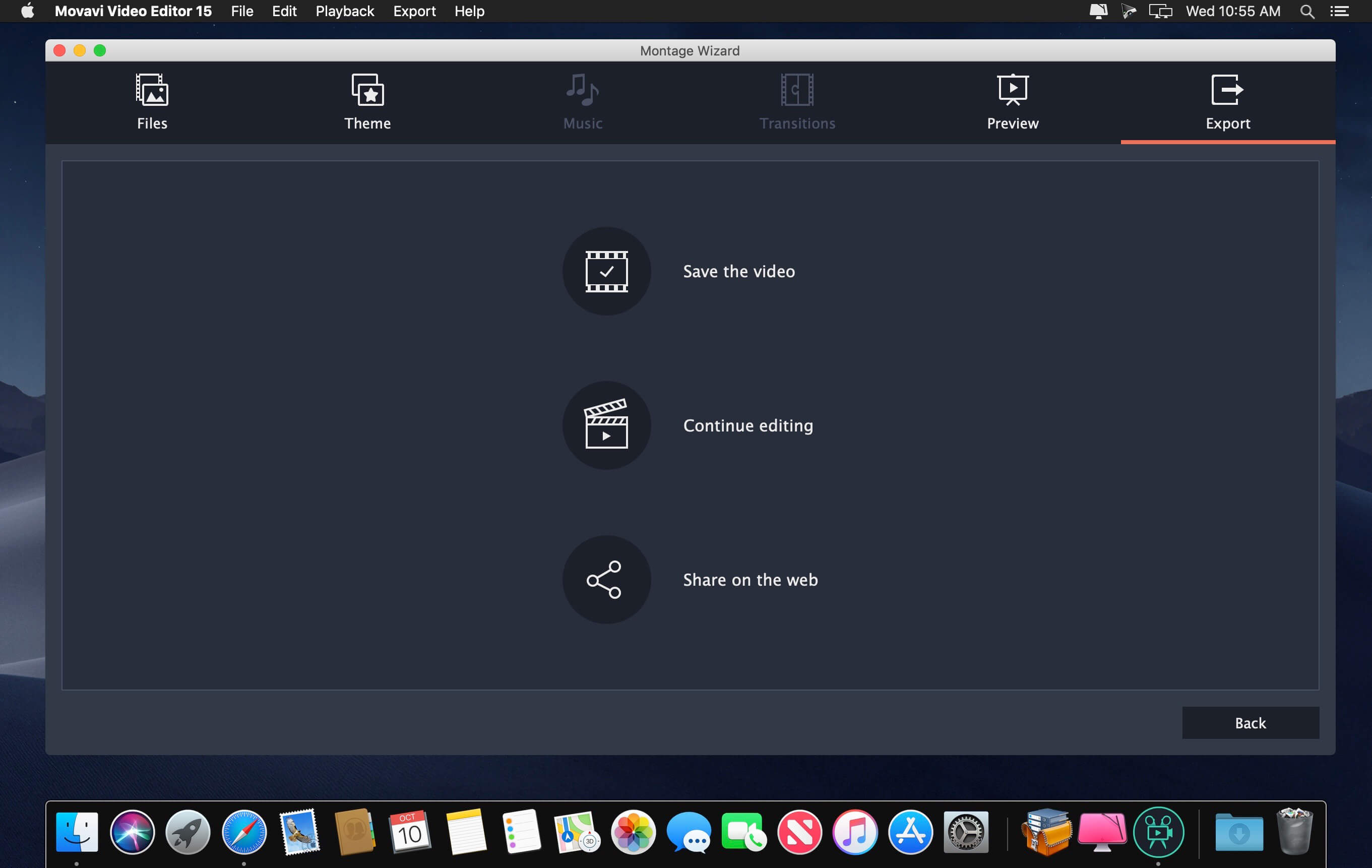
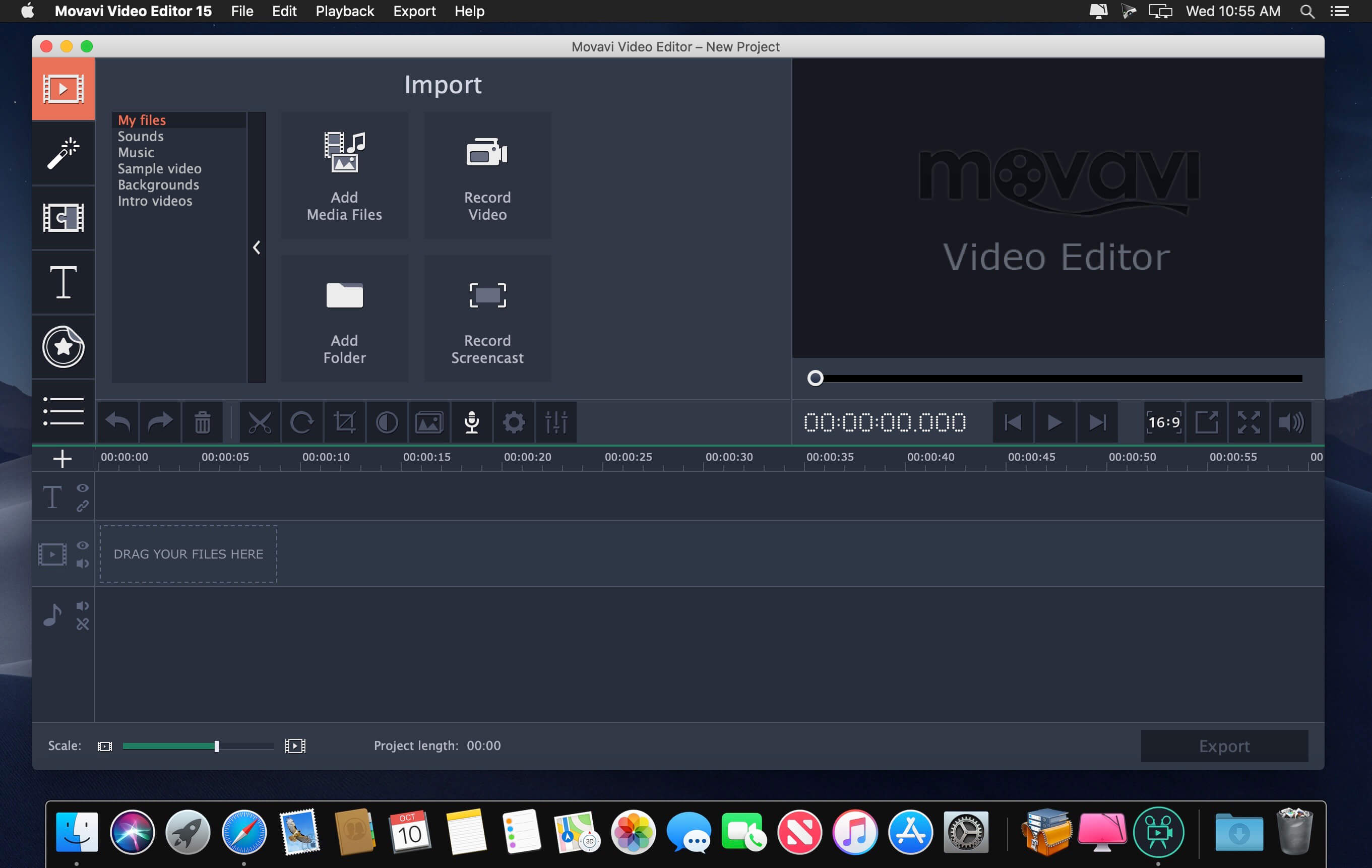
Check out Movavi Video Editor for Mac - it takes only a few minutes to master. Movavi’s movie maker for Mac has everything you need for quick and efficient home movie editing and photo slideshow creation. Just import your videos and photos into the program, magically improve video quality, apply filters, add titles, animated fades and music - and you’re good to go! Simple controls and an intuitive interface guarantee a short learning curve and tons of creative fun.
- Edit video on a timeline
- Improve quality, add music, titles and fades
- Apply creative effects
- Save clips in most popular formats
Version 15
New Multi-Track Timeline
Add new tracks and re-order them any way you like; place clips anywhere on a track; experience new compact design.
Fast Track HD Acceleration
Edit large Full HD videos with no freezing or lagging.
Updated Montage Wizard
Create videos with one of two themes, using specific music, titles, and transitions; add opening and end titles.
Intros and Outros
Add ready-made animated intros and outros to your videos, create your own custom templates.
Guide Lines
Titles, stickers, Crop, Pan & Zoom, and other tools are now easier to work with, thanks to guide lines in the preview screen.
Portable Projects
Save your video project on a flash memory card so you can continue working on it on another computer.
New Multi-Track Timeline
Add new tracks and re-order them any way you like; place clips anywhere on a track; experience new compact design.
Fast Track HD Acceleration
Edit large Full HD videos with no freezing or lagging.
Updated Montage Wizard
Create videos with one of two themes, using specific music, titles, and transitions; add opening and end titles.
Intros and Outros
Add ready-made animated intros and outros to your videos, create your own custom templates.
Guide Lines
Titles, stickers, Crop, Pan & Zoom, and other tools are now easier to work with, thanks to guide lines in the preview screen.
Portable Projects
Save your video project on a flash memory card so you can continue working on it on another computer.
Frequently asked questions
How do I install the app?
Mount the image, drag the app into the "Applications" folder and launch it. If the system blocks the launch, allow it in "System Settings → Privacy & Security".
The app is damaged or won't launch
Reinstalling from a fresh image usually helps. Make sure your macOS version matches the one listed in the compatibility specs.
How do I update?
Download the new version from the site and install it over the current one — your settings will be preserved.
The download link doesn't work
Try a mirror or a download manager. For large files the browser often drops the connection.
How do I completely remove the app?
Use an uninstaller utility — it cleans up the service files that remain after moving the app to the trash.
VersionMovavi Video Editor 15.4.1
DeveloperMovavi
CompatibilityOS X 10.7 or later 64-bit
LanguageEnglish
IncludesK'ed by TNT

Information
Visitors in the group Guests cannot leave comments on this publication.
Choose a download source
Movavi Video Editor 15.4.1 · 92.37 MB
Previous versions
Movavi Video Editor 15.4.1
Previous versions are available to registered users.