
Trickster 3.9.12
Trickster — Recent file manager for Mac with menu bar access

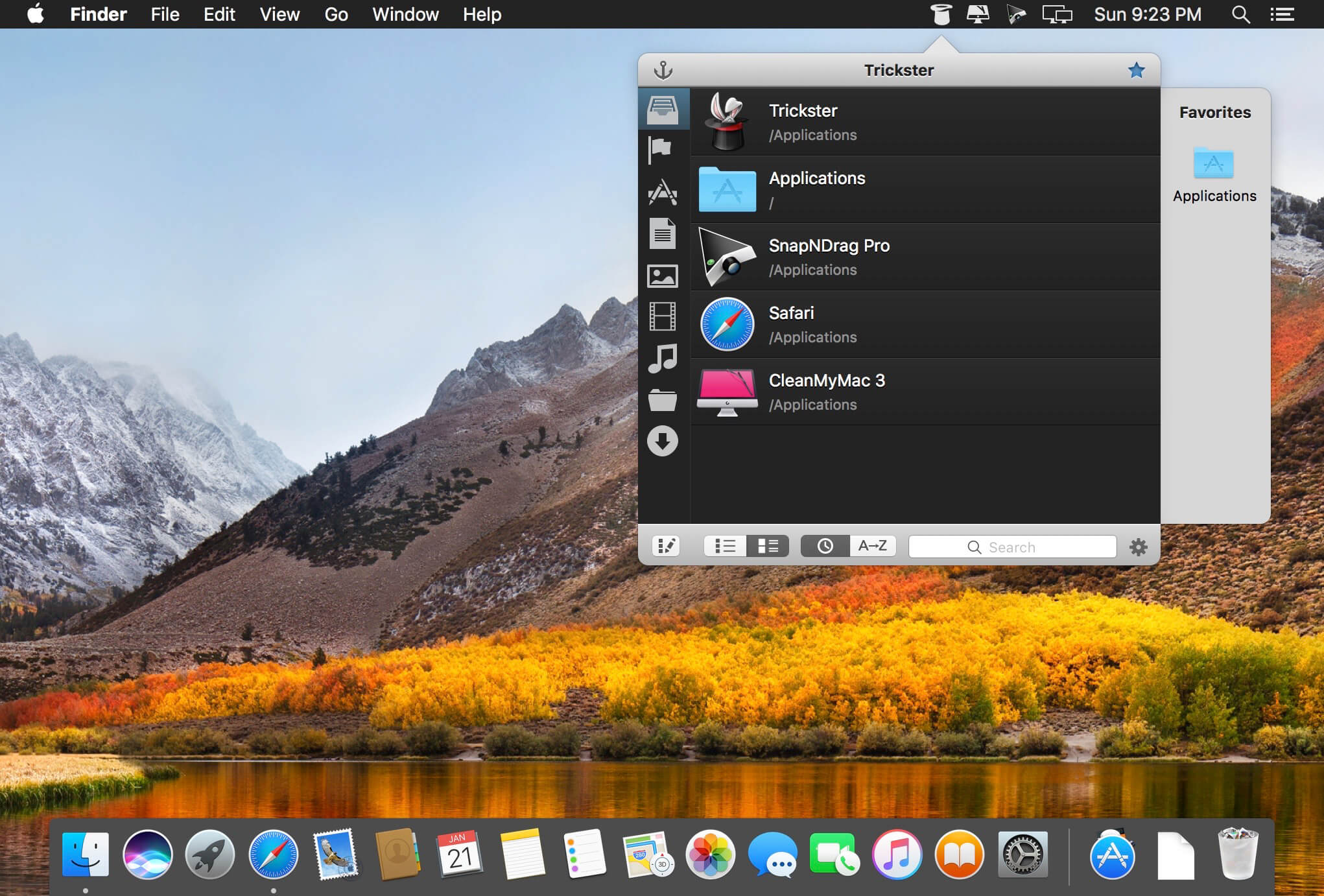
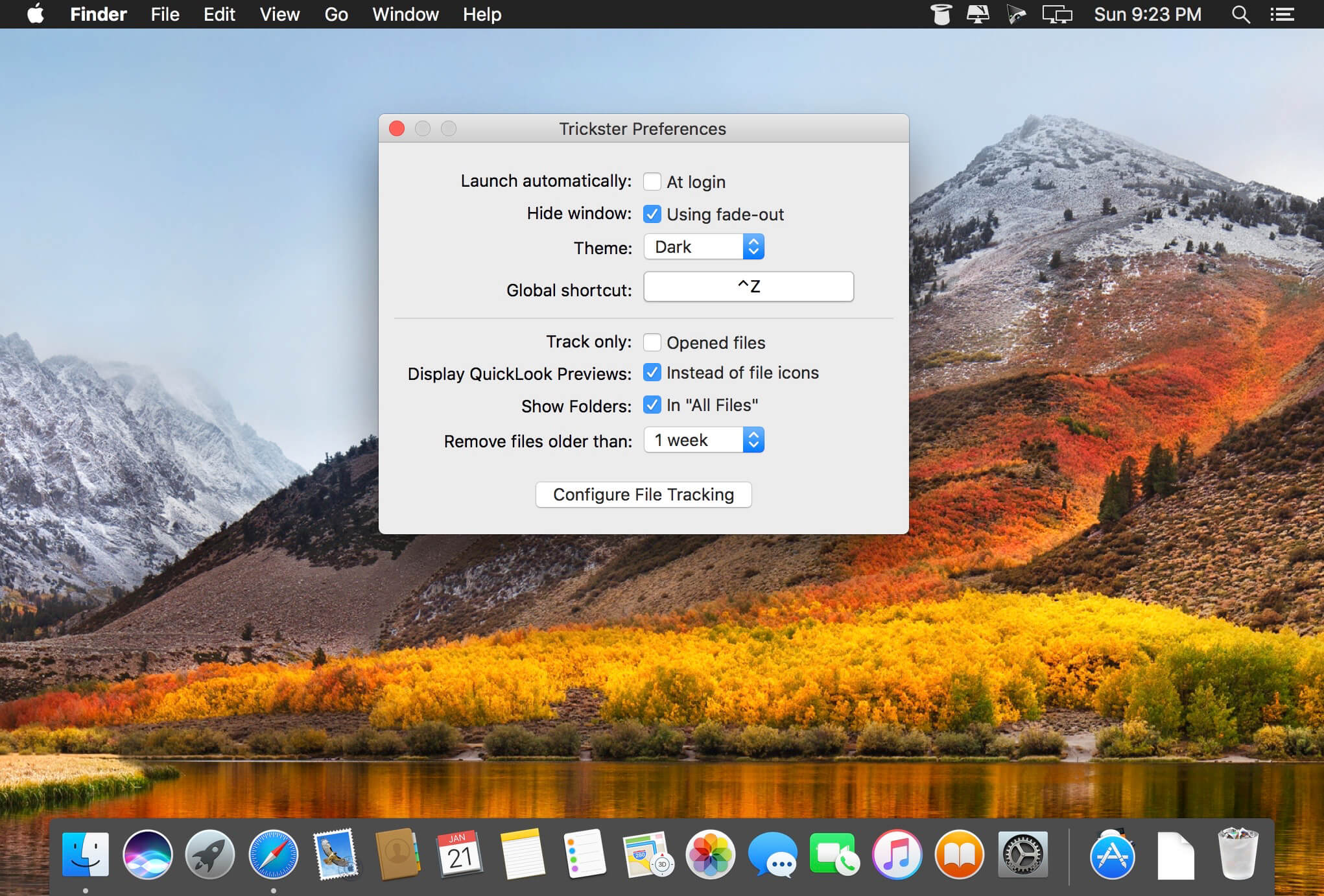
Trickster is a menu bar file manager that makes it easy to find and use files, folders, and applications you’ve recently opened, added, or processed.
Instead of searching through Finder, access your recent items instantly from one convenient window. Trickster monitors the locations you choose and organizes content by file type, helping you quickly find exactly what you need.
Key features:
- Track selected folders and locations
- Browse recent files, folders, and applications
- Organize items by recency or name
- Filter content by file type or associated application
- Create exclusions and custom whitelists
- Search your recent items
- Save favorite files and folders for quick access
- Open items directly or drag them into Finder and other apps
- Create filters from any file, folder, extension, or location
- Test files by dropping them into the window
- Access everything from the macOS menu bar
With its intuitive interface and flexible filtering tools, Trickster helps keep frequently used and recently processed items close at hand—so you can spend less time searching and more time getting things done.
Version 3.9.12:
- Fix DEVONthink items not appearing in Trickster, in most cases
Frequently asked questions
How do I install the app?
Mount the image, drag the app into the "Applications" folder and launch it. If the system blocks the launch, allow it in "System Settings → Privacy & Security".
The app is damaged or won't launch
Reinstalling from a fresh image usually helps. Make sure your macOS version matches the one listed in the compatibility specs.
How do I update?
Download the new version from the site and install it over the current one — your settings will be preserved.
The download link doesn't work
Try a mirror or a download manager. For large files the browser often drops the connection.
How do I completely remove the app?
Use an uninstaller utility — it cleans up the service files that remain after moving the app to the trash.





Choose a download source
Trickster 3.9.12 · 7.95 MB
Previous versions
Trickster 3.9.12
Previous versions are available to registered users.