
coconutBattery 4.4.0
coconutBattery — Mac battery monitor and iPhone battery health tracker
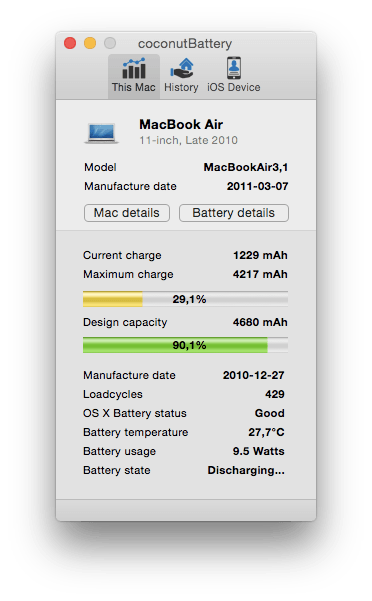
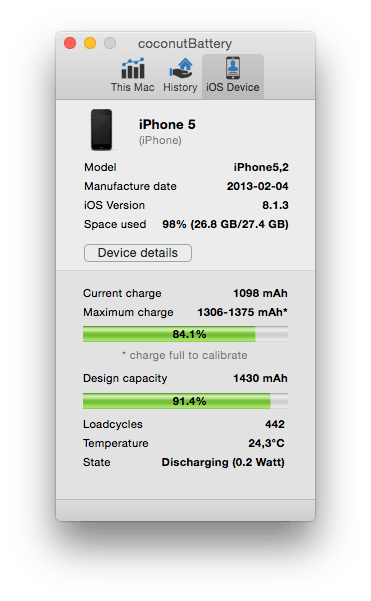
coconutBattery gives you a clearer view of your Apple devices’ battery health and performance. Monitor your MacBook, iPhone, and iPad with detailed information that macOS and iOS don’t normally show.
Track battery capacity, health, cycle count, temperature, voltage, charge rate, discharge rate, manufacture date, and more. View charger information to help identify charging issues and confirm whether your adapter is delivering the expected performance.
Features:
- Detailed MacBook battery information
- Battery health and capacity tracking for iPhone and iPad
- Cycle count, temperature, voltage, and charging data
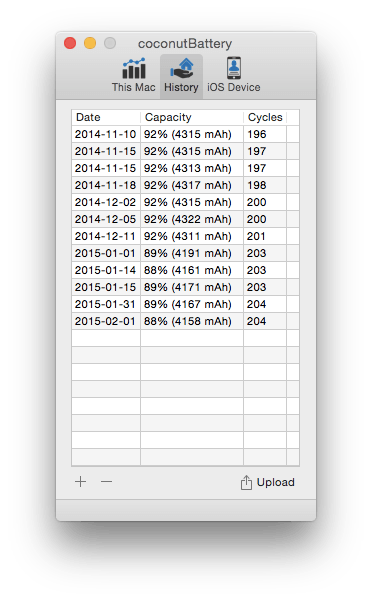
- Long-term battery history and monthly health records
- Menu bar monitoring for battery level, health, and estimated runtime
- Customizable menu bar indicators
- Notifications for low charge levels and estimated runtime
- Device monitoring via USB
- Wi-Fi monitoring for iPhone and iPad with the Plus version
- History import and backup
- Online comparisons with other devices and cycle counts
Whether you want to monitor battery aging, keep track of multiple devices, or receive alerts before your battery gets too low, coconutBattery puts essential battery information in one convenient app.
Version 4.4.0:
- Support for macOS/iOS/iPadOS 27
- Fixed sorting in History Viewer
Frequently asked questions
How do I install the app?
Mount the image, drag the app into the "Applications" folder and launch it. If the system blocks the launch, allow it in "System Settings → Privacy & Security".
The app is damaged or won't launch
Reinstalling from a fresh image usually helps. Make sure your macOS version matches the one listed in the compatibility specs.
How do I update?
Download the new version from the site and install it over the current one — your settings will be preserved.
The download link doesn't work
Try a mirror or a download manager. For large files the browser often drops the connection.
How do I completely remove the app?
Use an uninstaller utility — it cleans up the service files that remain after moving the app to the trash.

Choose a download source
coconutBattery 4.4.0 · 6.78 MB
Previous versions
coconutBattery 4.4.0
Previous versions are available to registered users.