PDF Checkpoint 1.10.2

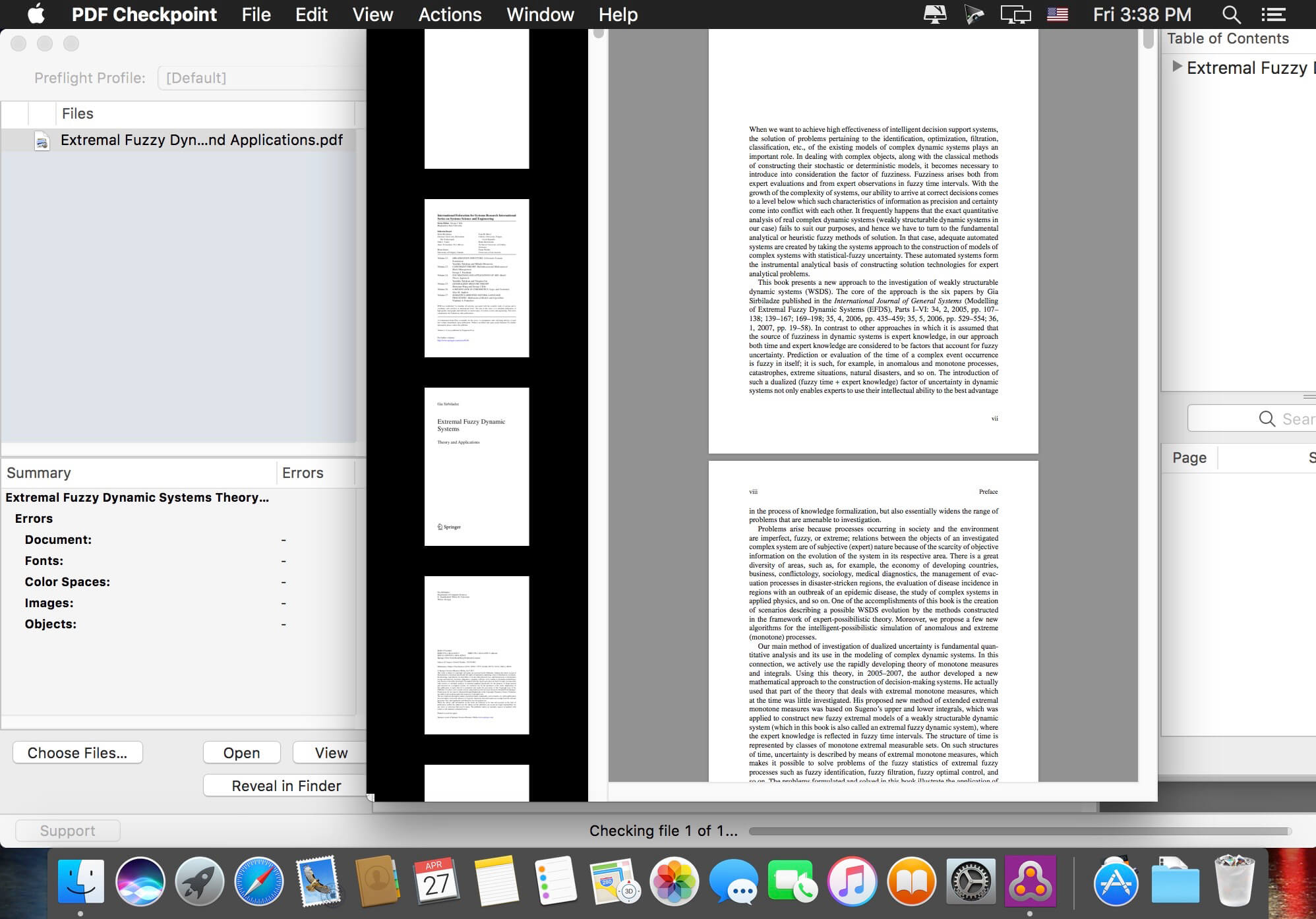

PDF Checkpoint automates PDF workflows with powerful batch processing: preflight, route by preflight results, export as images, split, convert colors, reduce file size and more.
- Preflight PDF files. Quickly preflight multiple PDF files using customizable preflight profiles and get detailed info on document fonts, color spaces, images and attributes.
- Export PDF as images. Batch export PDF files into various image formats, in RGB, CMYK, or grayscale color space. Specify desired image resolution and page scale.
- Convert colors. Convert PDF to the selected color profile (for example, convert RGB PDF to CMYK). You can convert the colors of images, text and graphic elements.
- Optimize images. Downsample and compress images to reduce file size. Specify image resolution for PDF's target usage. For example, repurpose a hi-res PDF for web and mobile devices.
- Split PDF files into single pages. Automatically split multiple PDF files into single page PDF documents.
- Route files by preflight results. PDF Checkpoint will automatically move or copy PDF files to specified success and error folders after preflighting. It can also generate a preflight report for each file.
Version 1.10:
- Release notes were unavailable when this listing was updated.
Frequently asked questions
How do I install the app?
Mount the image, drag the app into the "Applications" folder and launch it. If the system blocks the launch, allow it in "System Settings → Privacy & Security".
The app is damaged or won't launch
Reinstalling from a fresh image usually helps. Make sure your macOS version matches the one listed in the compatibility specs.
How do I update?
Download the new version from the site and install it over the current one — your settings will be preserved.
The download link doesn't work
Try a mirror or a download manager. For large files the browser often drops the connection.
How do I completely remove the app?
Use an uninstaller utility — it cleans up the service files that remain after moving the app to the trash.


Choose a download source
PDF Checkpoint 1.10.2 · 16.16 MB
Previous versions
PDF Checkpoint 1.10.2
Previous versions are available to registered users.