Cisdem Document Reader 5.5.1
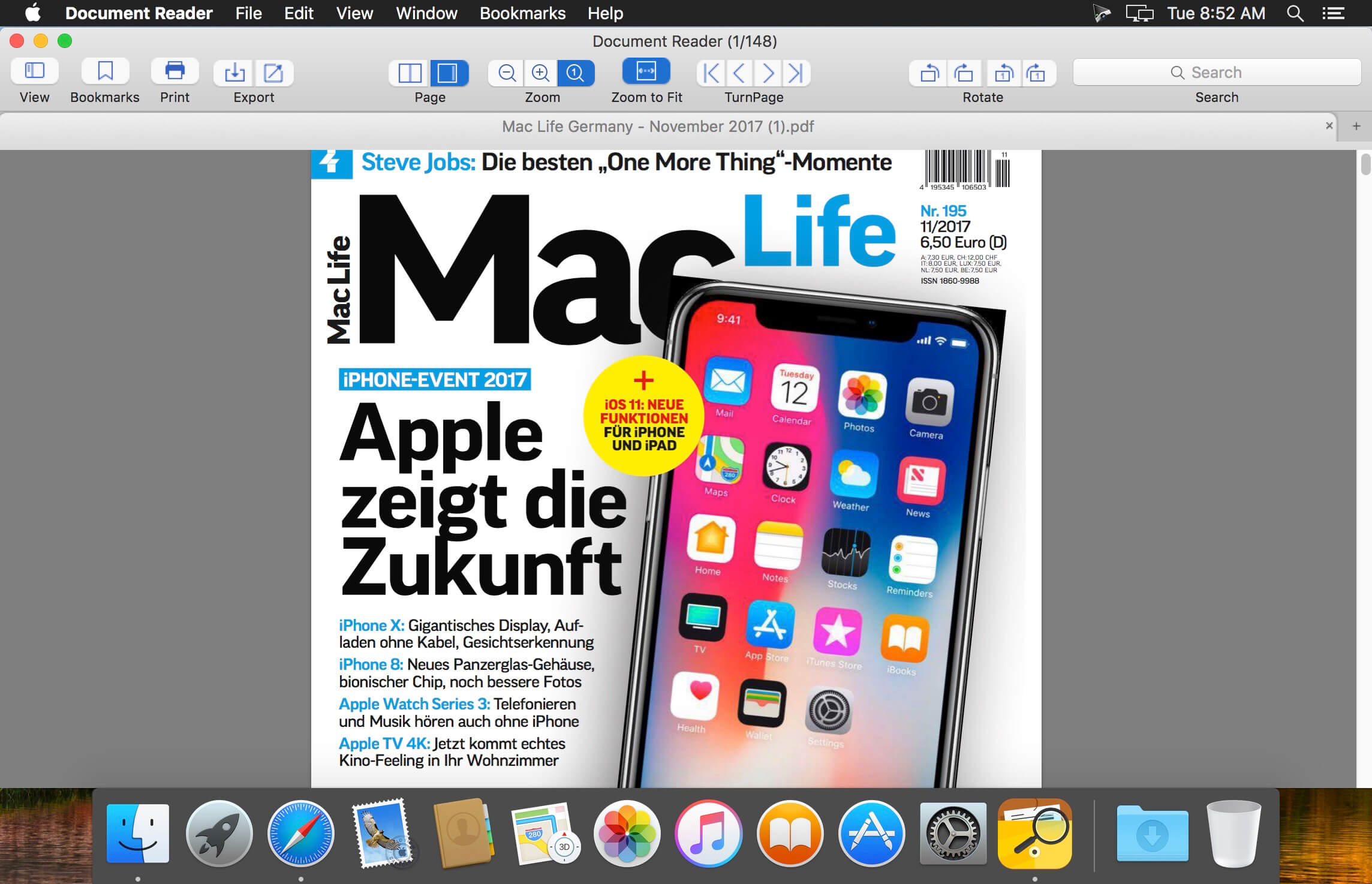

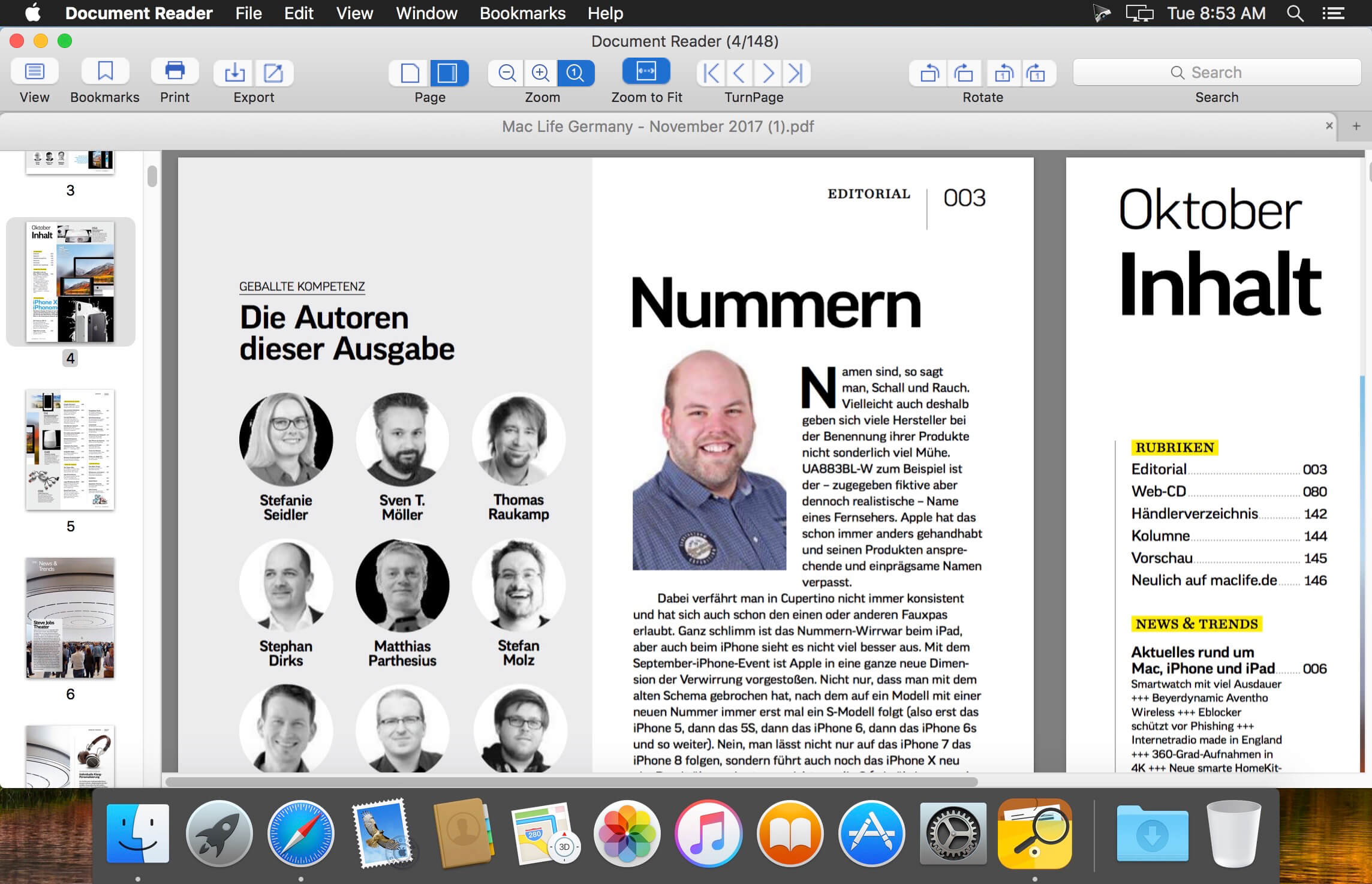
Cisdem DocumentReader lets you easily read, print, and save WPD, WPS, XPS, OXPS, VISIO, DjVu, PDF, and Winmail.dat files. Using different view styles with the toolbar set to view mode, search pane, page navigation, zoom, rotate, save, copy will give you a great reading experience. What is more, you can even personalize the toolbar according to your needs.
Features
- Excellent Reader for WPD, WPS, XPS, OXPS, VISIO, and PDF Files - Cisdem DocumentReader is an excellent document reader that can easily read WPD, WPS, XPS, OXPS, VISIO, PDF files. When reading files, all elements in these documents will be accurately presented, including original text styles, images, graphics, tables, hyperlinks, layout, and formatting.
- Smooth Reading Experience - With a double-click you can easily open WPD, WPS, XPS, OXPS, VISIO, PDF, DjVu, and Winmail.dat files in batches. With its fast rendering engine, you can browse large files without lags. What is more, DocumentReader also provides different page-reading styles with its toolbar displaying a table of content, page thumbnails, search pane, page navigation, zoom, rotate, save, etc. You can also modify this toolbar in any way you like.
- Export the Files or Directly Print Them for Further Use - By using DocumentReader, you can convert and export the files to different formats so that these files are able be edited or shared with others. Supported ouput formats include PDF, RTFD, Text, JPEG, PNG, TIFF, BMP, and GIF. Meanwhile, DocumentReader will automatically connect to available printers, in which case you can preview, set page ranges, and the number of copies to print the documents directly.
Version 5.0.0:
- Optimize XPS display quality.
- Improved DjVu file opening speed.
- Refined memory usage.
- Fix minor bugs.
Frequently asked questions
How do I install the app?
Mount the image, drag the app into the "Applications" folder and launch it. If the system blocks the launch, allow it in "System Settings → Privacy & Security".
The app is damaged or won't launch
Reinstalling from a fresh image usually helps. Make sure your macOS version matches the one listed in the compatibility specs.
How do I update?
Download the new version from the site and install it over the current one — your settings will be preserved.
The download link doesn't work
Try a mirror or a download manager. For large files the browser often drops the connection.
How do I completely remove the app?
Use an uninstaller utility — it cleans up the service files that remain after moving the app to the trash.

Choose a download source
Cisdem Document Reader 5.5.1 · 25.99 MB
Previous versions
Cisdem Document Reader 5.5.1
Previous versions are available to registered users.