PDF Reader - Document Viewer 1.3.2

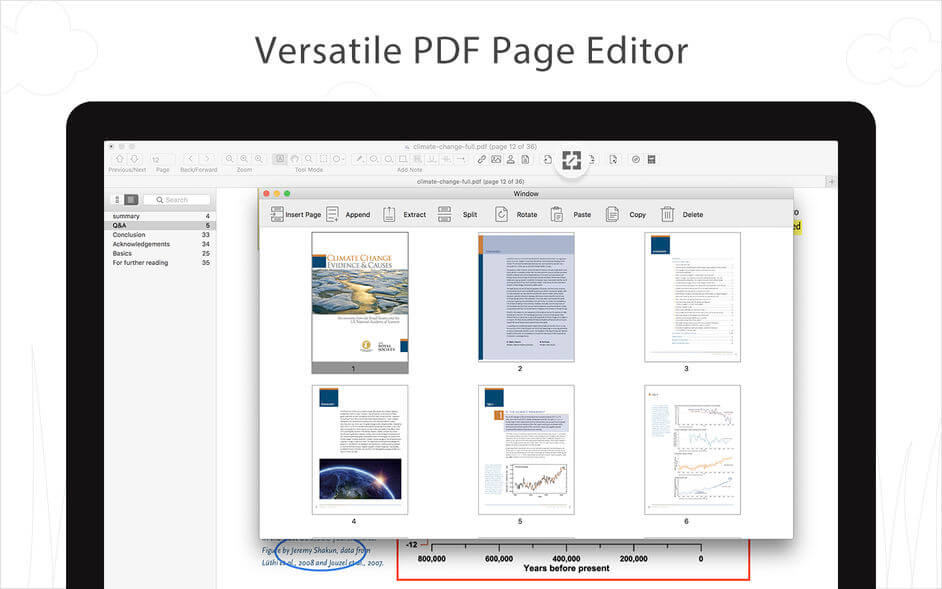
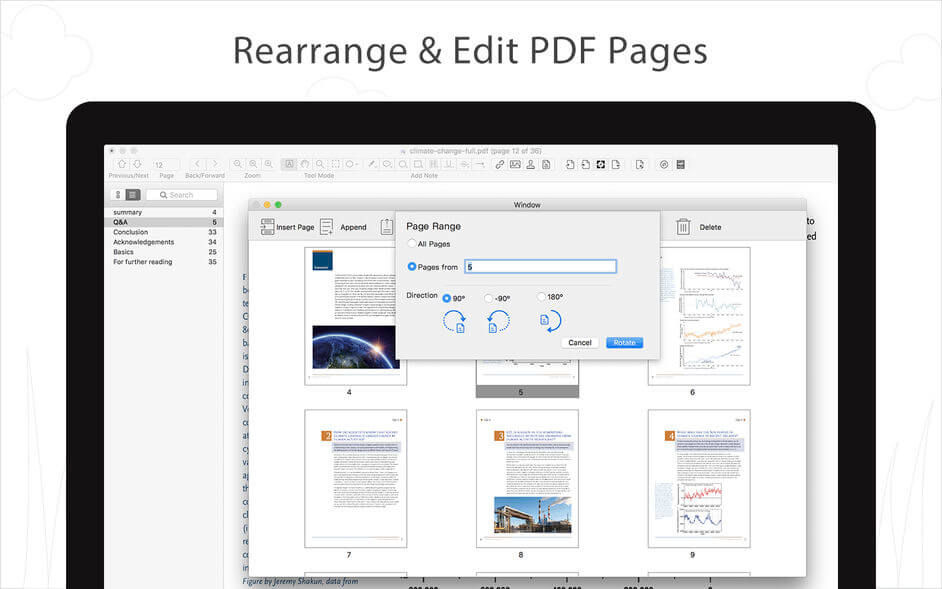
PDF Reader gives you a complete file managing system that allows you to edit your PDFs to your specification. Building on solid features such as annotation and bookmarking. PDF Reader offers even more — combining multiple documents, splitting your PDF into several files, inserting pages from another PDF and PDF files.
READ
- Reading modes: full-screen, page-fit, horizontal or vertical orientation, continuous and page break
- Customize the toolbar to provide easy access to common features
- Bookmark specific pages or sections of PDFs
ANNOTATE
- Annotate PDFs with highlights, underlines, lines, circles, freehand writing, and so much more.
- Insert stamps, comments and notes.
- Annotation history - Access important sections of documents instantly.
MERGE
- Combine multiple files into one document
Append
- Insert another file (entire files or specific page ranges) into the existing file
Split
- Split files based on desired number of pages or files, or specific page ranges
EDIT PAGES
- Rotate, delete, and crop pages
- Edit pages with headers, footers, or page numbers
- PDF Bates numbering to your import documents
- Add PDF watermarks to the background of pages
- Insert background with colors or images
- Replace PDF pages from another PDF file
CONVERT
- Convert PDFs to Text, JPG, PNG
- Directly transform images imported from scanner or iOS device to PDF.
SECURE FILES
- Set a password and authorization to edit, modify or print PDFs
Version 1.3.2
- Fix minior bugs.
Frequently asked questions
How do I install the app?
Mount the image, drag the app into the "Applications" folder and launch it. If the system blocks the launch, allow it in "System Settings → Privacy & Security".
The app is damaged or won't launch
Reinstalling from a fresh image usually helps. Make sure your macOS version matches the one listed in the compatibility specs.
How do I update?
Download the new version from the site and install it over the current one — your settings will be preserved.
The download link doesn't work
Try a mirror or a download manager. For large files the browser often drops the connection.
How do I completely remove the app?
Use an uninstaller utility — it cleans up the service files that remain after moving the app to the trash.


Choose a download source
PDF Reader - Document Viewer 1.3.2 · 9.11 MB