Photo Converter 2.0
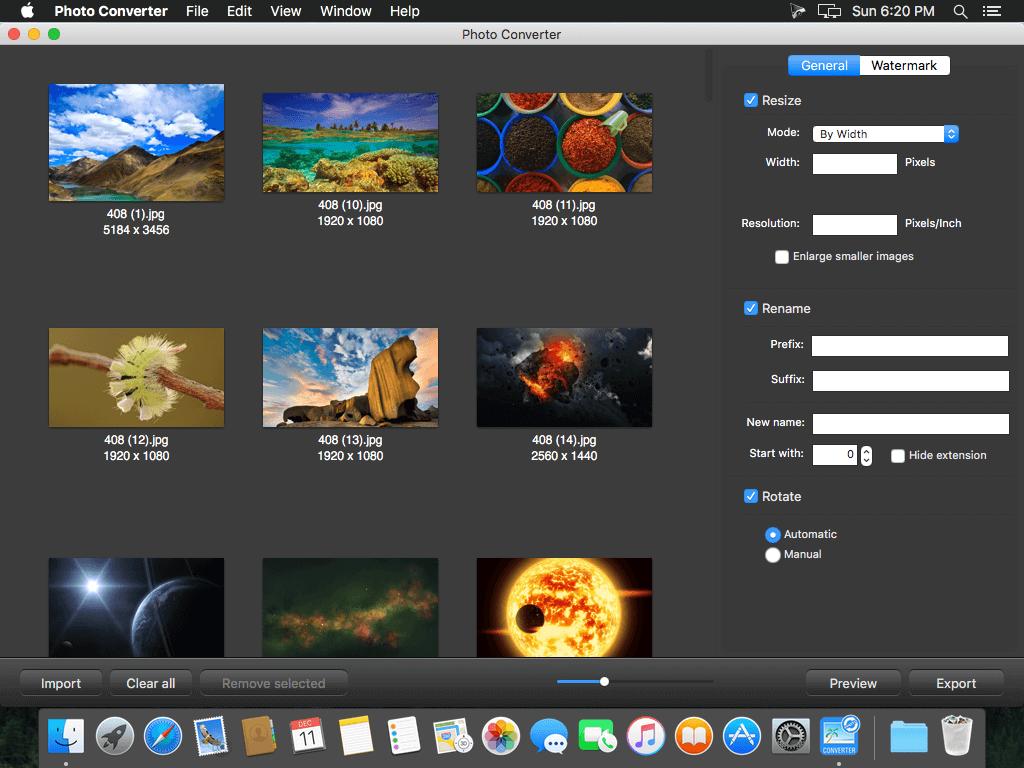
iFotosoft Photo Converter offers excellent batch conversion, transforming one image or an entire folder of mixed-format images to single file format. The advanced algorithm lets you instantly preview watermarks and captions which can be added to all the photos. What’s more, when you convert RAW to JPG, you can custom size, resolution, and name, or even rotate all photos in one click, and can convert RAW to JPEG or other compatible format. The image converter supports most of popular formats to JPEG, JPEG 2000, PNG, TIFF, BMP, and more.
You can put your photos anywhere you want, post on the web, email to friends or display on smartphone. In order to protect the privacy of your photos, you can add a watermark when converting. iFotosoft Photo Converter not only add captions and images as watermark, but also allows you to adjust opacity, size, angle, and position. You can instantly preview the applied effects on all the photos to get the optimal result. Except for changing photo formats, you can also batch resize images with different dimensions, rename photos in various ways or rotate pictures to the correct orientation. What is more, you can take advantage of the converted images directly. Send them by email and message, sync them to smartphone via AirDrop, add to Photos, or upload directly to different social networks.
Features
- Convert or compress thousands of photos at a time with batch conversion
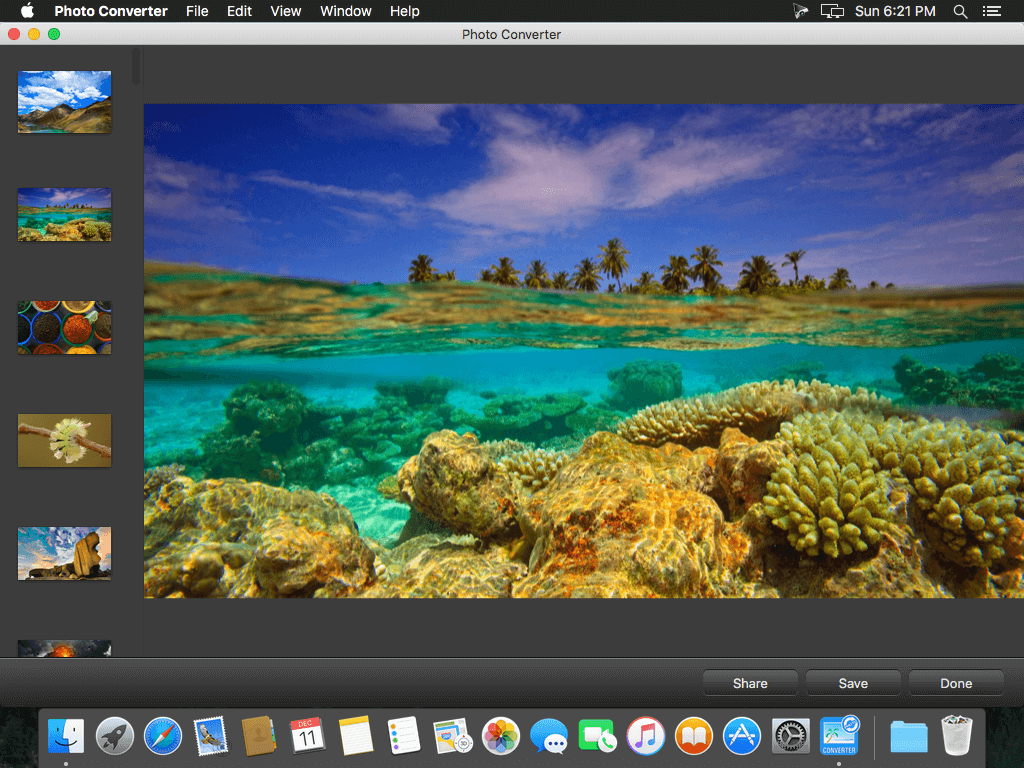
- Instant preview for the applied effects of all the images in thumbnail, actual size and fit-in
- Supports most of the popular image formats, including popular RAW files and all photo formats
- Export to JPEG, JPEG 2000, PNG, TIFF, BMP and more formats
- Add text captions and images as watermark in batch process
- Resize all images with four modes in one click, By Width, By Height, Percentage and Free modes
- Compress every image into a certain resolution or DPI, including enlarge smaller images
- Rename photos with an additional prefix, suffix, or even change to a new name
- Automatic rotate a certain image to the right direction or batch rotate all images to the desired direction
- Adjust font, style, color, style, opacity, angle and position of the text watermark with optimal result
- Custom opacity, size, angle and position of the image watermark
- Share images to social media, sync pictures to smartphone and send photos via messages directly
WHAT’S NEW
Version 2.0:
- Release notes were unavailable when this listing was updated.
SCREENSHOTS

Frequently asked questions
How do I install the app?
Mount the image, drag the app into the "Applications" folder and launch it. If the system blocks the launch, allow it in "System Settings → Privacy & Security".
The app is damaged or won't launch
Reinstalling from a fresh image usually helps. Make sure your macOS version matches the one listed in the compatibility specs.
How do I update?
Download the new version from the site and install it over the current one — your settings will be preserved.
The download link doesn't work
Try a mirror or a download manager. For large files the browser often drops the connection.
How do I completely remove the app?
Use an uninstaller utility — it cleans up the service files that remain after moving the app to the trash.
VersionPhoto Converter 2.0
DeveloperiFotosoft Ltd.
CompatibilityOS X 10.10 or later, 64-bit processor
LanguageEnglish
IncludesPre-K'ed



Information
Visitors in the group Guests cannot leave comments on this publication.
Choose a download source
Photo Converter 2.0 · 3.06 MB