
Hot Simple Image Viewer 1.4.1
Hot Simple Image Viewer is keyboard and mouse controlled viewer intended to make viewing of files inside one folder easy.
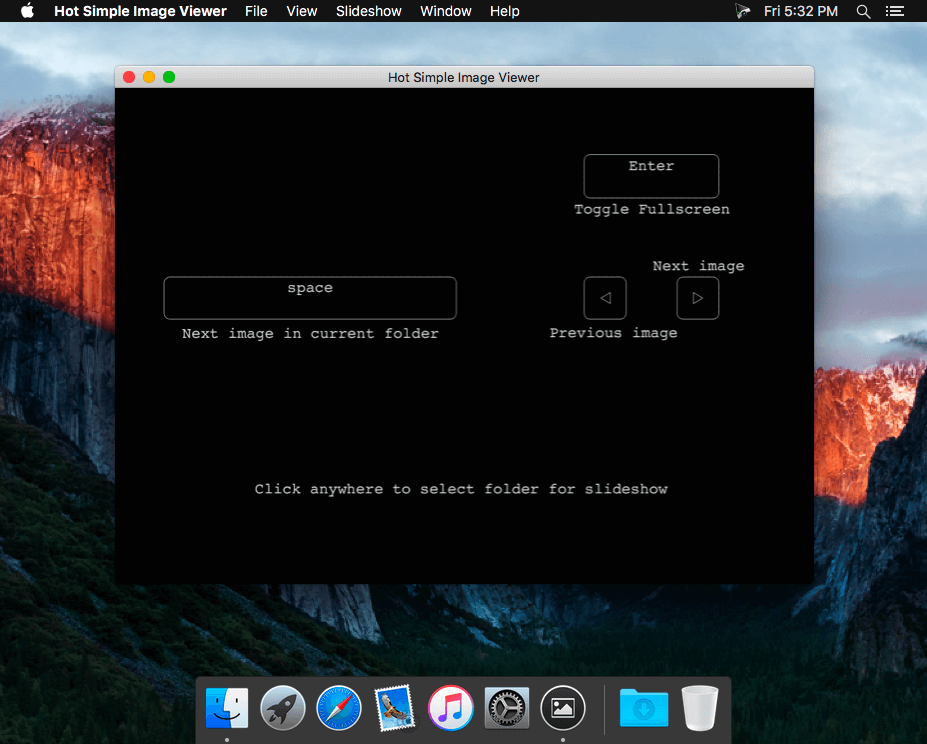
Inspired by good ol' Irfan view it uses simply shortcuts:
- space to move to next file in directory;
- enter to toggles full screen view;
- arrow keys to navigate back and forth.
- cmd+o to open another folder
- cmd+i to show file information
- cmd+enter to start a slideshow
- cmd+c to stop slideshow
This way you can open any folder and click through every photo/image in this folder. This app is specially designed for easy to use batch image viewing.
It's perfect for showing photos to your grandmother!
WHAT’S NEW
Version 1.4.1
- close app with cmd-W or cmd-Q
SCREENSHOTS


Frequently asked questions
How do I install the app?
Mount the image, drag the app into the "Applications" folder and launch it. If the system blocks the launch, allow it in "System Settings → Privacy & Security".
The app is damaged or won't launch
Reinstalling from a fresh image usually helps. Make sure your macOS version matches the one listed in the compatibility specs.
How do I update?
Download the new version from the site and install it over the current one — your settings will be preserved.
The download link doesn't work
Try a mirror or a download manager. For large files the browser often drops the connection.
How do I completely remove the app?
Use an uninstaller utility — it cleans up the service files that remain after moving the app to the trash.
VersionHot Simple Image Viewer 1.4.1
DeveloperDmitriy Salko
CompatibilityOS X 10.7 or later, 64-bit processor
LanguageEnglish
IncludesPre-K'ed





Information
Visitors in the group Guests cannot leave comments on this publication.
Choose a download source
Hot Simple Image Viewer 1.4.1 · 2.95 MB