
Any HEIC Converter-HEIC to JPG 1.0.29

Any HEIC Converter can assist you to view HEIC (HEIF image file extension) images and convert HEIC to JPEG, JPG and PNG in high quality and fast speed.
- Directly Convert HEIC image file to JPG, JPEG and PNG with high quality output.
- Support batch conversion of HEIC files to save your time and involve less effort.
- Simple and friendly interface enables you to use it conveniently without any difficulty.
- Adjust the output photo quality freely with super fast converting speed without limitation.
Key features
1. Convert HEIC Image to JPG fast and without quality compromising
As HEIC stands for high efficiency image format, you cannot stand for the quality loss after conversion. So this HEIC viewer and converter take converting quality as the most consideration thigh.
With the unique and complex converting engine, this iOS HEIC converter can convert the HEIC photos on iPhone, iPad or iPod to JPG format with the best quality output.
2. Convert one picture or more than 100+ photos at one time according to your need
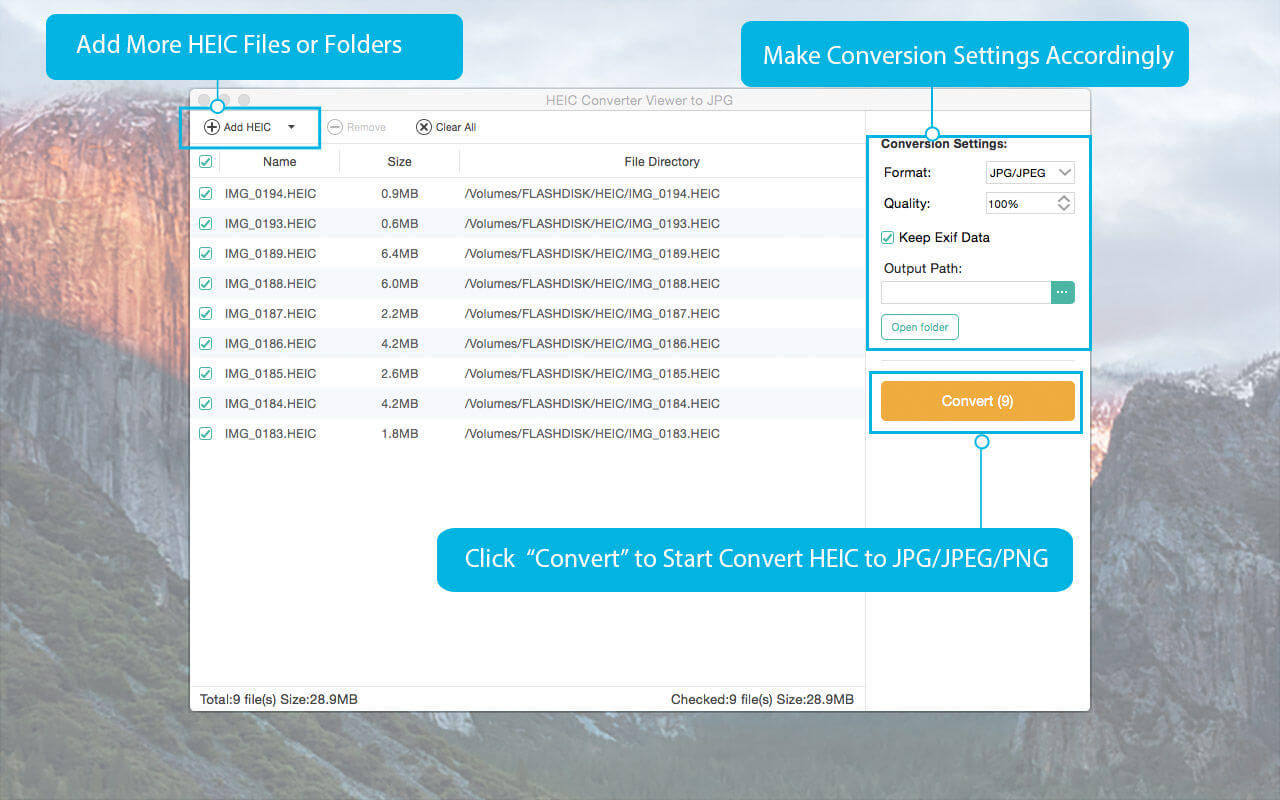
This HEIC converter offers you two conversion options: single conversion mode and batch conversion mode. That means you can only convert one photo at one time or you can even convert more than 100 photos at one time.
With batch conversion function, it will dramatically reduces the time and effort you put in. And it will help you a lot for converting all the photos to JPG for storing them on a Mac.
3 Easy steps to use Any HEIC Converter
Step 1: Install Any HEIC Converter on your Mac.
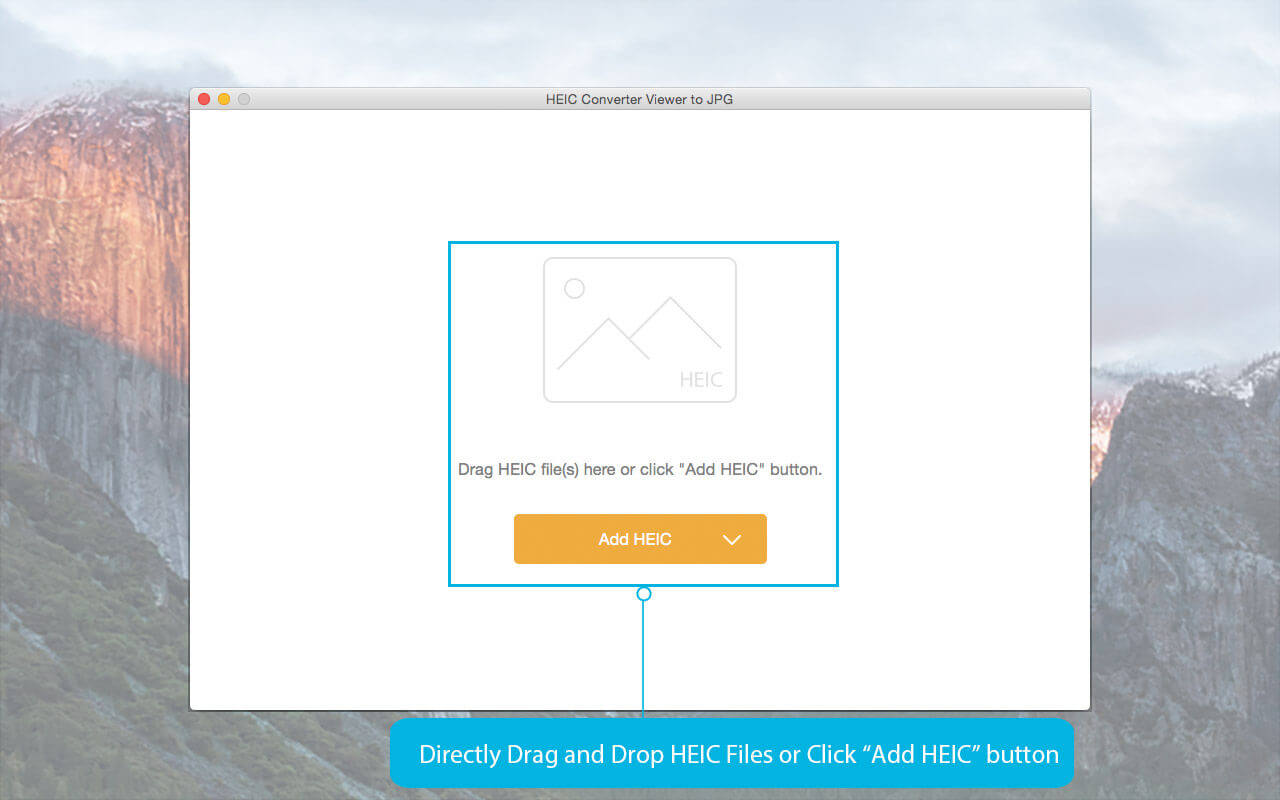
Step 2: Open Any HEIC Converter and add HEIC file directly to the program.
Step 3: Start converting HEIC to JPG/JPEG or PNG by click "Convert" button.
Then you will get your converted photos in less than 2 minutes.
If you have any question about this Any HEIC Converter, please contact us via [email protected]. We will reply your question as soon as possib
Version 1.0.29
- Minor bug fixes and improvements
Frequently asked questions
How do I install the app?
Mount the image, drag the app into the "Applications" folder and launch it. If the system blocks the launch, allow it in "System Settings → Privacy & Security".
The app is damaged or won't launch
Reinstalling from a fresh image usually helps. Make sure your macOS version matches the one listed in the compatibility specs.
How do I update?
Download the new version from the site and install it over the current one — your settings will be preserved.
The download link doesn't work
Try a mirror or a download manager. For large files the browser often drops the connection.
How do I completely remove the app?
Use an uninstaller utility — it cleans up the service files that remain after moving the app to the trash.


Choose a download source
Any HEIC Converter-HEIC to JPG 1.0.29 · 21.19 MB