
Hides 4.0.2

Boost your productivity with Hides!
Effortlessly clear your desktop in one quick keystroke to quickly hide sensitive information
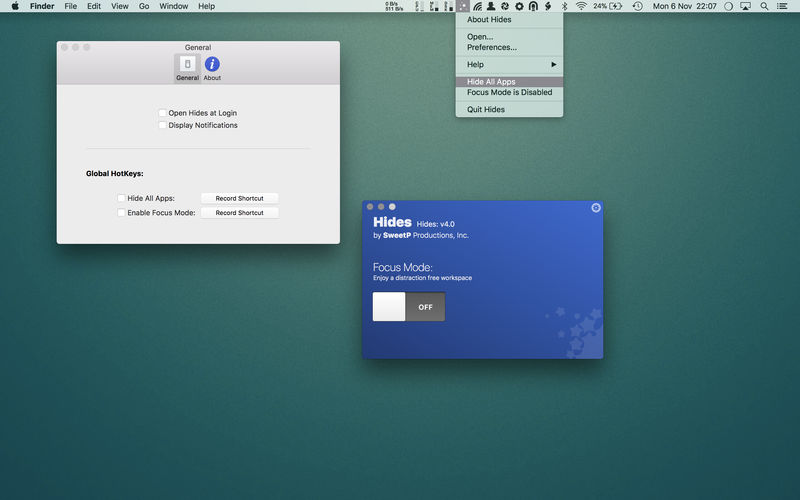
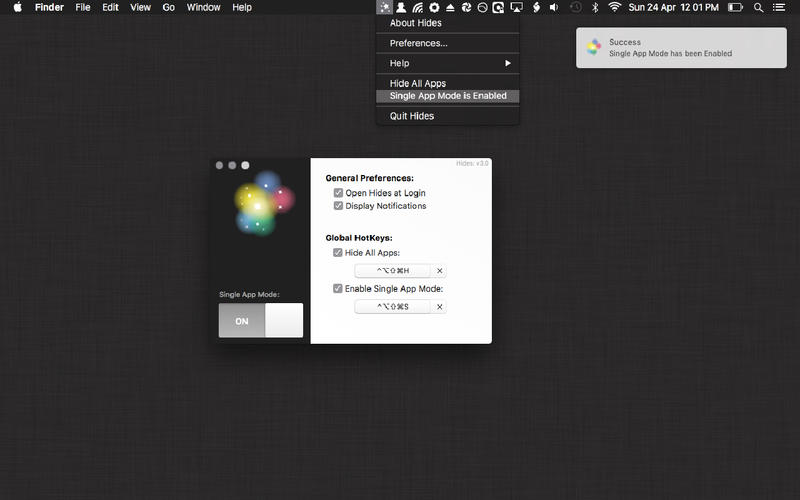
Enable Single App Mode, to focus on the task at hand.
Single App Mode will hide all other open applications automatically, so you can focus on your work. Once enabled, Single App Mode will work like so:
whenever you click on an app's dock icon (or window), all other apps will instantly be hidden from view. Allowing you a distraction free, and ultimately more productive workspace.
Hides can quickly hide ALL open Applications, giving you a fresh, and clear work space.
You can easily configure Hides with Global Hotkeys, allowing you to effortlessly clear your desktop from all of your currently running apps, in one quick keystroke - or quickly enable Single App Mode for a distraction free work environment.
Features:
- Single App Mode (only one app is active on screen at a time)
- Hide all open Apps
- both options can be enabled via the menubar, or from a user defined key combination.
Version 4.0.2
- small ui tweaks
Frequently asked questions
How do I install the app?
Mount the image, drag the app into the "Applications" folder and launch it. If the system blocks the launch, allow it in "System Settings → Privacy & Security".
The app is damaged or won't launch
Reinstalling from a fresh image usually helps. Make sure your macOS version matches the one listed in the compatibility specs.
How do I update?
Download the new version from the site and install it over the current one — your settings will be preserved.
The download link doesn't work
Try a mirror or a download manager. For large files the browser often drops the connection.
How do I completely remove the app?
Use an uninstaller utility — it cleans up the service files that remain after moving the app to the trash.
VersionHides 4.0.2
DeveloperRussell Gray
CompatibilityOS X 10.8 or later, 64-bit processor
LanguageEnglish
IncludesK'ed by TNT




Information
Visitors in the group Guests cannot leave comments on this publication.
Choose a download source
Hides 4.0.2 · 8.98 MB