
uDesktop NEXT 3.2.2
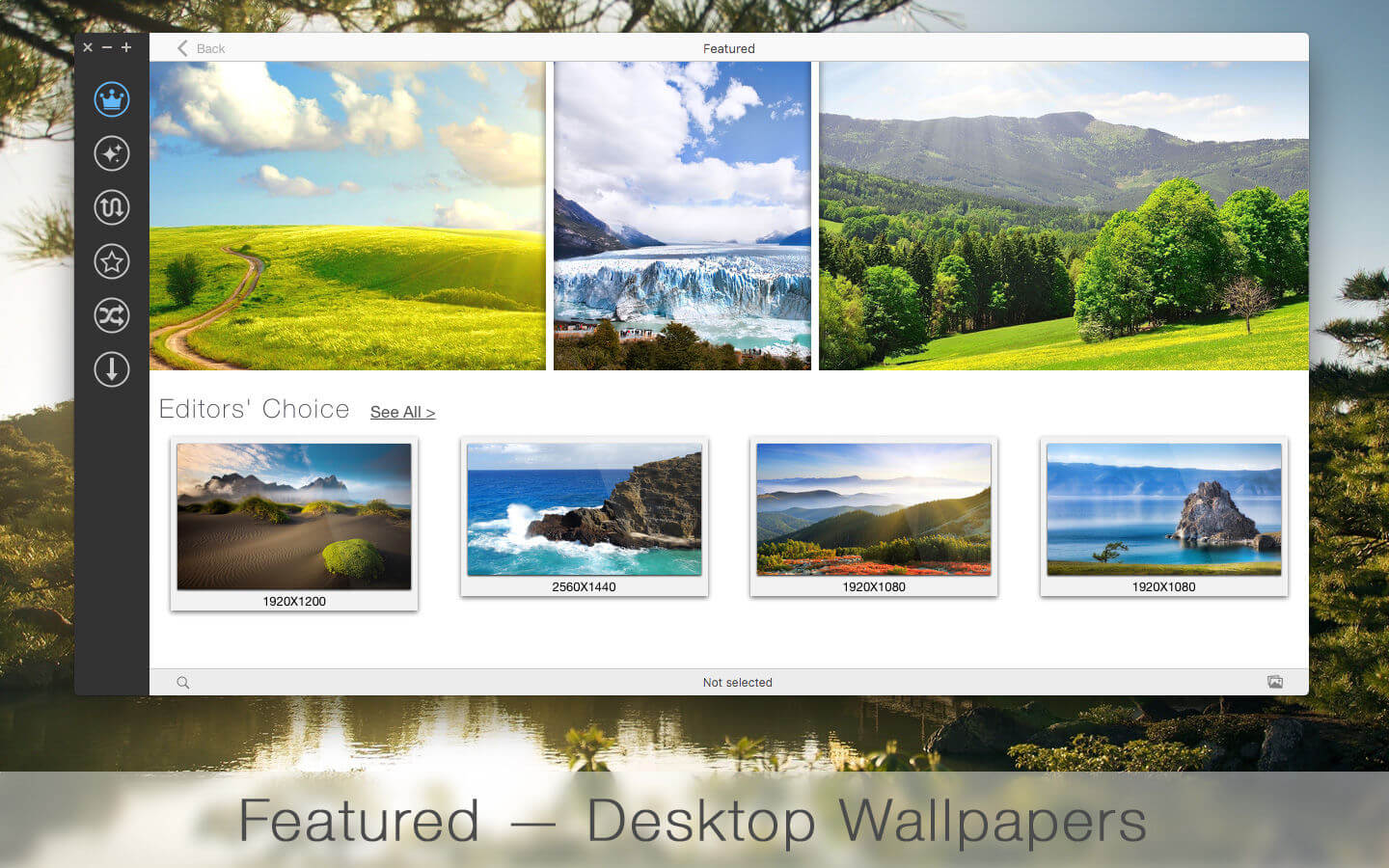

uDesktop NEXT is one of the biggest wallpapers collection.
Choose many from thousands of Hi-Res wallpapers for you. Relax and get fresh emotions every day with beautiful pictures which you can find in uDesktop NEXT.
Experience the full power and beauty of uDesktop NEXT. Here you can find the many wallpapers which you’ve been looking for so long and use them to decorate your desktop! Turn wallpapers search into entertaining walking of stunning pictures with uDesktop NEXT.
Features:
- UNLIMITED downloads of high definition pictures
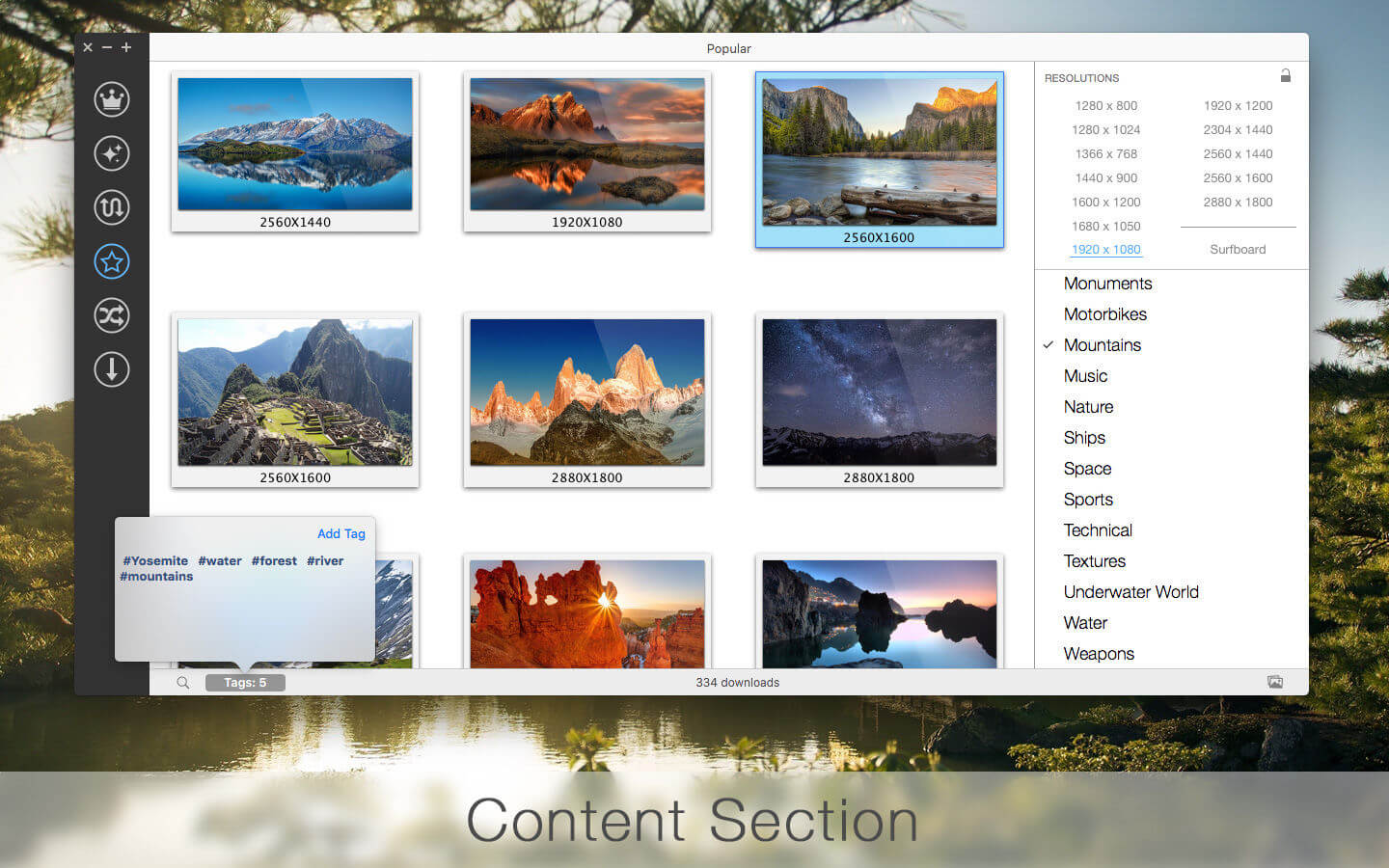
- Categorized Wallpapers. The wallpapers are presented in 36 different categories each containing dramatic, artistic images for any taste. All categories are constantly being updated
- Wallpapers for everything from iPhone and iPad to the the brand-new iMac with Retina 5K display including latest iPhone 6S and iPad Pro
- Resolution Lock allows you to search wallpapers only for your resolution
- Surfboard - incredible panoramic Hi-Res desktop pictures
- Featured Section with Editors' Choice and TOP 100
- Special categories in Featured Section
- Incredible 4K, 5K and 8K wallpapers
- Sort the wallpapers by New, Recent, Popular or choose Random
- Search wallpapers by tags
- My Folder - add your own images in the catalog for displaying on the desktop
- Adding more than a thousand new images weekly
- Share wallpapers with friends via Twitter, Facebook, Message, Email, AirDrop, Flickr
- Settings for set image as desktop picture
- Multi display support
- Absolutely new user friendly interface
- OS X 10.11 compatible
Version 3.2.2
- Fix minor bug
Frequently asked questions
How do I install the app?
Mount the image, drag the app into the "Applications" folder and launch it. If the system blocks the launch, allow it in "System Settings → Privacy & Security".
The app is damaged or won't launch
Reinstalling from a fresh image usually helps. Make sure your macOS version matches the one listed in the compatibility specs.
How do I update?
Download the new version from the site and install it over the current one — your settings will be preserved.
The download link doesn't work
Try a mirror or a download manager. For large files the browser often drops the connection.
How do I completely remove the app?
Use an uninstaller utility — it cleans up the service files that remain after moving the app to the trash.
VersionuDesktop NEXT 3.2.2
DeveloperAlexey Nikitin © Aperio Lux Team
CompatibilityOS X 10.10 or later, 64-bit processor
LanguageEnglish
IncludesK'ed by TNT



Information
Visitors in the group Guests cannot leave comments on this publication.
Choose a download source
uDesktop NEXT 3.2.2 · 7.56 MB