
Wallpaper Wizard 2.2.0
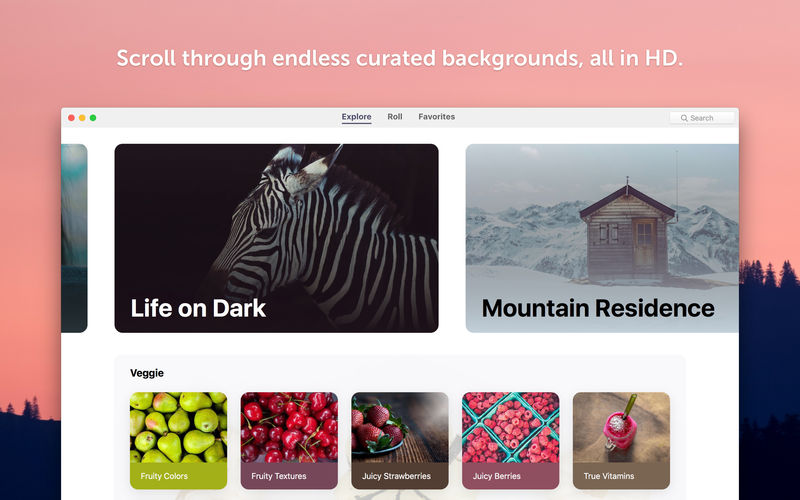
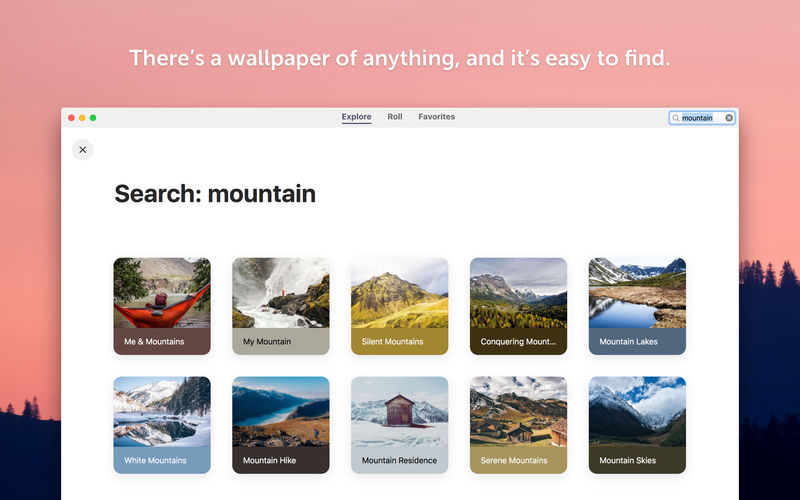
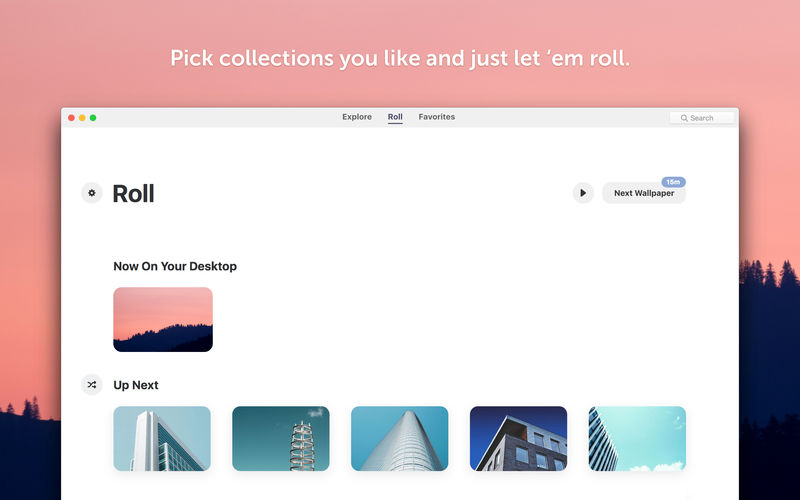
Choose from hundreds of curated desktop pictures in HD, and the app will set you a new background every week, day, or hour. Finally, you can spare yourself the pain of sifting through Google Images — with Wallpaper Wizard 2, you’ll have enough fresh wallpapers for your Mac’s entire lifetime.
Never run out of good desktop backgrounds:
- Over 25,000 wallpapers, with new arrivals monthly
- Curated photos only, so no ugly vector art and pixelated pics
- All images are in 4K quality to look crisp even on large Retina displays
Get a new desktop wallpaper every week, day, or hour:
- Add all backgrounds you like to Roll and have the app change them for you
- Set Roll to switch your wallpapers as often as you want
- Or set desktop pictures manually if you don’t like an ever-changing screen
Easily find whatever wallpapers you like:
- Nature, textures, flowers, sea views — anything you feel like today, you got it
- All desktop wallpapers are grouped into collections for easy browsing
- Save your best-loved backgrounds to Favorites, so that you never lose them
Version 2.2
- Wallpaper Wizard 2 is all set for macOS Catalina. We've fixed all known bugs and crashes to ensure stable performance of the application on the latest macOS. Now it runs smoother than ever so you can enjoy all the features, including light and dark themes. See for yourself!
Frequently asked questions
How do I install the app?
Mount the image, drag the app into the "Applications" folder and launch it. If the system blocks the launch, allow it in "System Settings → Privacy & Security".
The app is damaged or won't launch
Reinstalling from a fresh image usually helps. Make sure your macOS version matches the one listed in the compatibility specs.
How do I update?
Download the new version from the site and install it over the current one — your settings will be preserved.
The download link doesn't work
Try a mirror or a download manager. For large files the browser often drops the connection.
How do I completely remove the app?
Use an uninstaller utility — it cleans up the service files that remain after moving the app to the trash.
VersionWallpaper Wizard 2.2.0
DeveloperMacPaw Inc.
CompatibilityOS X 10.11 or later, 64-bit processor
LanguageEnglish
IncludesK'ed by TNT




Information
Visitors in the group Guests cannot leave comments on this publication.
Choose a download source
Wallpaper Wizard 2.2.0 · 25.47 MB