MacPilot 18.0.1
MacPilot: Take full control of macOS settings and tweaks
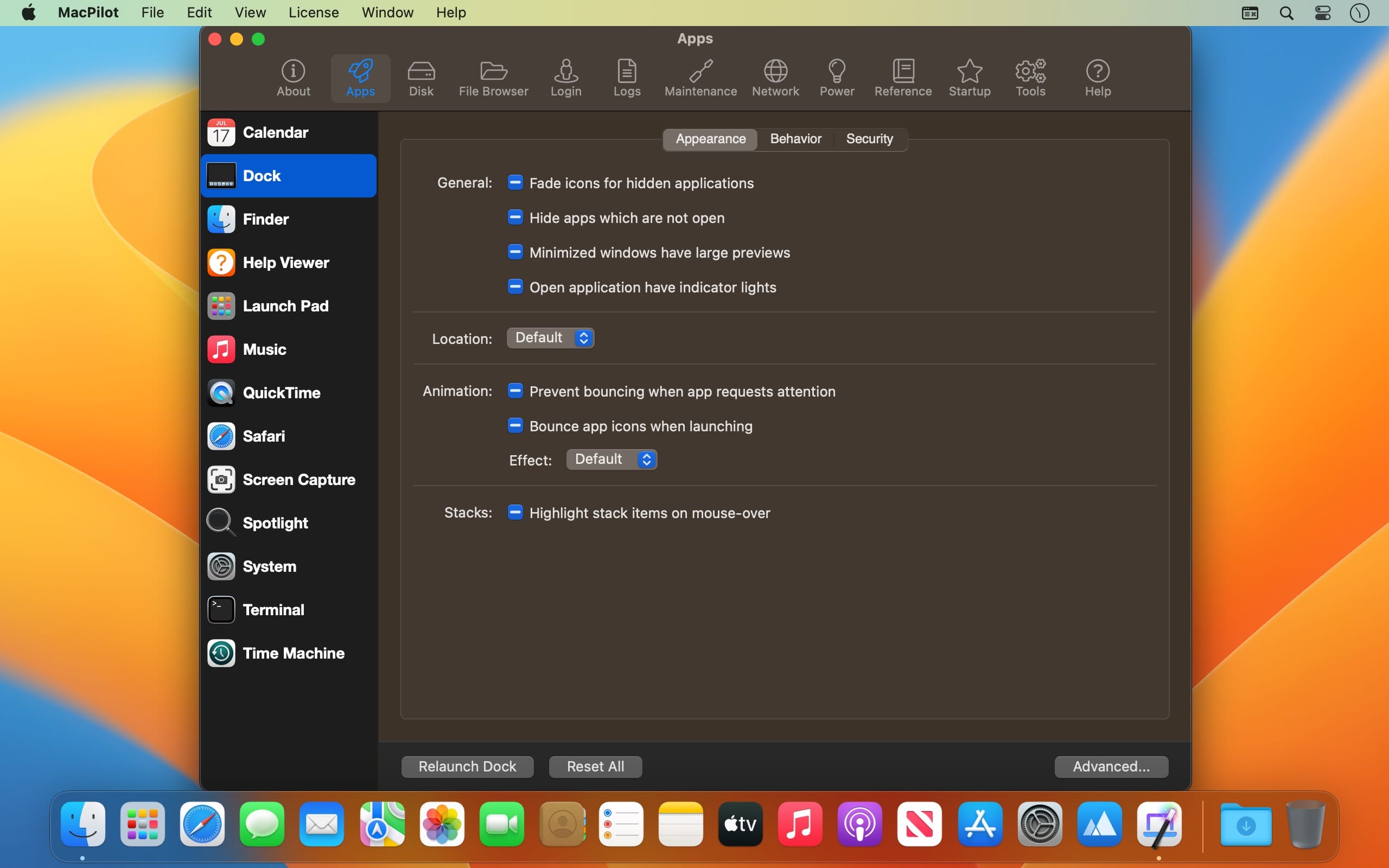
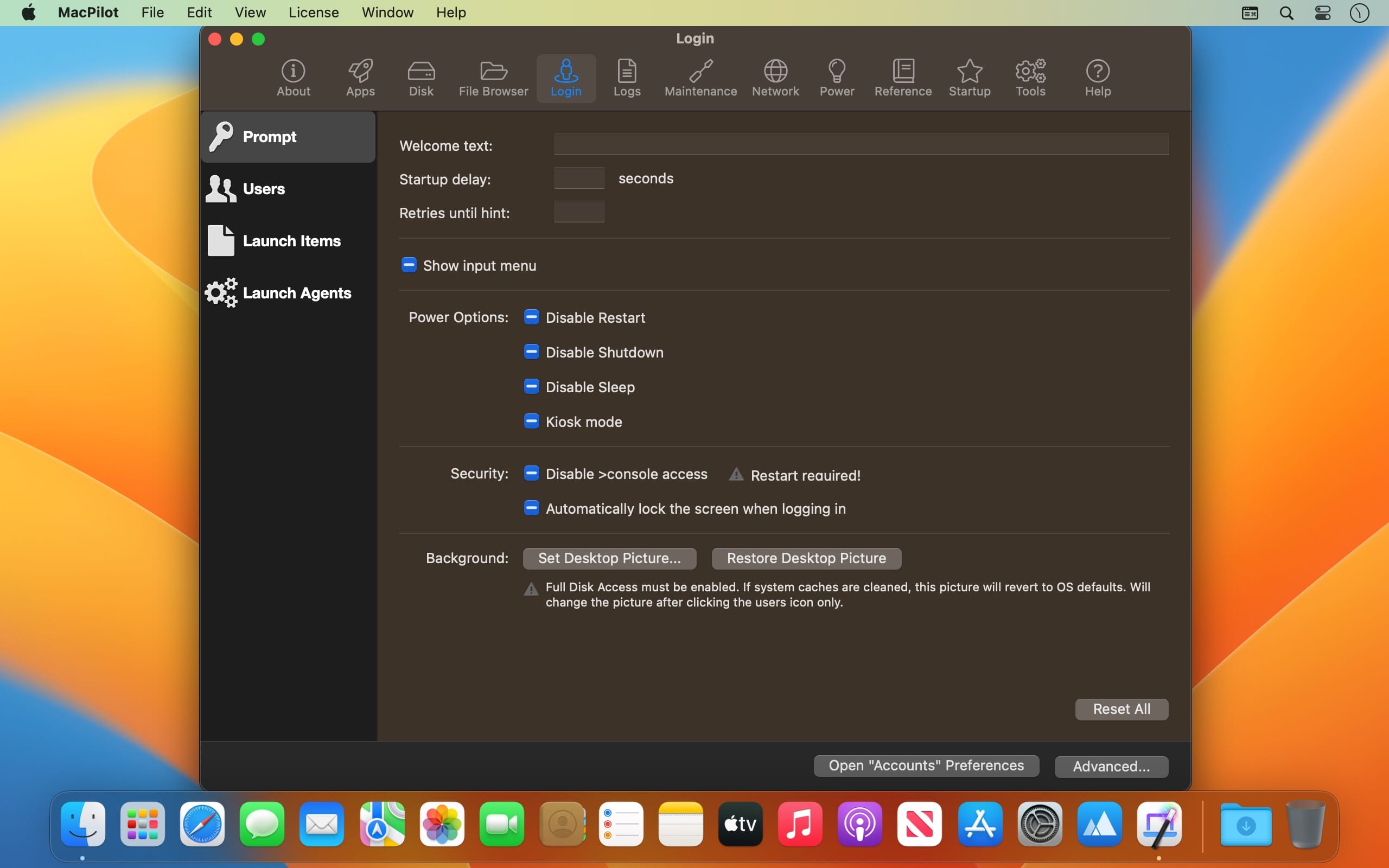
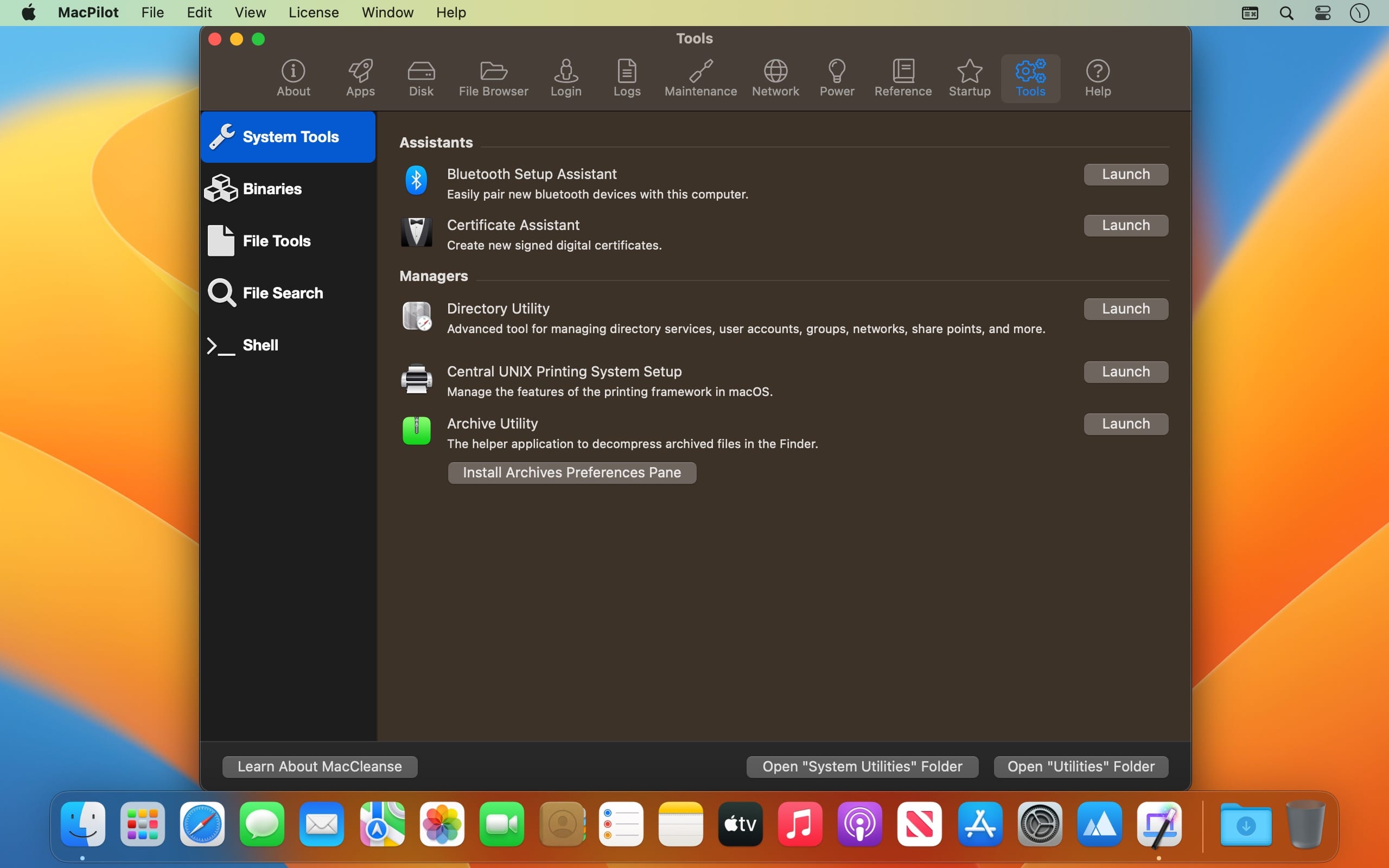
MacPilot gives you the power of UNIX and the simplicity of Macintosh, which means a phenomenal amount of untapped power in your hands! Use MacPilot to unlock over 1,200 features, and access them all with the easy and familiar Macintosh user interface. No command line tools or complicated file operations!
Display hidden files in the Finder, disable the startup chime, add spacers and stacks to the Dock, change the screenshot file format, run maintenance tools, tweak network settings, force empty the Trash, and tons more. Keep yourself in awe and busy for days as you discover how much macOS has "under the hood".
Get out of the passenger seat and take control of your Mac. Set your login window picture, use the screensaver as your Desktop, modify advanced file permissions (ACL), change the system welcome message, enable simultaneous recordings in QuickTime, view system logs, or enable the Debug menu in numerous apps.
Version 18.0:
Upgrade Notes
- This upgrade is free for users owning the current major version, an active subscription, Utility Package Pro, or a "lifetime license." No action is required other than downloading the new version from our web site and unlocking as normal with an e-mail address. For all other users, orders for the current version can be purchased on our web site.
New Feature:
- macOS 27 Golden Gate compatibility.
Frequently asked questions
How do I install the app?
Mount the image, drag the app into the "Applications" folder and launch it. If the system blocks the launch, allow it in "System Settings → Privacy & Security".
The app is damaged or won't launch
Reinstalling from a fresh image usually helps. Make sure your macOS version matches the one listed in the compatibility specs.
How do I update?
Download the new version from the site and install it over the current one — your settings will be preserved.
The download link doesn't work
Try a mirror or a download manager. For large files the browser often drops the connection.
How do I completely remove the app?
Use an uninstaller utility — it cleans up the service files that remain after moving the app to the trash.



Choose a download source
MacPilot 18.0.1 · 69.54 MB
Previous versions
MacPilot 18.0.1
Previous versions are available to registered users.