Synalyze It! Pro 1.32
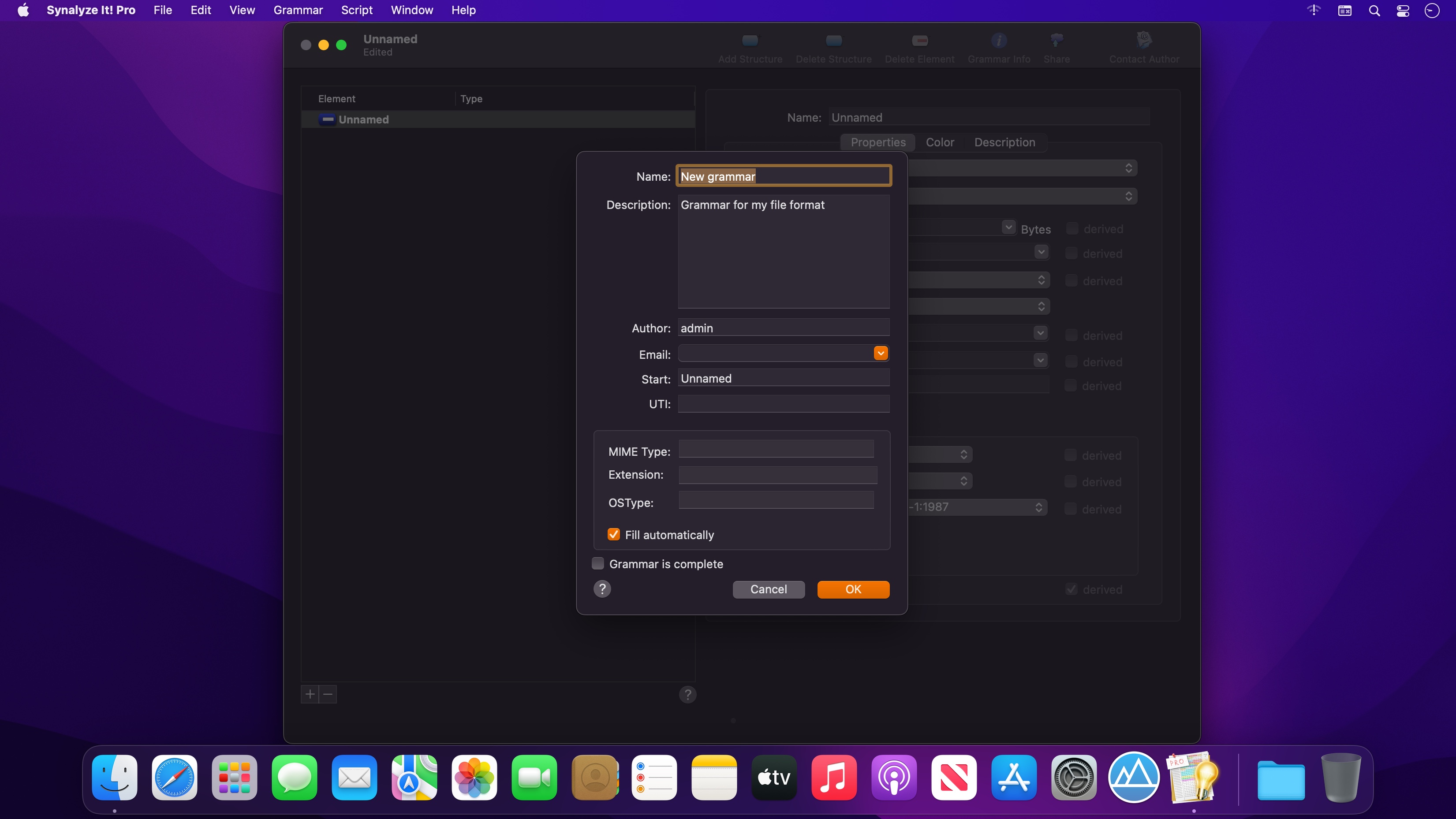

Synalyze It! Pro is a simple-to-use hex editor which will allow you to easily edit and analyze binary files of any size.
With Synalyze It! Pro you can
- define a "grammar" that contains all the knowledge of a file format
- decode files automatically using this grammar with the Universal Parsing Engine
- make assumptions in unknown file formats and record them in a grammar
- save tons of time by using free grammars for well-known file formats like ZIP, JPEG, PNG or OpenType
- reveal the secrets of proprietary formats
- learn reverse engineering of binary files
- process the parsed file contents with Python or Lua scripts
- analyze files with powerful features like histograms
Synalyze It! Pro is a real breakthrough in binary file analysis - a modeling tool for binary files.
Here are some key features of Synalyze It! Pro:
- Hex Editor & Viewer (change, insert and delete quickly in files of unlimited size)
- Definition of a "grammar" for binary files with Scripting support - conserve your knowledge!
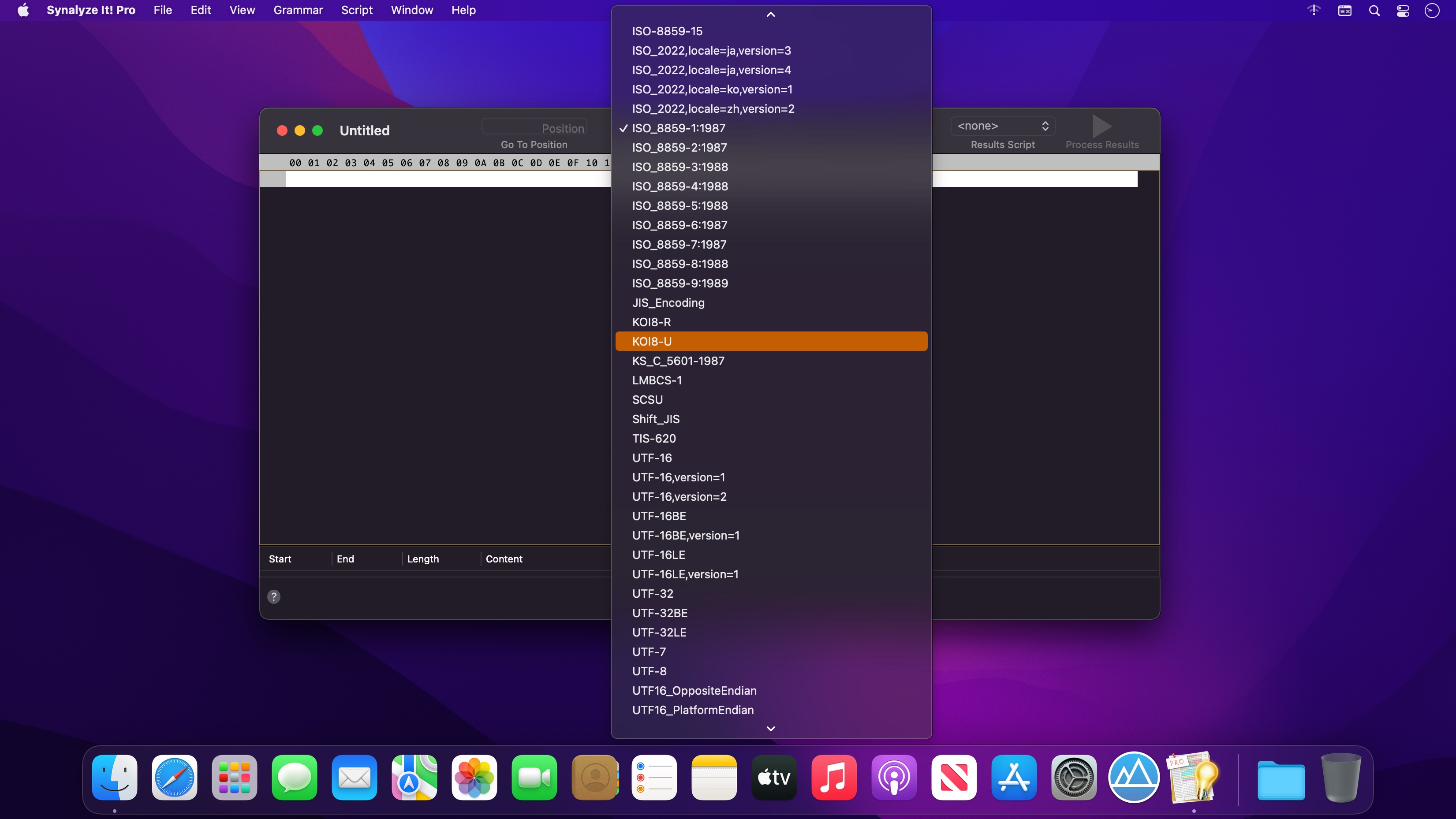
- Offers dozens of text encodings
- Scripting editor (only in this Pro version)
- Automatic installation of existing grammars
- Export of analysis to XML or text (only in this Pro version)
- Export grammars to GraphViz (only in this Pro version)
- Data view for common variable types (only in this Pro version)
- Multi selection of results (only in this Pro version)
- Go to position item in toolbar (only in this Pro version)
- Python and Lua scripting element (only in this Pro version)
- Edit description of structures and elements (only in this Pro version)
- Change Font in hex view (only in this Pro version)
- Printing with correct pagination
- Histogram view
- Checksum / hash value panel (only in this Pro version)
- Go to Position in file using expressions
- Save selected bytes
- Compare code pages
- Incremental text search with encoding selection
- Find text
- Find numbers
- Search for masks
- See all strings in a file
Version 1.32:
- Fixed new grammar menu item
Frequently asked questions
How do I install the app?
Mount the image, drag the app into the "Applications" folder and launch it. If the system blocks the launch, allow it in "System Settings → Privacy & Security".
The app is damaged or won't launch
Reinstalling from a fresh image usually helps. Make sure your macOS version matches the one listed in the compatibility specs.
How do I update?
Download the new version from the site and install it over the current one — your settings will be preserved.
The download link doesn't work
Try a mirror or a download manager. For large files the browser often drops the connection.
How do I completely remove the app?
Use an uninstaller utility — it cleans up the service files that remain after moving the app to the trash.



Choose a download source
Synalyze It! Pro 1.32 · 113.52 MB
Previous versions
Synalyze It! Pro 1.32
Previous versions are available to registered users.