
Annotate 2.1.4
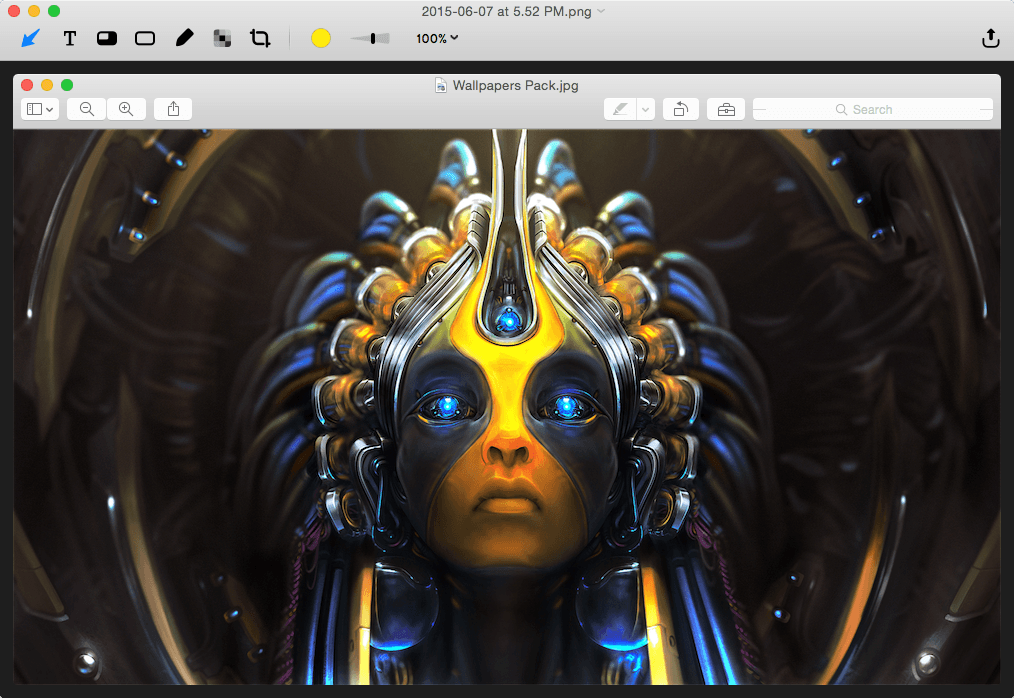
Annotate (formerly know as Glui) is the simplest way to capture, annotate and share screenshots.
This is a complete rewrite that builds on what made Glui popular and adds some of the most requested features. It's way faster, far better, and most importantly, just as simple.
Key features:
- Capture a screenshot or drag and drop an existing image.
- Annotate with arrow, line, text, overlays, rectangle, oval, pen and pixelate tool.
- Instantly share the image or a link to the image. Annotate integrates with Dropbox and CloudApp.
WHAT’S NEW
Version 2.1.4
- Excited about the release of macOS Sierra? We are too! We’re pleased to say that Annotate 2.1.4 is fully compatible with Sierra.
Screenshots
Frequently asked questions
How do I install the app?
Mount the image, drag the app into the "Applications" folder and launch it. If the system blocks the launch, allow it in "System Settings → Privacy & Security".
The app is damaged or won't launch
Reinstalling from a fresh image usually helps. Make sure your macOS version matches the one listed in the compatibility specs.
How do I update?
Download the new version from the site and install it over the current one — your settings will be preserved.
The download link doesn't work
Try a mirror or a download manager. For large files the browser often drops the connection.
How do I completely remove the app?
Use an uninstaller utility — it cleans up the service files that remain after moving the app to the trash.
VersionAnnotate
DeveloperDriftt, Inc.
CompatibilityOS X 10.10 or later, 64-bit processor
LanguageEnglish
IncludesPre-K'ed




Information
Visitors in the group Guests cannot leave comments on this publication.
Choose a download source
Annotate 2.1.4 · 5.21 MB