
DesktopApp for Messenger v2.1
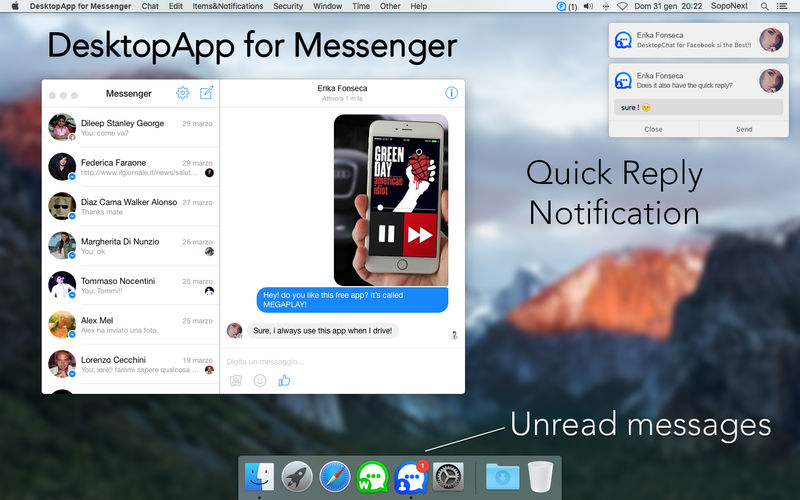
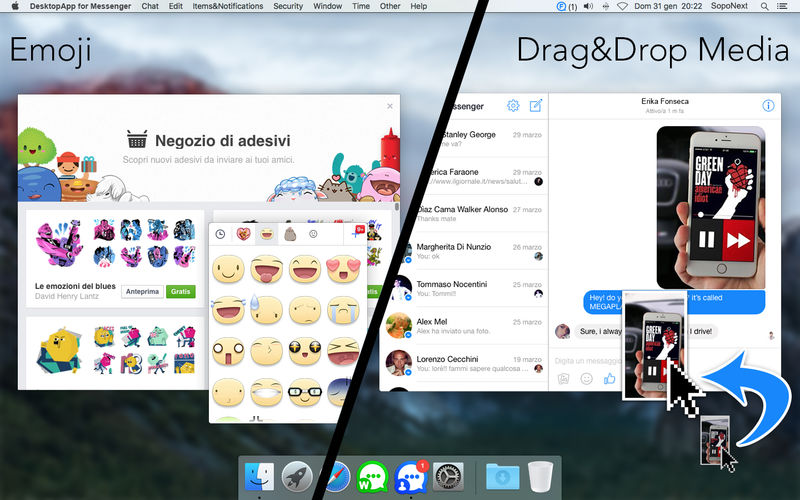

The Best App to use Facebook Messenger on Mac!
- Facebook Chats.
- Groups.
- Emoji & Stickers.
- Drag&Drop Photos and Videos.
- Download Photos and Videos.
- Play Video.
- Voice messages listening.
- New messages notification.
- Unread messages on app icon.
- Icon on MenuBar.
- Full Screen mode supported.
- Split Screen mode supported.
- Quick Reply to Notifications!
- Message Scheduler!
- Security Password!
- Automatic Launch at Mac Login! (optional, but you will use it)
- Removable Dock Icon.
- Custom Shortcut to Show Messenger Window.
- Number of Unread conversations on MenuBar icon! (optional)
- Low CPU usage!
- External Emoji list! (Edit button)
- No annoying messages at launch!
- No error sounds when you start typing!
- App usage timer!
- No in-app purchases!
- Best Icon! ;-)
Version 2.1
- icon changed
- minor bugfixes
Frequently asked questions
How do I install the app?
Mount the image, drag the app into the "Applications" folder and launch it. If the system blocks the launch, allow it in "System Settings → Privacy & Security".
The app is damaged or won't launch
Reinstalling from a fresh image usually helps. Make sure your macOS version matches the one listed in the compatibility specs.
How do I update?
Download the new version from the site and install it over the current one — your settings will be preserved.
The download link doesn't work
Try a mirror or a download manager. For large files the browser often drops the connection.
How do I completely remove the app?
Use an uninstaller utility — it cleans up the service files that remain after moving the app to the trash.
VersionDesktopApp for Messenger v2.1
DeveloperAndrea Nicoli © 2016 SOPONEXT
CompatibilityOS X 10.10 or later, 64-bit processor
LanguageEnglish, German, Italian
IncludesK'ed by TNT



Information
Visitors in the group Guests cannot leave comments on this publication.
Choose a download source
DesktopApp for Messenger v2.1 · 3.04 MB