Aiseesoft Mac PDF Converter Ultimate 3.2.80
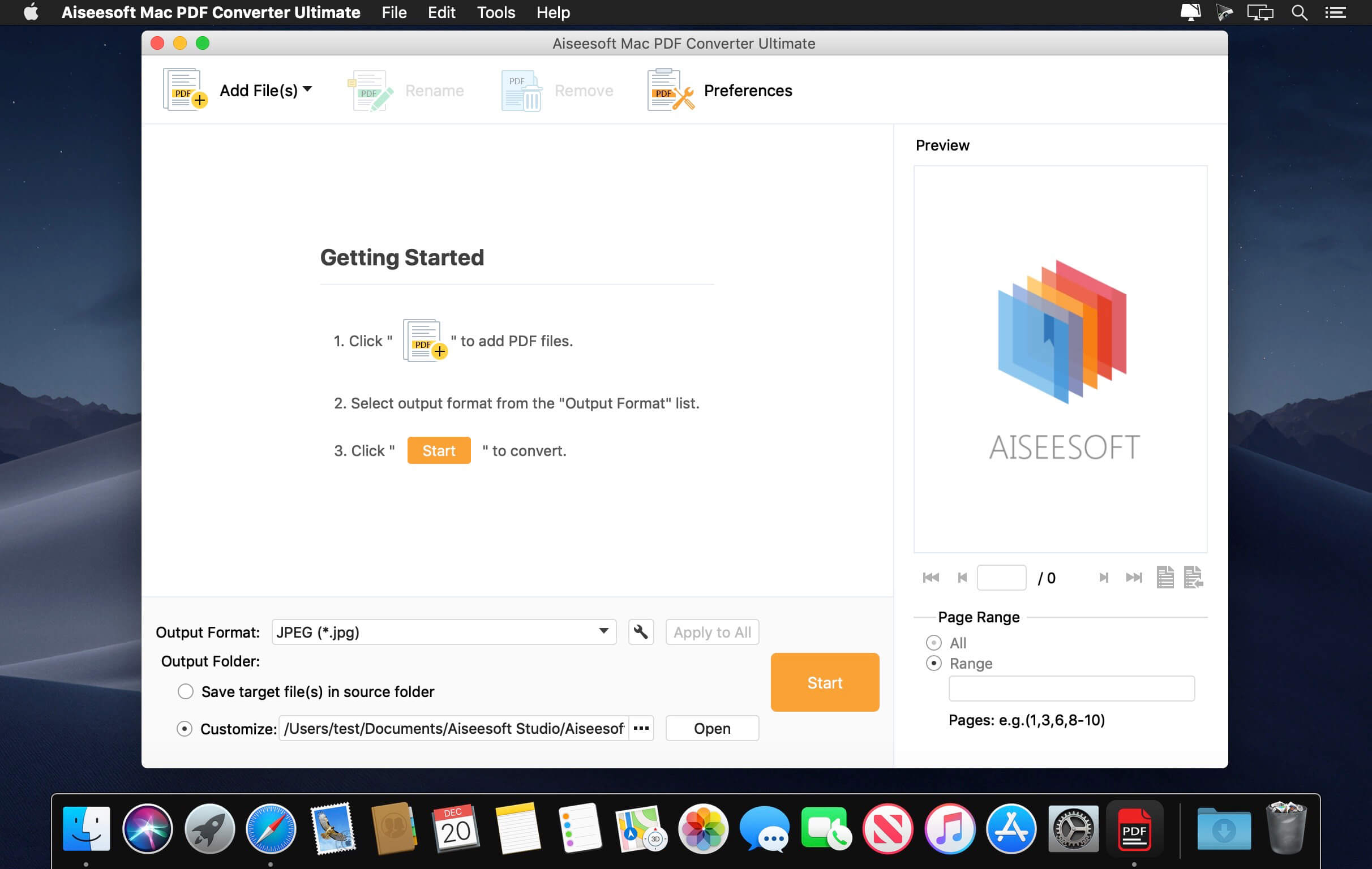
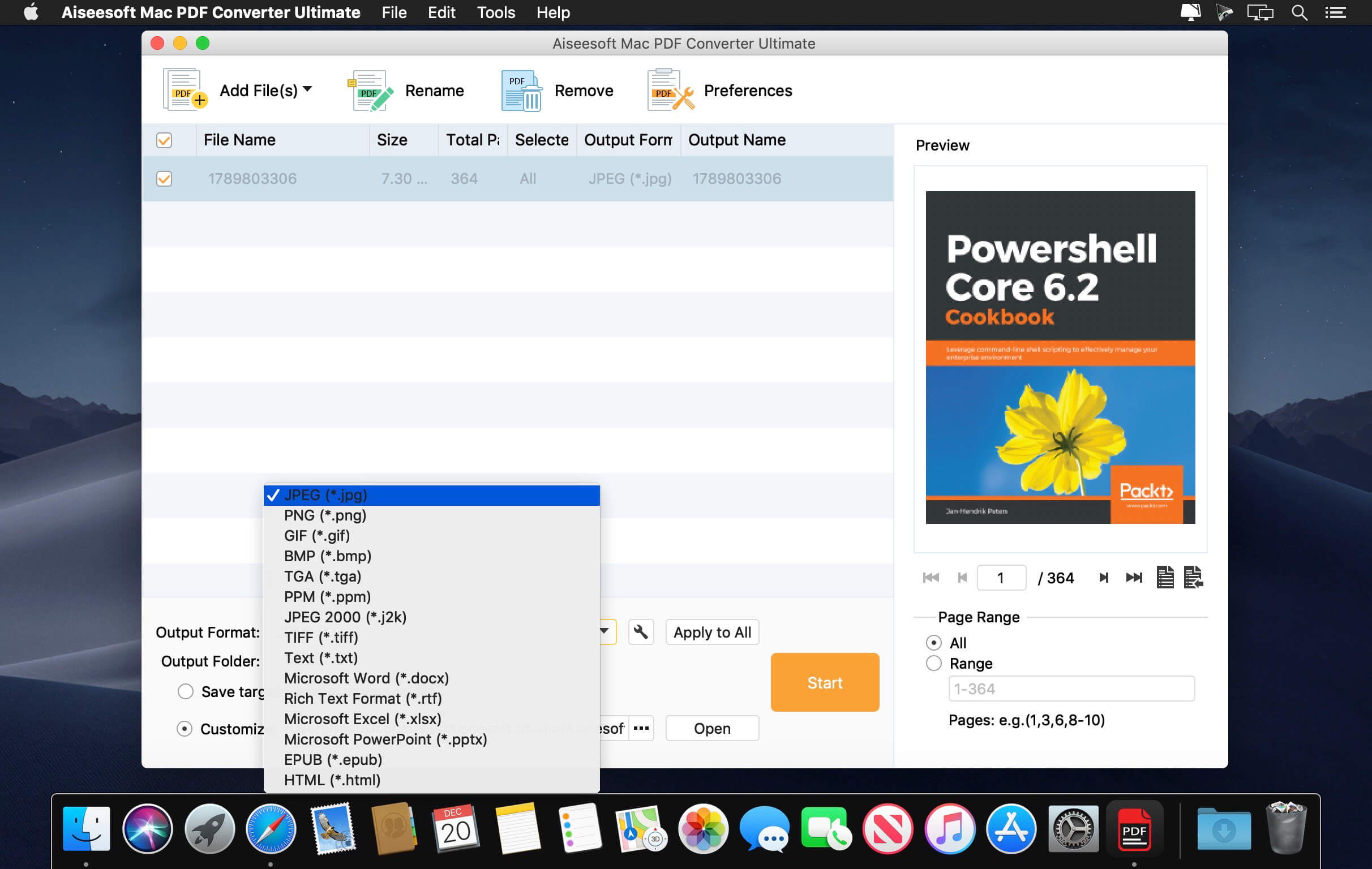
Mac PDF Converter Ultimate is highly efficient and very useful PDF converting software for Mac users which easily converts PDF files to document (Text, Word, Excel, EPUB, and HTML) and/or image (TIFF, JPEG, PNG, GIF, BMP, TGA, PPM, and JPEG2000) files with high speed and accuracy.
With this Mac PDF Converter software, you can:
- Convert PDF to Word/ePub/Text/Excel/PowerPoint2007/HTML formats;
- Convert PDF to JPG/PNG/GIF/TIFF/BMP/TGA/PPM/JPEG2000 image files;
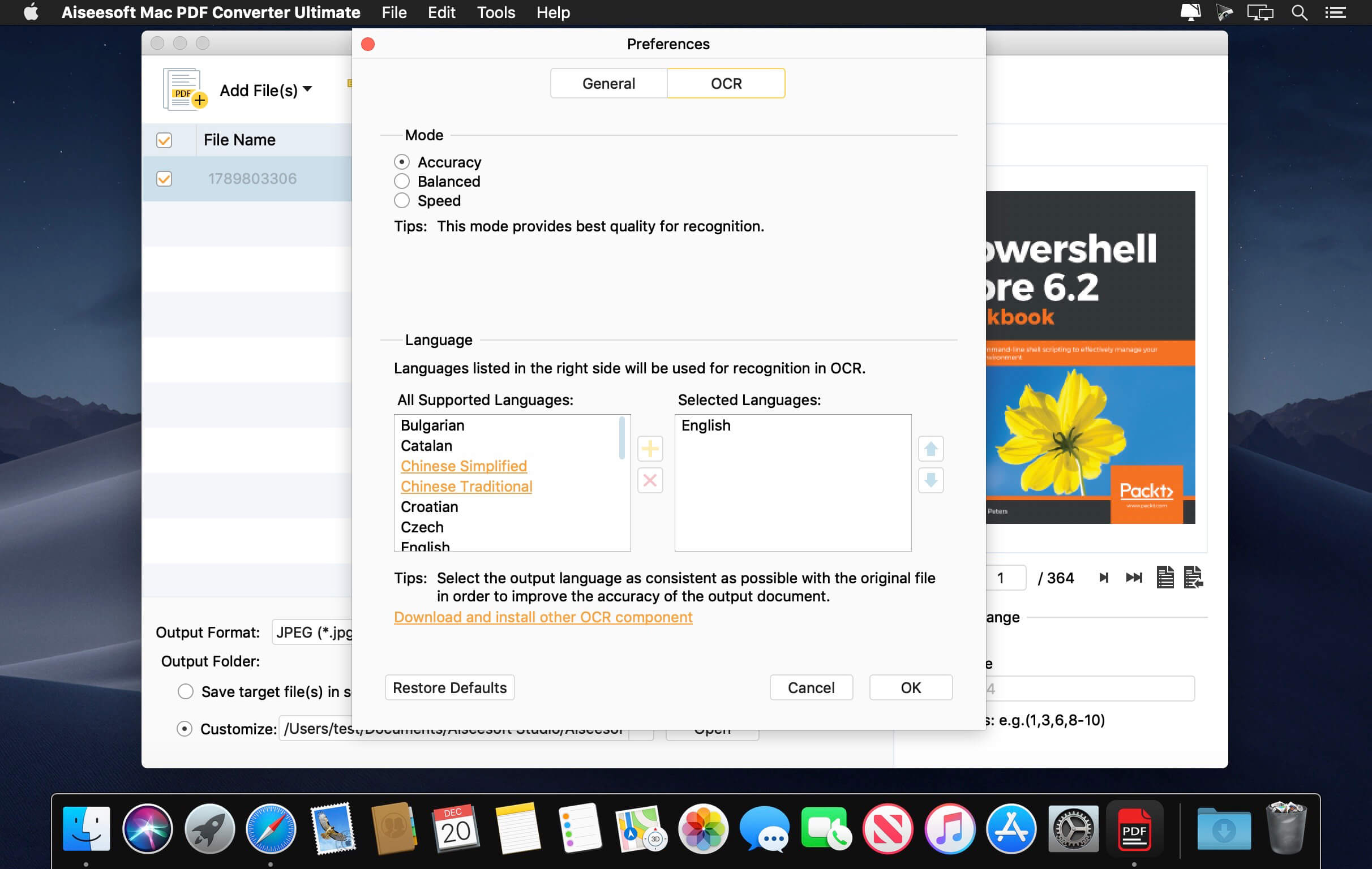
- Take advantage of the built-in OCR technology to convert image-based PDF files to a text-based document for editing;
- Customize the output file settings;
- Convert PDF source files written in multiple languages.
Aiseesoft Mac PDF Converter Ultimate converts PDF files to Word, ePub, Text, Excel, HTML and other text file formats. After PDF conversion, the files can be editable with a word processors on the Mac and/or viewed on various e-readers. It is also available to convert PDF files to image files in .jpg, .png, .bmp, .gif, .tiff and other formats so you can enjoy them in your favorite Mac image viewer or transfer them to portable devices for viewing on the go.
Uses OCR technology to convert scanned PDF documents to readable formats
For scanned, image-based PDF files, this Mac PDF Converter provides you with the most advanced OCR technology to accurately recognize text in the PDF document and convert it into an editable file. Simply choose the output language in the preference window to improve the accuracy of the output document.
Batch processing or partial conversion
Batch processing allows you to import and convert multiple PDF files at a time, thus saving you time. Partial conversion allows you to select only certain pages to convert, convenient when you need only a few pages from a large document. Just specify the page ranges (e.g. page 1-15) or select specific pages (e.g. page 3, 6, 11…) from each PDF file you wish to convert.
Customize output settings
The Mac PDF Converter Ultimate offers various output settings. For example, you can set the pixel size, image color, etc for image files, or the layout and encode text in document files.
Version 3.2.80:
- Release notes were unavailable when this listing was updated.
Frequently asked questions
How do I install the app?
Mount the image, drag the app into the "Applications" folder and launch it. If the system blocks the launch, allow it in "System Settings → Privacy & Security".
The app is damaged or won't launch
Reinstalling from a fresh image usually helps. Make sure your macOS version matches the one listed in the compatibility specs.
How do I update?
Download the new version from the site and install it over the current one — your settings will be preserved.
The download link doesn't work
Try a mirror or a download manager. For large files the browser often drops the connection.
How do I completely remove the app?
Use an uninstaller utility — it cleans up the service files that remain after moving the app to the trash.
VersionAiseesoft Mac PDF Converter Ultimate 3.2.80
DeveloperAiseesoft
CompatibilityOS X 10.9 or later, 64-bit processor
LanguageEnglish
IncludesK'ed by TNT
Related posts
Information
Visitors in the group Guests cannot leave comments on this publication.
Choose a download source
Aiseesoft Mac PDF Converter Ultimate 3.2.80 · 159.34 MB