Piezo 1.9.10
Piezo: Simple Mac audio recorder for system audio capture.
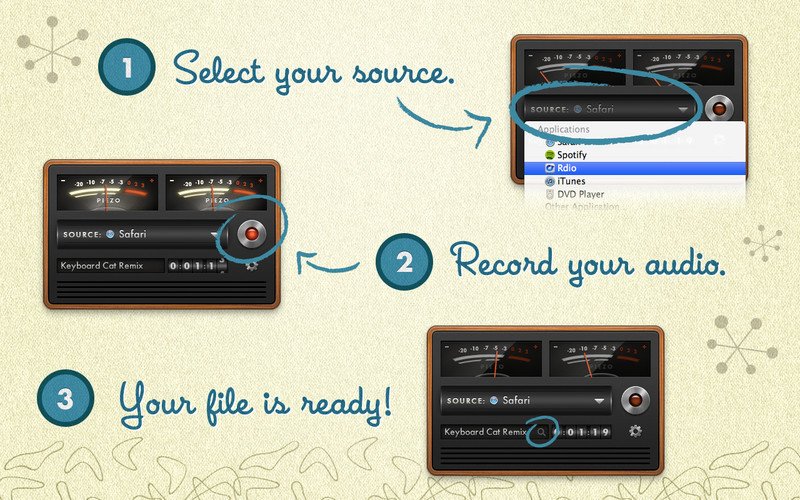
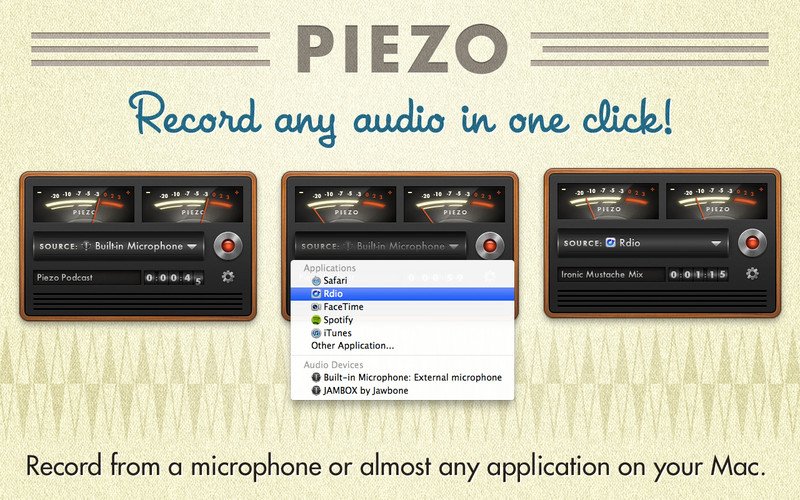
Piezo makes capturing high-quality audio on your Mac effortless. Whether you need to record a podcast, save a voice memo, or archive a digital conversation, Piezo allows you to record sound from any application or audio device with a single click.
From streaming music services like Spotify to web browsers like Safari and Chrome, Piezo captures audio directly from the source. It is particularly powerful for VoIP applications like Skype, where it saves audio to distinct channels to simplify the editing process. You can also record from your built-in microphone or any connected external headset to create quick audio notes.
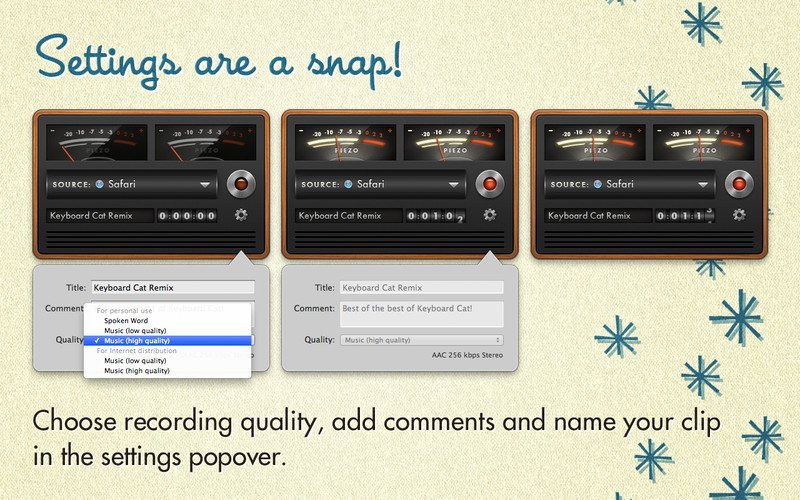
The experience is designed for speed and simplicity. With a clean, intuitive interface and streamlined recording presets, you can spend less time worrying about technical settings and more time capturing content. A quick-access settings popover lets you name your clips, add comments, and adjust recording quality on the fly, making it the ideal tool for gathering sound bites from movies, archiving calls, or saving web-based audio.
Version 1.9.10:
Preliminary Support for MacOS 27 (Golden Gate) Betas
Piezo no longer warns on launch when run on MacOS 27 (Golden Gate). There are no known issues on Golden Gate at present.
Do note that Apple’s betas remain in flux. We always encourage users to stick with official (non-beta) OS releases for the best experience.
Easier Access to Test Releases
It’s now easier to be notified about pre-release versions of Piezo. In the “Settings” window, you can adjust the new “Check for” menu from its default “Official Releases” option to “Official and Test Releases”. More details on test releases can be found in this support article.
Frequently asked questions
How do I install the app?
Mount the image, drag the app into the "Applications" folder and launch it. If the system blocks the launch, allow it in "System Settings → Privacy & Security".
The app is damaged or won't launch
Reinstalling from a fresh image usually helps. Make sure your macOS version matches the one listed in the compatibility specs.
How do I update?
Download the new version from the site and install it over the current one — your settings will be preserved.
The download link doesn't work
Try a mirror or a download manager. For large files the browser often drops the connection.
How do I completely remove the app?
Use an uninstaller utility — it cleans up the service files that remain after moving the app to the trash.




Choose a download source
Piezo 1.9.10 · 15.03 MB
Previous versions
Piezo 1.9.10
Previous versions are available to registered users.