
Icon Slate 4.6.0
Icon Slate lets you easily compose, import and export icons in many formats for desktop and mobile.
Multi-formats
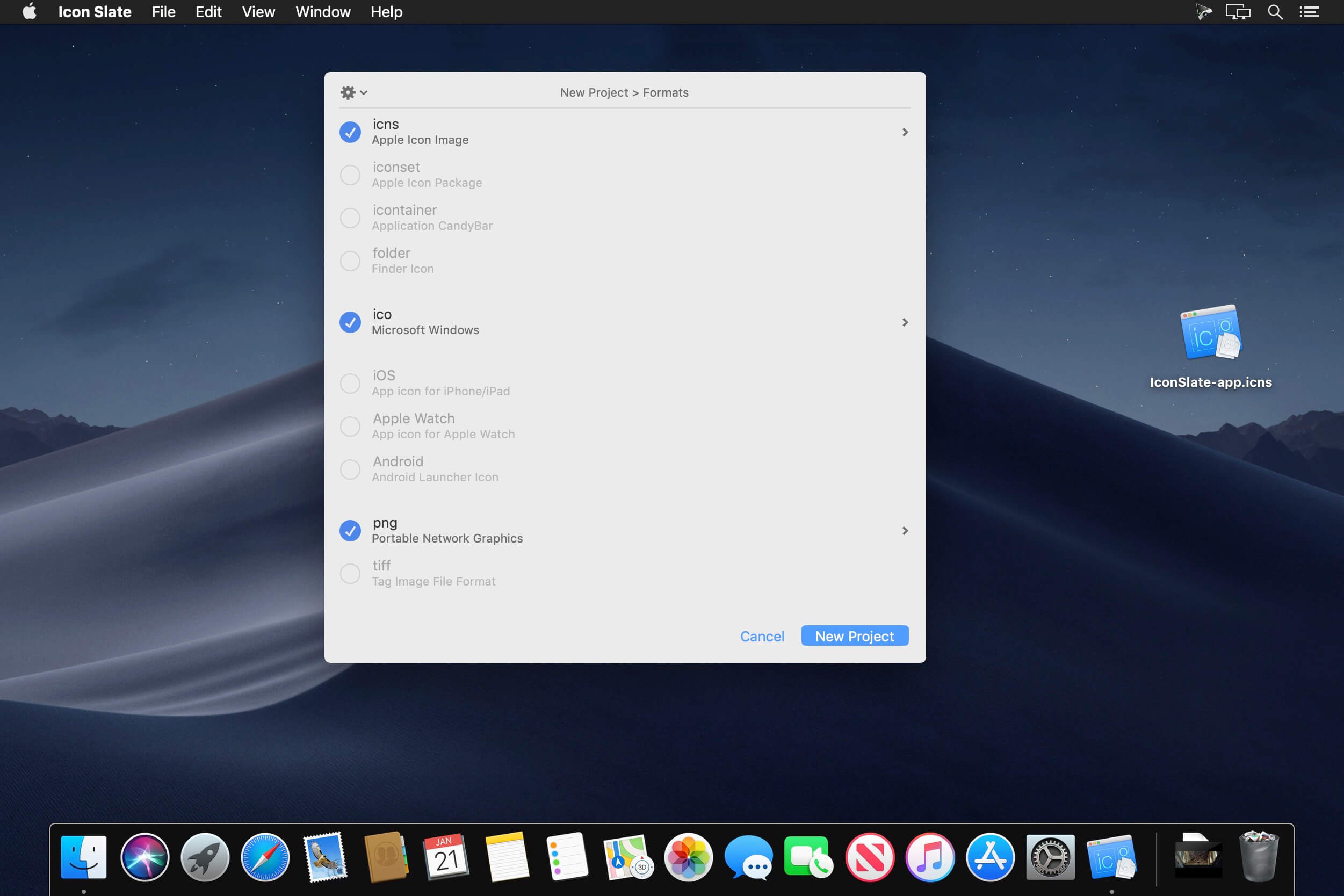
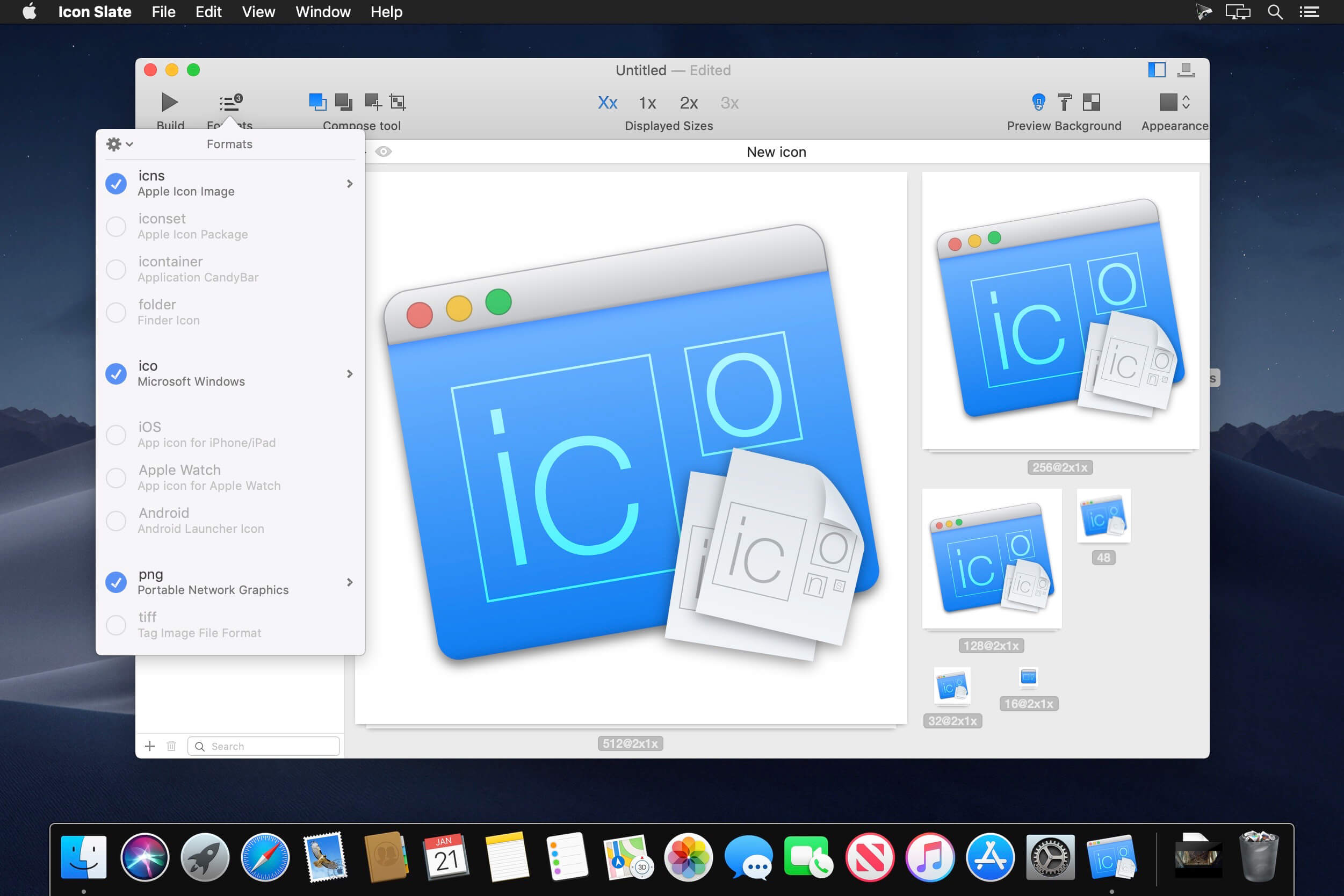
Import and export .icns (Retina), iOS (Retina, Retina HD), Apple Watch, .iconset, .ico (Windows 256x256, Favicon), Android, custom sizes (.png, .tiff), .iContainer files and Folder.
Customizations
Customize sizes and filenames to use for each format.
Save format configurations. PNG Optimization.
Simple
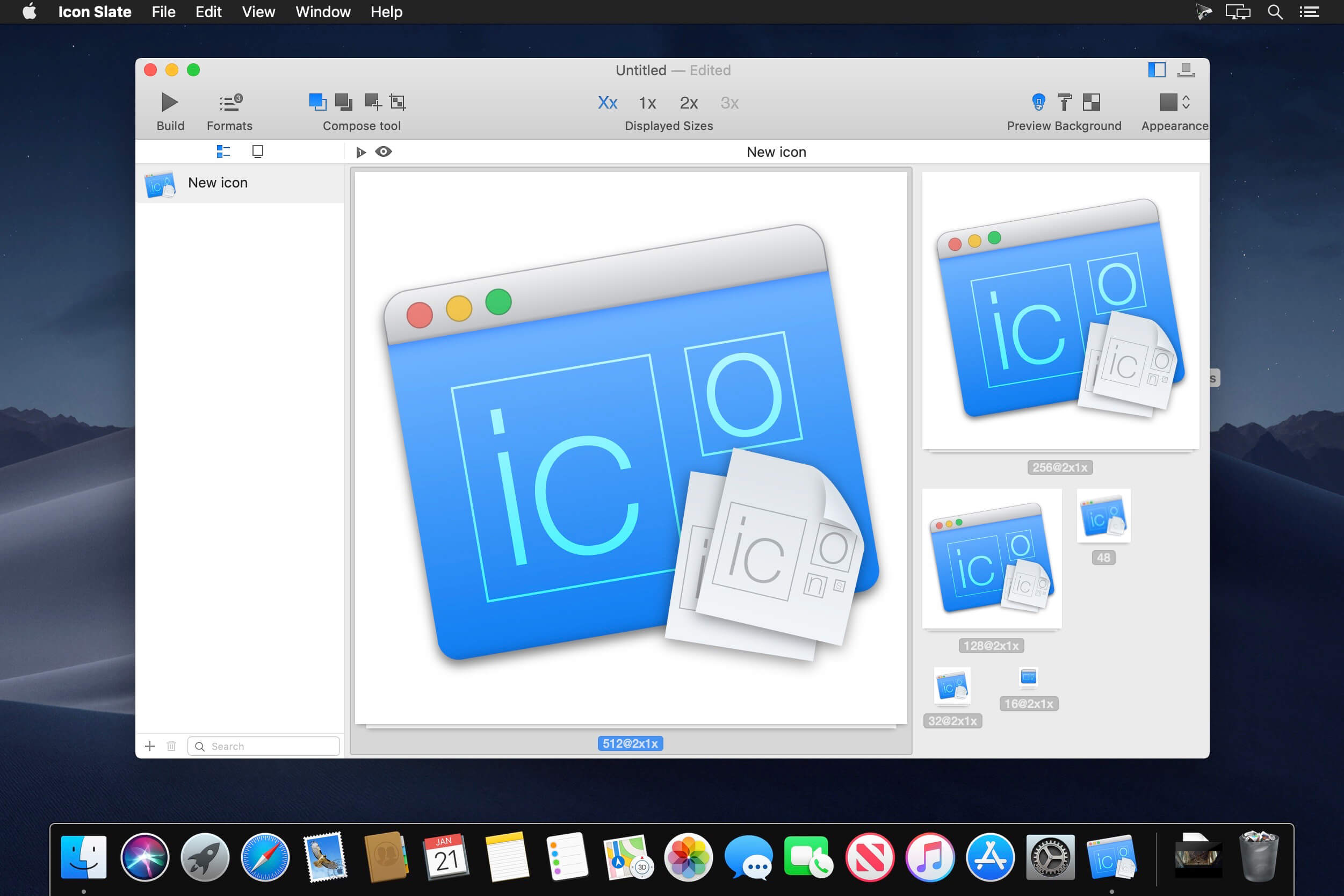
Drag and drop one or several images to compose your icon.
Quick
Create icons quickly by using copy mode (Copy to empty or filled sizes) and operation mode (Cover filled sizes, Trim transparent pixels).
import and export
Manage multiple icons in a project. Batch import and export.
Integration
Convert icons directly in Finder. Add the convert tool in your Automator workflow. Use Icon Slate in Bohemian Coding's Sketch (plugin).
Preview
Built-in preview in Dock. Adjust the background color to check the rendering of your creations above different backgrounds. Preview the icons with five different icon layouts (default, iOS >7, Apple Watch, iOS 6 and iOS 6 with gloss effect).
Optimized for latest macOS
iCloud, Retina UI, Version, Auto-save, Fullscreen and QuickLook.
Version 4.6.0
- iPad and iPhone are now two distinct formats. The exported files are now recognized automatically by XCode when dragged on an app icon asset.
- This version brings also Improvement on the new project and export panels for more consistency and readability.
Frequently asked questions
How do I install the app?
Mount the image, drag the app into the "Applications" folder and launch it. If the system blocks the launch, allow it in "System Settings → Privacy & Security".
The app is damaged or won't launch
Reinstalling from a fresh image usually helps. Make sure your macOS version matches the one listed in the compatibility specs.
How do I update?
Download the new version from the site and install it over the current one — your settings will be preserved.
The download link doesn't work
Try a mirror or a download manager. For large files the browser often drops the connection.
How do I completely remove the app?
Use an uninstaller utility — it cleans up the service files that remain after moving the app to the trash.
VersionIcon Slate 4.6.0
DeveloperJérémy Marchand
CompatibilityOS X 10.10 or later, 64-bit processor
LanguageEnglish, French
IncludesK'ed by TNT



Information
Visitors in the group Guests cannot leave comments on this publication.
Choose a download source
Icon Slate 4.6.0 · 5.7 MB