
AltTab Pro 11.6.0
AltTab: macOS window switcher with fast app control.
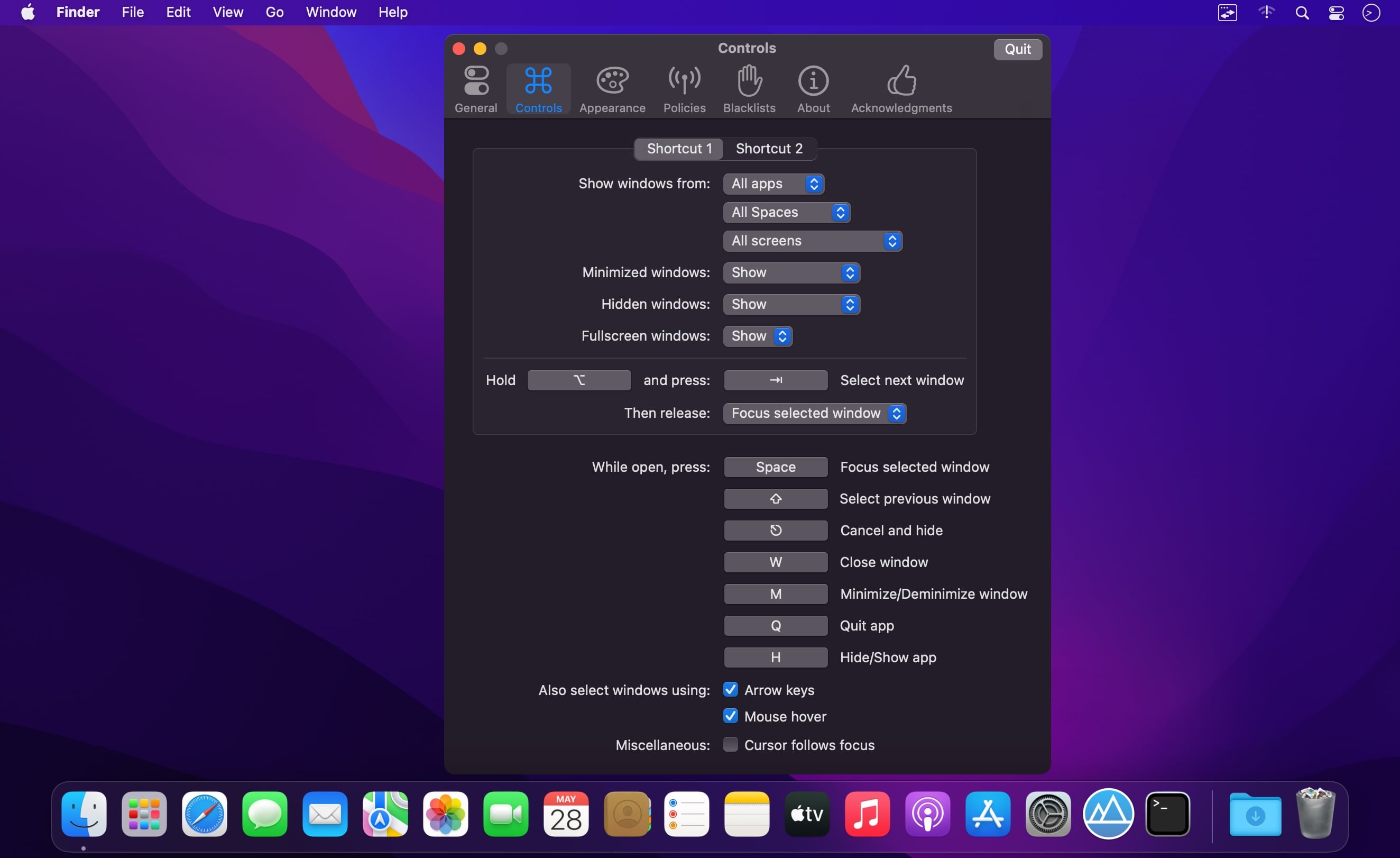
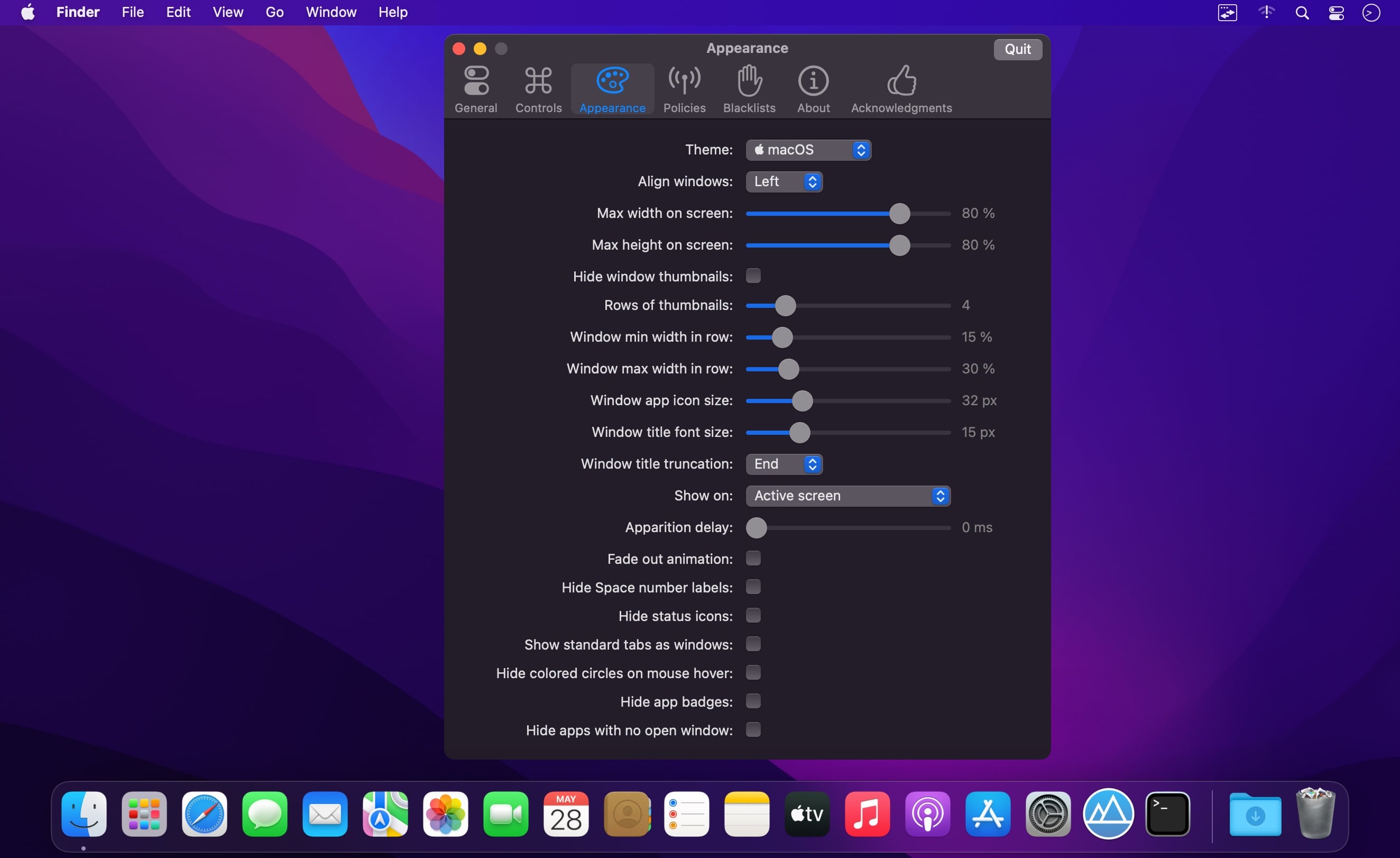
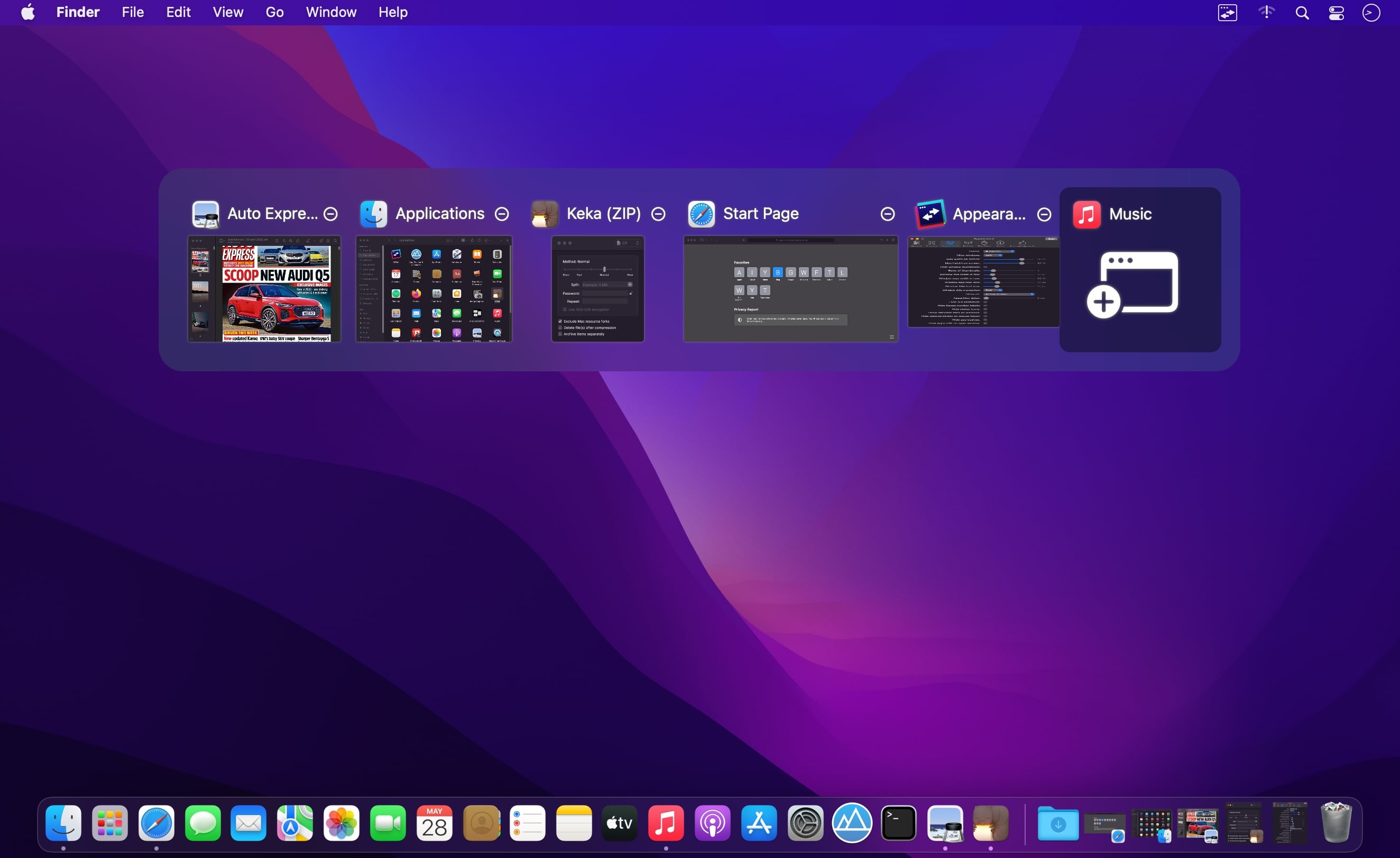
AltTab brings the power of Windows’s “alt-tab” window switcher to macOS.
Features
- Switch focus to any window
- Minimize, close, fullscreen any window
- Hide, quit any app
- Customize AltTab appearance (e.g. show app badges, Space numbers, increase icon, thumbnail, title size, etc)
- Custom trigger shortcuts with almost any key
- Blacklist apps you don’t want to list or trigger AltTab from
- Dark Mode
- Drag-and-drop things on top of window thumbnails
- Right-to-left languages and UI
- Accessibility: VoiceOver, sticky keys, reduced transparency, etc
AltTab 11.5.0:
Bug Fixes:
- a closed window may linger in the switcher (7fbba11)
- a window with tabs may be listed twice after opening a tab (4df8ba4)
- alt-tab may do nothing after closing the last window (closes #5960) (98e199d), closes #5941 #5941 #5941 #5968
- an app's floating overlay may be listed as a window (#5565) (01a5218)
- an unresponsive app may slow down the switcher (#5803) (61978a8)
- clicking a notification could scramble the order (closes #5974) (e72e8be)
- first alt-tab after a pause selects the wrong window (closes #5977) (3355d46)
- invisible windows may be listed in the switcher (#6002) (57edf07)
- powerpoint slide show was missing from the switcher (closes #5983) (609872b)
- quitting may re-ask for screen recording permission (closes #5922) (79cb555)
- rare crash when cycling the switcher as a window closes (2d38314)
- rare crash when displays are reconfigured (85cc811)
- rare crash when quitting the app (807f6ef)
- shortcut editor may report an unrelated conflict (closes #5455) (a694953)
- tab grouping may be wrong right after tabs change (#5558) (3f88dec)
- the first switcher after launch may be empty or incomplete (72447cd)
- the switcher may act on the wrong window (#5988, #5977) (5e8c76d)
- the switcher may lag when entering or leaving search (#5981) (96b4cae)
- two windows of an app may fold into one tile (#5978, #5979, #5854) (0053f3a)
- window previews may load late while typing in search (closes #5981) (8c7d067)
- windows may be wrongly grouped as tabs and hidden (closes #5954) (3c0adae)
Features:
- rework window tracking for a more accurate switcher (#5988, #5803) (050ee41)
Performance Improvements:
- fewer scans for windows an app does not list (5458ceb)
- less CPU spent finding windows on other Spaces (6a14e73)
- open the switcher faster by cutting redundant system calls (4e3243d)
Frequently asked questions
How do I install the app?
Mount the image, drag the app into the "Applications" folder and launch it. If the system blocks the launch, allow it in "System Settings → Privacy & Security".
The app is damaged or won't launch
Reinstalling from a fresh image usually helps. Make sure your macOS version matches the one listed in the compatibility specs.
How do I update?
Download the new version from the site and install it over the current one — your settings will be preserved.
The download link doesn't work
Try a mirror or a download manager. For large files the browser often drops the connection.
How do I completely remove the app?
Use an uninstaller utility — it cleans up the service files that remain after moving the app to the trash.
Choose a download source
AltTab Pro 11.6.0 · 7.18 MB