Foldor 1.3.1
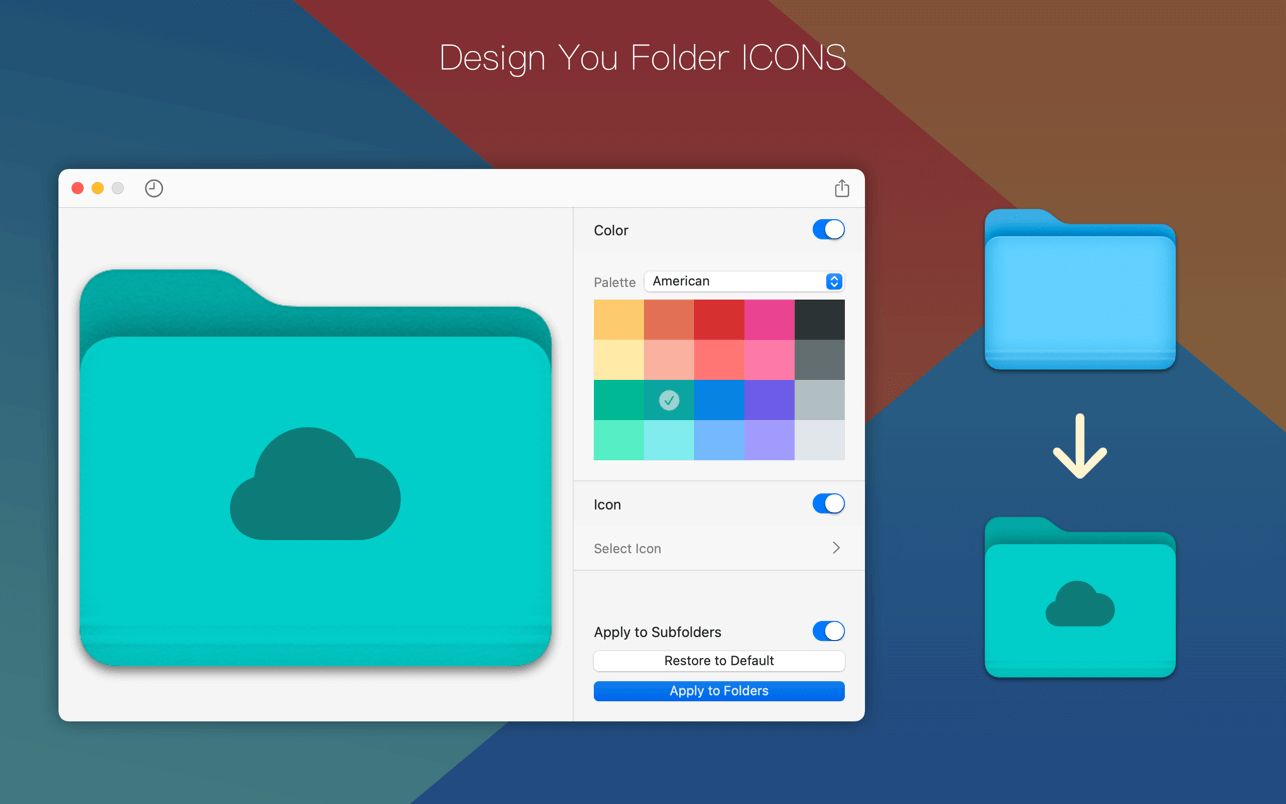

Foldor is a tool for designing and modifying folder icons.
The main function:
- [Palettes] Preset more than ten kinds of color palettes, support customizing your own color palette
- [Icons] 19 types, up to 1000 icons for you to choose
- [Export] You can export the designed icon
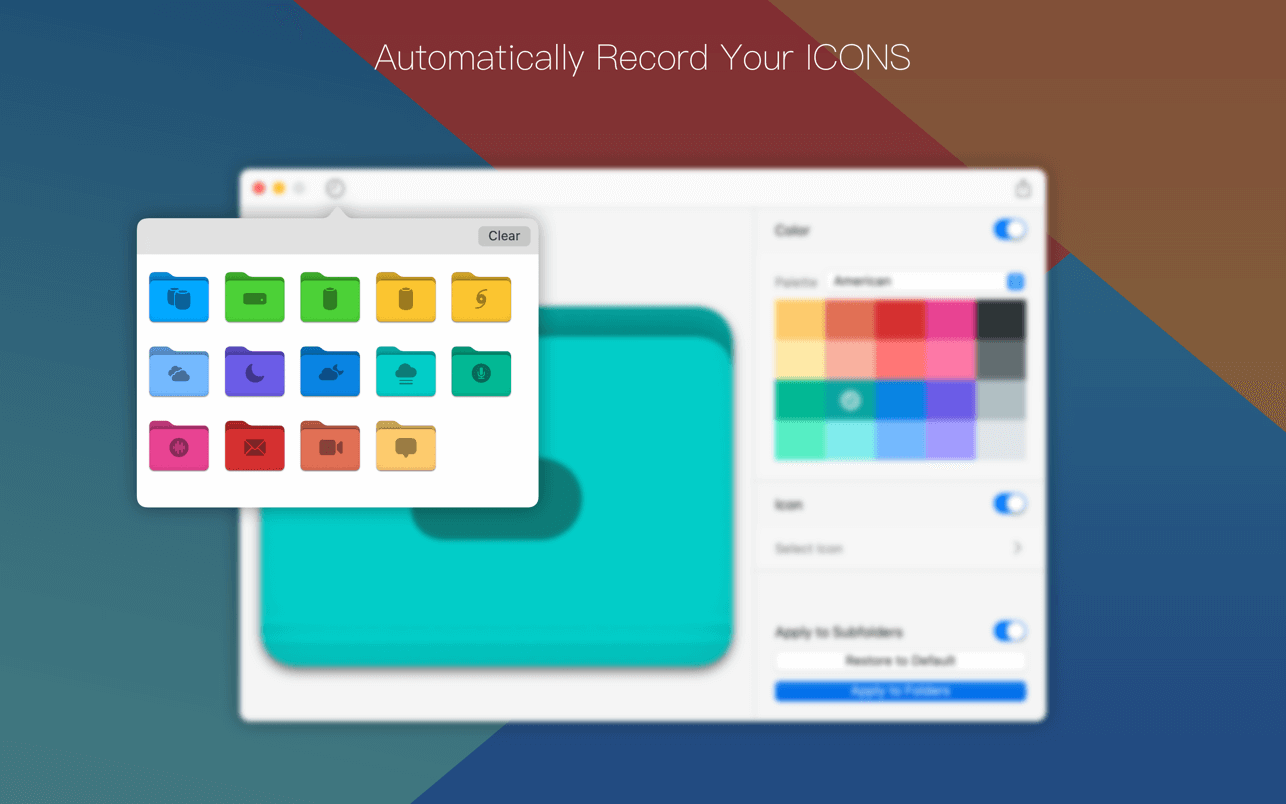
- [Auto Save] You can view the icons you have made and edit again at any time
Version 1.3.1
- Adaptation to macOS 13 Ventura
- Supports the new Apple M1 / M2
- Fix minor issues
Frequently asked questions
How do I install the app?
Mount the image, drag the app into the "Applications" folder and launch it. If the system blocks the launch, allow it in "System Settings → Privacy & Security".
The app is damaged or won't launch
Reinstalling from a fresh image usually helps. Make sure your macOS version matches the one listed in the compatibility specs.
How do I update?
Download the new version from the site and install it over the current one — your settings will be preserved.
The download link doesn't work
Try a mirror or a download manager. For large files the browser often drops the connection.
How do I completely remove the app?
Use an uninstaller utility — it cleans up the service files that remain after moving the app to the trash.
VersionFoldor 1.3.1
DeveloperShao Bing Fu
CompatibilitymacOS 10.11 or later
LanguageEnglish, Simplified Chinese
IncludesK'ed by HCiSO

Information
Visitors in the group Guests cannot leave comments on this publication.
Choose a download source
Foldor 1.3.1 · 8.7 MB