
Endurance 3.2.6
Screenshots
Click to enlarge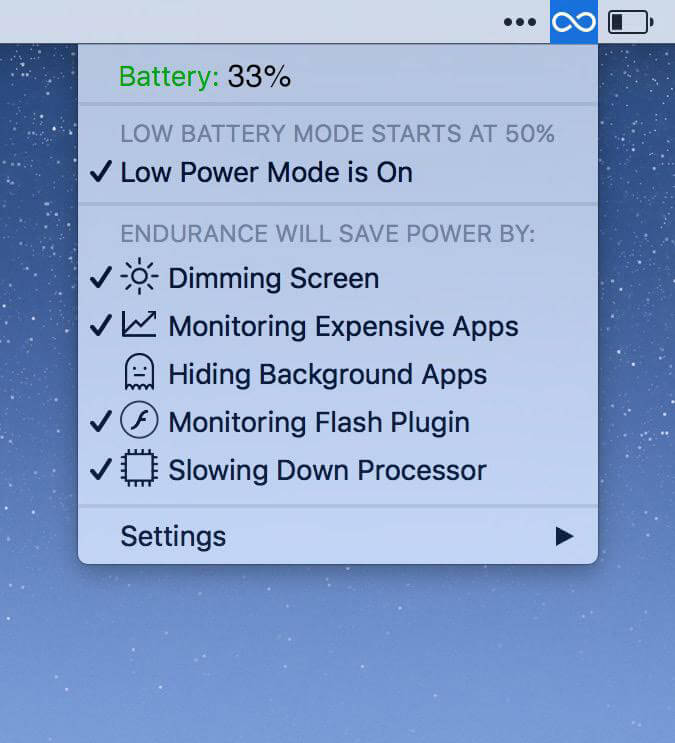
No matter how good your battery is, everyone could use a little more battery power! Endurance is an app that helps your Mac run longer. Endurance runs in the background and when your battery level drops to a certain level, it automatically starts adjusting your settings and turning off features which use a lot of energy. Our tests have shown that it can give you about 20% more runtime, which you can spend writing, browsing the web and watching movies.
How Endurance Works
Endurance is actually a set of different tools all bundled together in one app, which can work together or separately to help you to lower your energy usage. Prefer not to use a certain module? You can turn it off so it won't bother you.
Slow Down Your Processor
Your processor, the brains of your computer, can go into overdrive, which uses up a lot of processor. By turning off Turbo, your computer will run a little bit slower, but it'll last a lot longer.
Monitor Intense Apps
Did you know that Chrome can take up 20% of your battery, even when it's just open in the background? Endurance keeps track of what's gobbling up your energy and puts those apps to sleep. Reopen them, and your tabs are right where they were.
Put Background Apps to Sleep
Your Mac is smart enough to slow down apps which are hidden offscreen. So we just automatically minimize them when they're in the background. Easy!
Auto-Dim Your Screen
Your big shiny screen takes a ton of electricity to run. Endurance can slowly dim it over time, but like a frog in boiling water, you won't even notice.
Version 3.2.6:
- Release notes were unavailable when this listing was updated.
Comments
No comments yet. Be the first.