
FilePane 2.0.19
Drag-and-drop file utility for Mac with instant actions
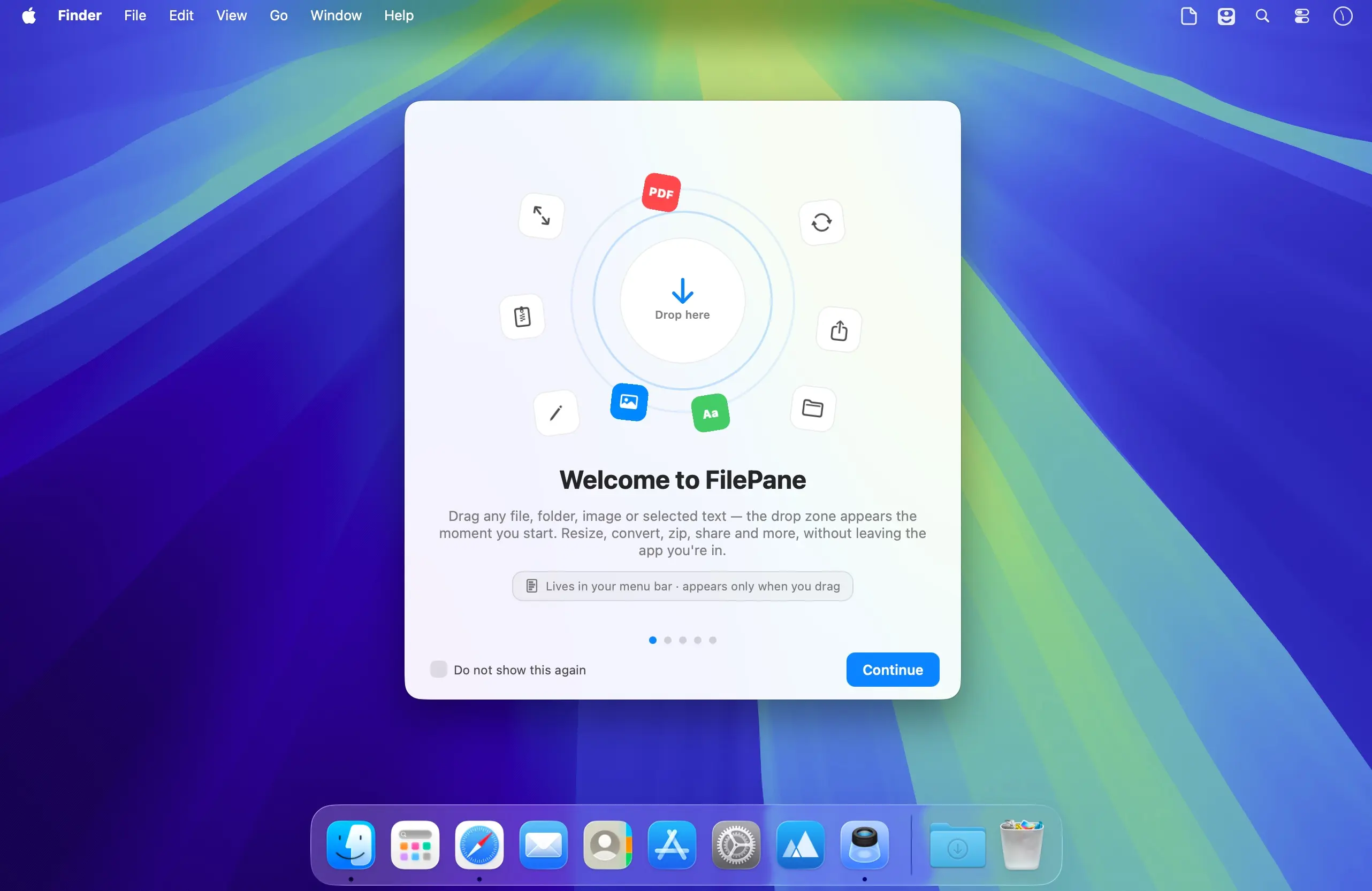
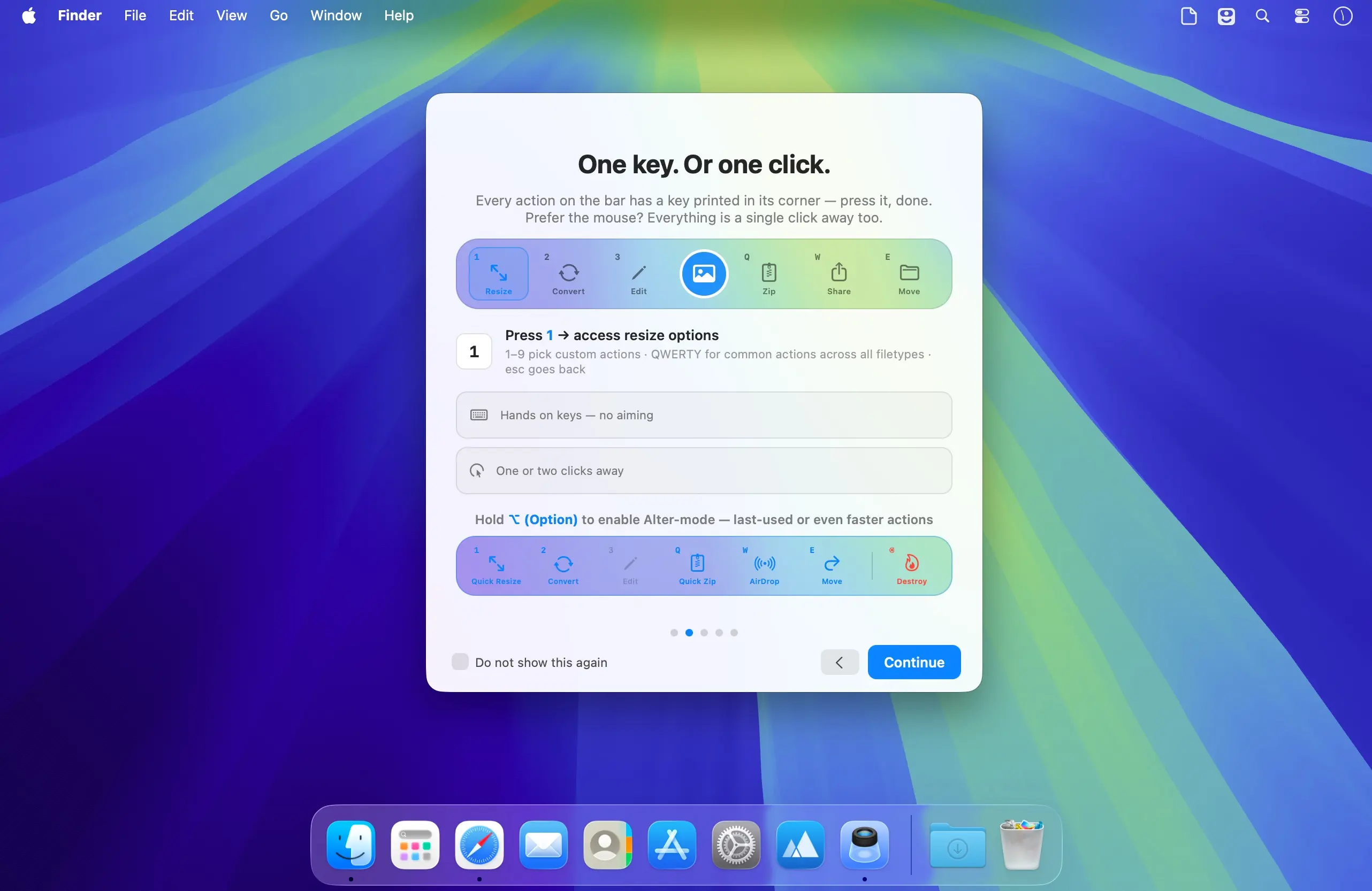
FilePane is a drag-and-drop utility for Mac that turns every drag into a command bar. Start dragging a file and a small drop area appears next to your cursor. Drop the file on it and the app offers actions that fit its type: resize or convert images, compress or merge PDFs, zip, rename, share or move to a favorite folder.
Drop area on demand
Nothing sits on your screen until you start dragging. Then a small drop disc fades in near the cursor and accepts files, folders, images, PDFs, links and selected text. Press ⌃F to summon it anywhere, or ⌃⇧F to act on whatever is on the clipboard.
Actions built around your file
- Images: resize, crop, convert, mark up and set as wallpaper.
- PDFs: compress, merge, convert to images and print.
- Any file: zip with an optional password, share, copy the path, rename and move.
- Converting images: PNG, JPEG, HEIC, WebP, TIFF and BMP, or a PDF at the DPI you choose.
- Built-in editor: rotate, flip and mark up images with undo and redo.
- Merging: combine several images or PDFs, including password-protected ones, then reorder, rotate and preview pages before saving.
Links as well as files
Drag a URL onto FilePane to capture the full page as a PDF, PNG or JPEG, or to extract just the article as a clean PDF or Markdown file. The same drop can download linked files to a folder with progress, make a QR code, copy a clean URL or Markdown link, or save a .webloc. If a page sits behind a login, open it in a window, sign in, then capture.
Keyboard shortcuts and favorite folders
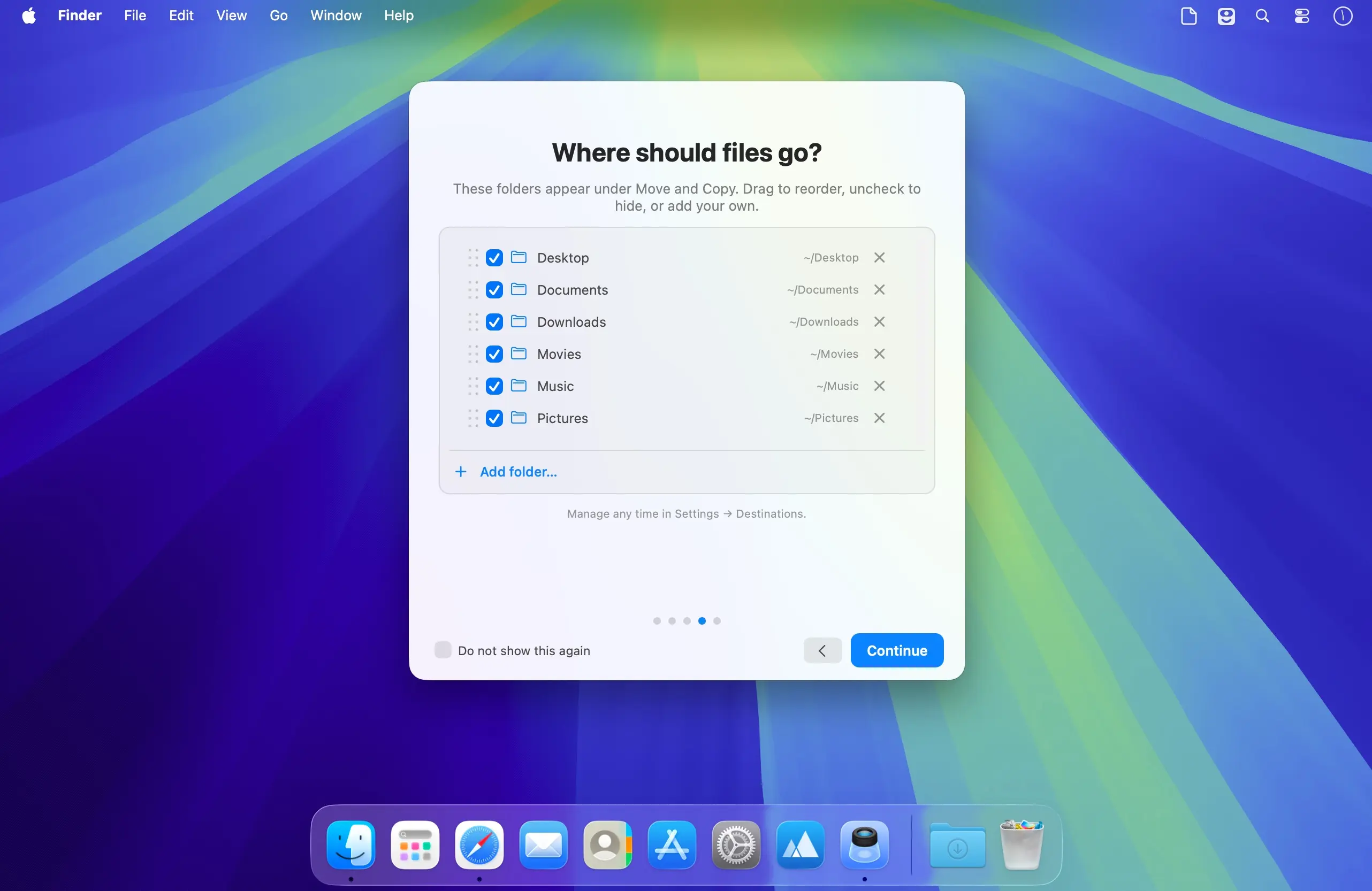
Keys 1–9 trigger the actions specific to your file, and Q W E R T Y cover common ones across all types. Each key is printed on the bar, so there is nothing to memorize, and every action also works with a single click. Keep a list of favorite folders such as Desktop, Documents and Downloads, and move or copy a dropped file into any of them with a number key. Hold ⌥ to switch between move and copy, or press ⇧ plus a number to browse subfolders and create a new one on the spot.
Where it fits
Dragging a screenshot out of a chat, you can shrink it and convert it to JPEG before it reaches your desktop. A stack of scanned receipts becomes one PDF in a few seconds. A long article from the browser turns into a clutter-free Markdown file for your notes. The interface is available in 15 languages, including German, French, Japanese and Simplified Chinese.
FilePane alternatives for Mac
- Dropover: a floating shelf that temporarily holds dragged files and sends them to other apps or services.
- Yoink: a screen-edge shelf for collecting files during a drag, with actions handled in the target app.
- Hazel: rule-based automation that sorts and processes files in folders in the background instead of on drop.
Frequently asked questions
How do I install the app?
Mount the image, drag the app into the "Applications" folder and launch it. If the system blocks the launch, allow it in "System Settings → Privacy & Security".
The app is damaged or won't launch
Reinstalling from a fresh image usually helps. Make sure your macOS version matches the one listed in the compatibility specs.
How do I update?
Download the new version from the site and install it over the current one — your settings will be preserved.
The download link doesn't work
Try a mirror or a download manager. For large files the browser often drops the connection.
How do I completely remove the app?
Use an uninstaller utility — it cleans up the service files that remain after moving the app to the trash.





Choose a download source
FilePane 2.0.19 · 15.45 MB
Previous versions
FilePane 2.0.19
Previous versions are available to registered users.