JixiPix Moku Hanga 1.52
Japanese woodblock print effects, shaped with color and flowing lines
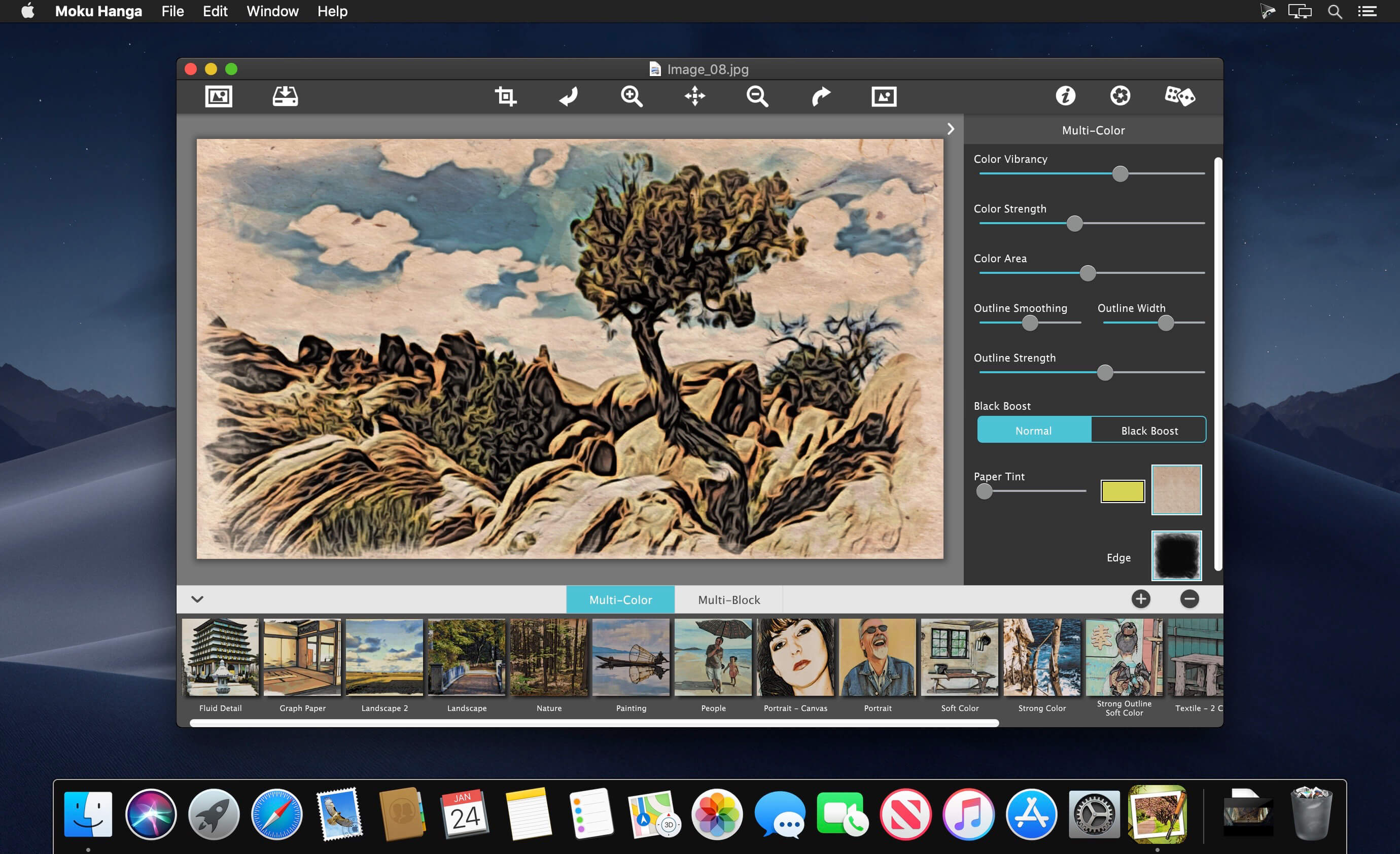


Turn photos and snapshots into Japanese woodblock-print-inspired artwork on your Mac, with flowing outlines and brushed-on color.
Customize the print
Choose from two woodblock printing styles, adjust how smooth or fluid the chiseled outlines appear, and customize the color. Explore artistic edges, paper textures, and one-touch paint styles to shape the look of your image.
- Two printing styles: Choose between two woodblock printing styles.
- Adjustable outlines: Control outline width and strength, and how smooth or fluid the chiseled outline appears.
- Customizable color: Adjust vibrancy, strength, and color area with sliders.
- Artistic edges: Choose from 18 artistic edges.
- Paper textures: Choose from 60 papers.
- One-touch paint styles: Choose from 40 paint styles.
Try Moku Hanga for Mac and create your own woodblock-inspired artwork.
Version 1.52 :
- Release notes were unavailable when this listing was updated.
Frequently asked questions
How do I install the app?
Mount the image, drag the app into the "Applications" folder and launch it. If the system blocks the launch, allow it in "System Settings → Privacy & Security".
The app is damaged or won't launch
Reinstalling from a fresh image usually helps. Make sure your macOS version matches the one listed in the compatibility specs.
How do I update?
Download the new version from the site and install it over the current one — your settings will be preserved.
The download link doesn't work
Try a mirror or a download manager. For large files the browser often drops the connection.
How do I completely remove the app?
Use an uninstaller utility — it cleans up the service files that remain after moving the app to the trash.




Choose a download source
JixiPix Moku Hanga 1.52 · 43.14 MB