JixiPix Simply HDR 3.2.20
HDR photo editor for detailed, expressive images.


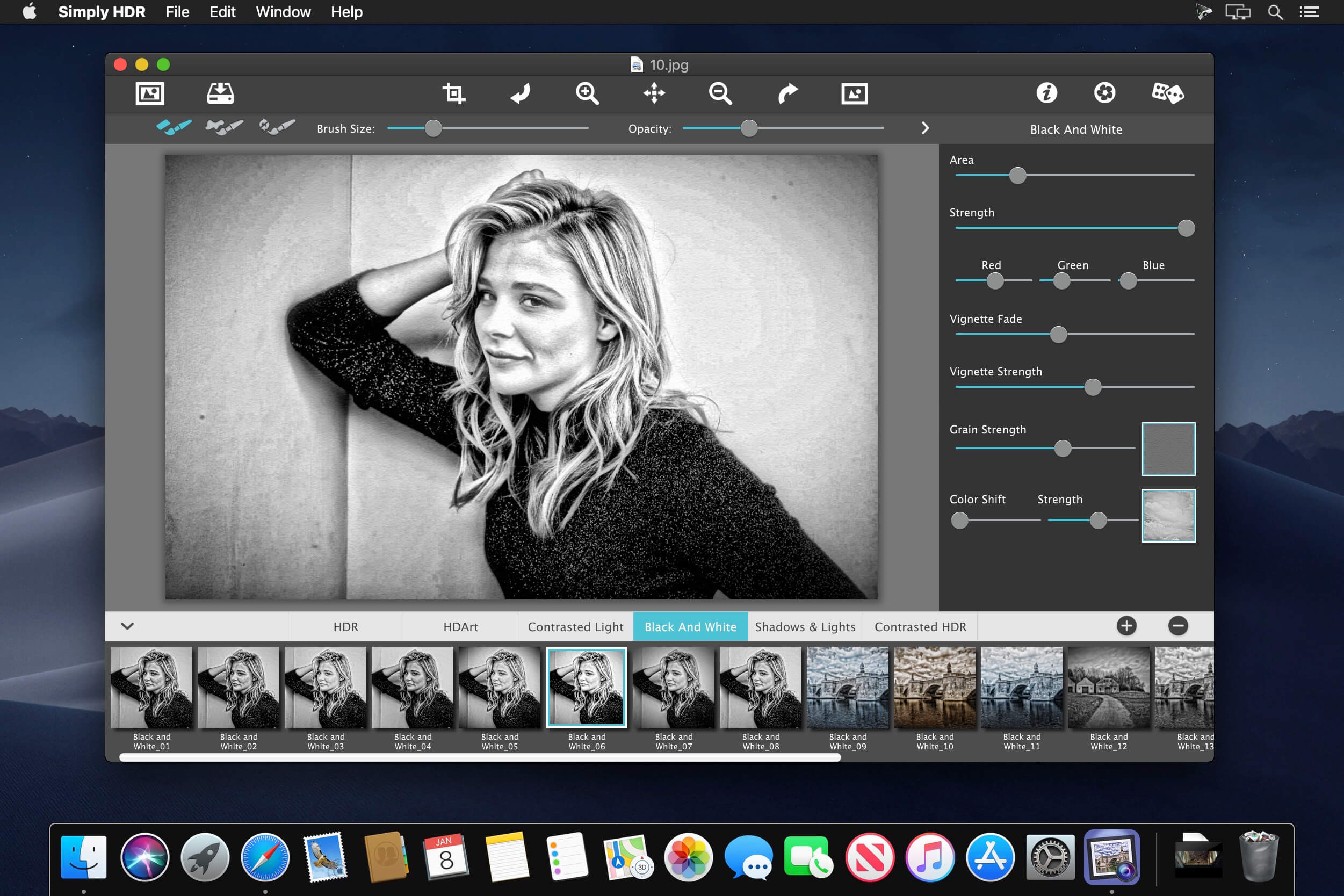
Create an HDR image from a single photo, with more detail in its brightest and darkest areas. Simply HDR offers styles and creative controls for shaping your image, whether you prefer a realistic look or a more artistic finish.
Shape your HDR style
Start with a one-touch setting, use it as is, or adjust the controls to create a look of your own. Save a preset to apply your settings to future projects.
- Six HDR styles: Choose from High Dynamic Range, HD Art, Black & White HDR, Contrasted HDR, Shadows & Light, and Contrasted Light.
- Detail controls: Adjust the detail area and strength.
- Smoothing and restore brushes: Make corrections to areas of your image.
- Creative finishing tools: Use adjustable vignettes and film grain.
- Color filters and gradients: Explore 45 options for adjusting the look of your image.
- Artistic finishes: Choose from 70 finishes for HD Art.
- One-touch settings: Start with one of 100 settings, then customize it if you like.
- Save presets: Keep settings you’ve created for future projects.
Explore the styles and create an HDR image that feels like your own.
Frequently asked questions
How do I install the app?
Mount the image, drag the app into the "Applications" folder and launch it. If the system blocks the launch, allow it in "System Settings → Privacy & Security".
The app is damaged or won't launch
Reinstalling from a fresh image usually helps. Make sure your macOS version matches the one listed in the compatibility specs.
How do I update?
Download the new version from the site and install it over the current one — your settings will be preserved.
The download link doesn't work
Try a mirror or a download manager. For large files the browser often drops the connection.
How do I completely remove the app?
Use an uninstaller utility — it cleans up the service files that remain after moving the app to the trash.


Choose a download source
JixiPix Simply HDR 3.2.20 · 89.7 MB