Swift Publisher 5.7.9
Desktop publishing for Mac, made simple
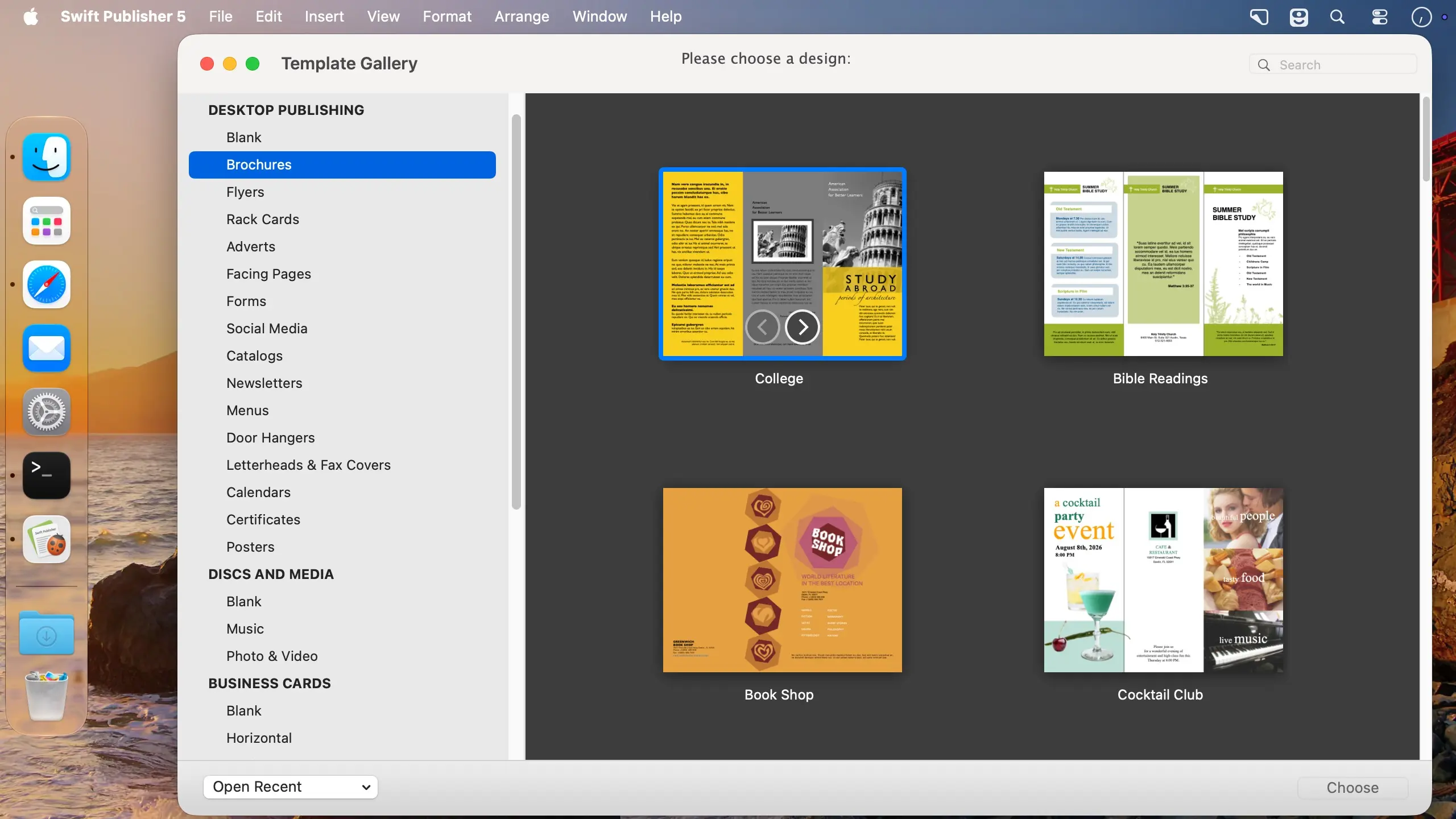
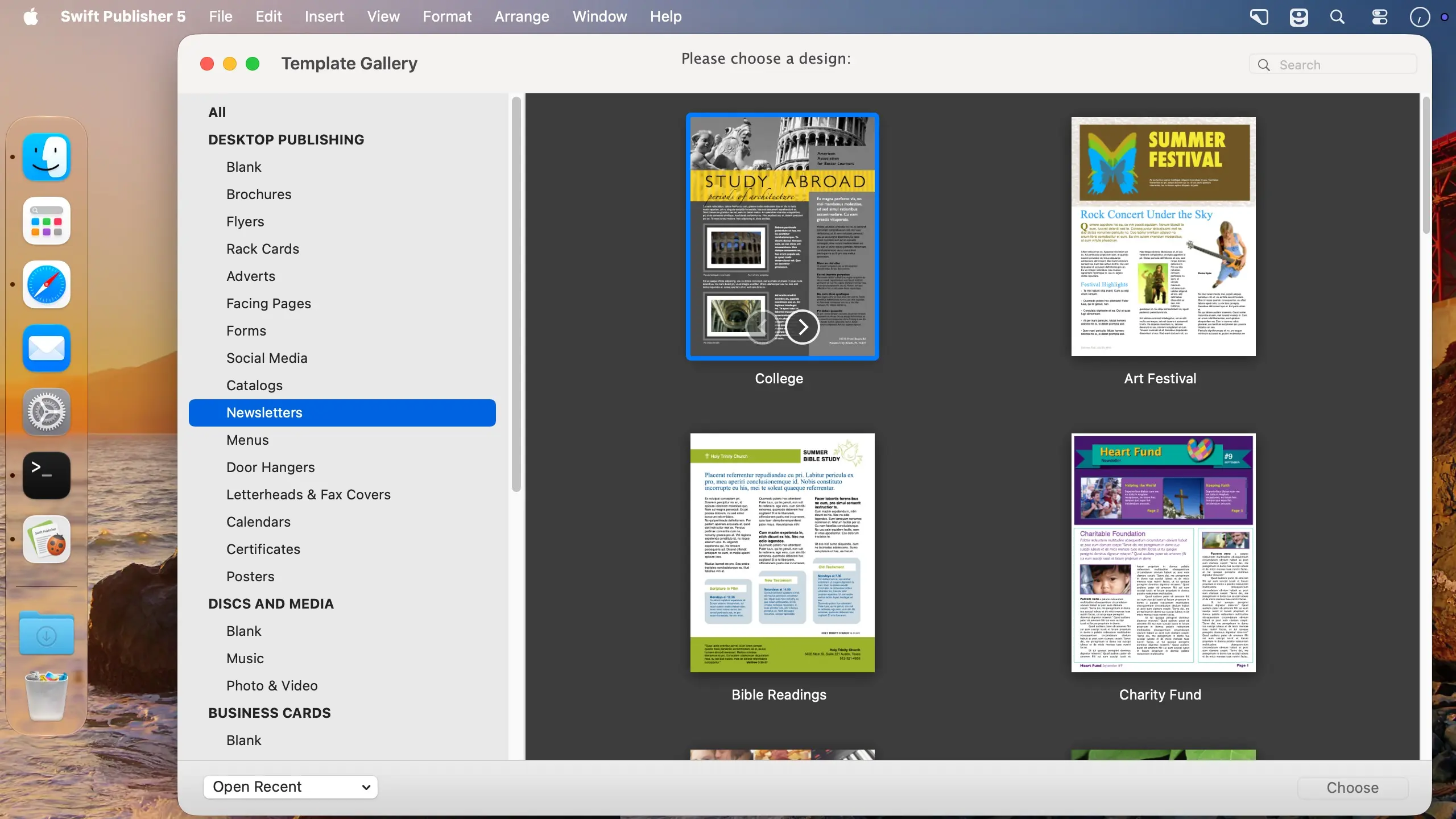
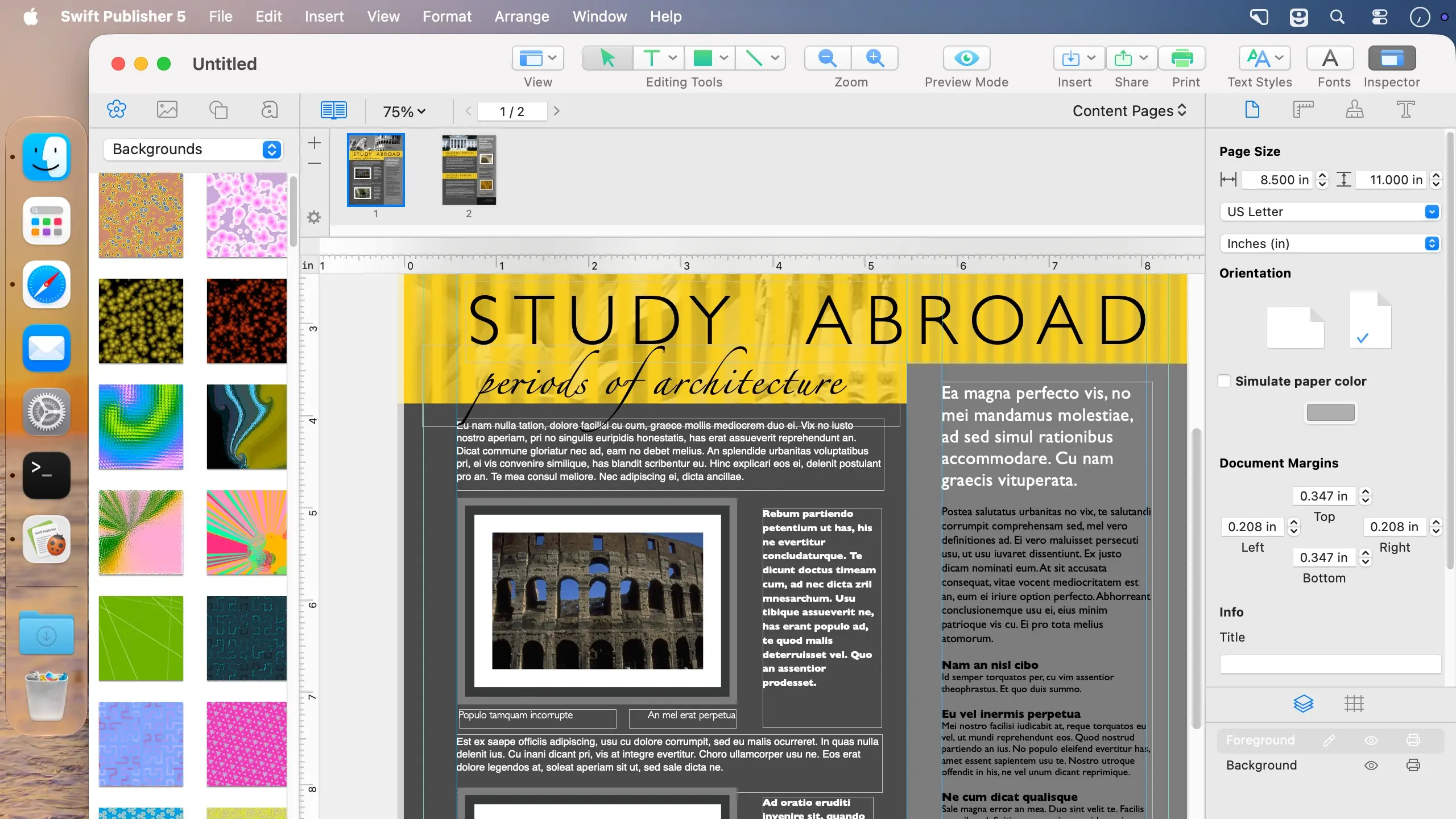
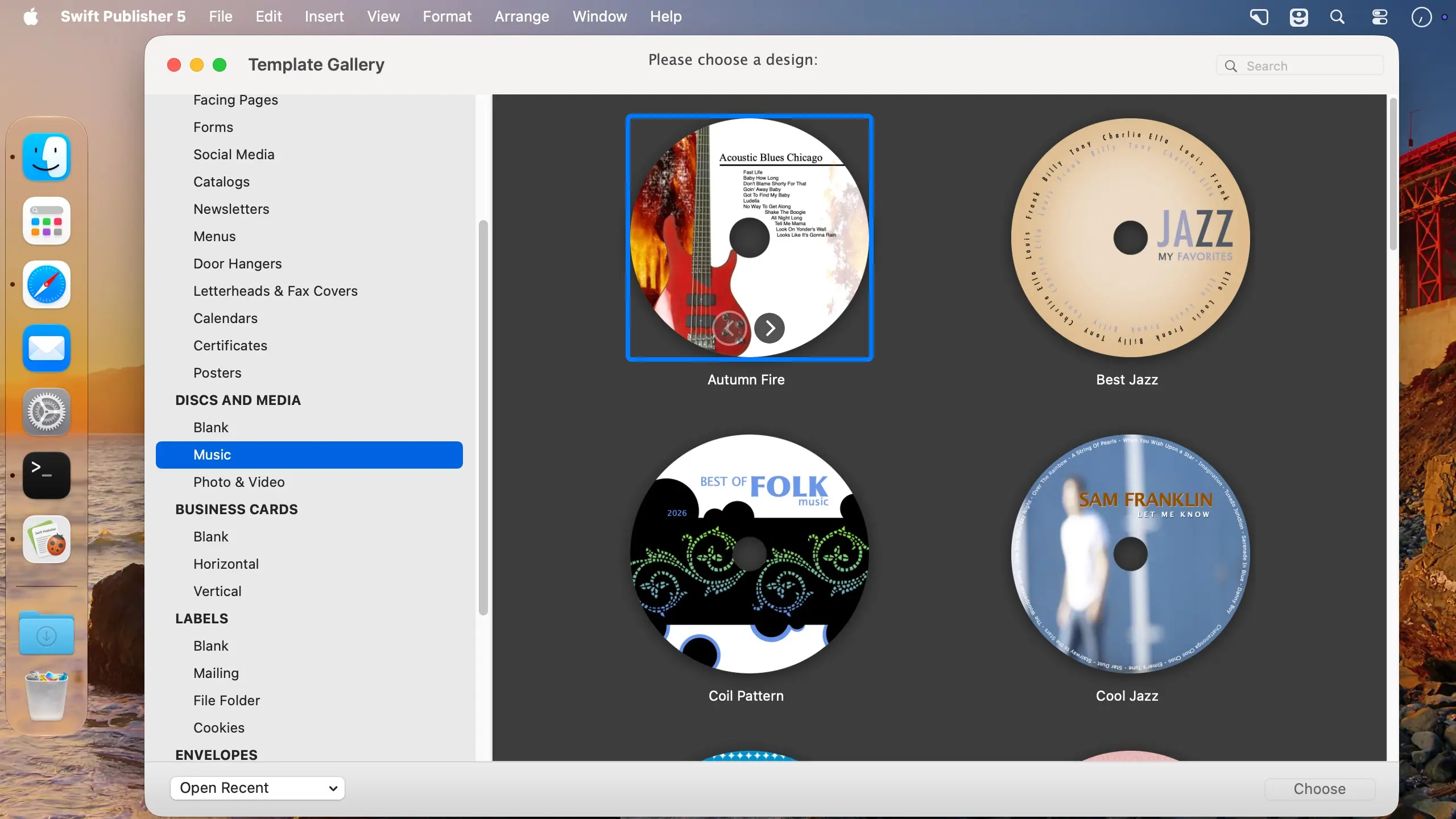
Swift Publisher is a page layout app for Mac that handles flyers, newsletters, brochures and letterheads without the learning curve of professional publishing software. You start from a template or a blank page, add text and pictures, and print the result.
Made for people who aren't designers
Big design suites assume you already know your way around a studio workflow. Swift Publisher keeps the interface simple, so a club newsletter, a garage sale flyer or a company letterhead doesn't turn into a weekend project.
What you can do with it
- Templates and artwork: Begin with ready-made layouts, images, designs and masks, then change them until the page looks like yours.
- Text styles: Set fonts, sizes and colors for each text block and keep a consistent look across the document.
- Linked text boxes: Let a long article continue from one box to the next, which is handy for newsletter columns and multi-panel brochures.
- Text wrap: Run text around a photo or shape so the layout reads smoothly instead of leaving gaps.
- Image masks: Crop a photo into a shape to give it a different look without opening another app.
- Object controls: Tint, tile, group, rotate or change the opacity of any element when a design needs a custom touch.
- Mail merge: Personalize printed pieces such as letters and labels with details from your contacts.
- PDF export: Save a finished layout as a PDF to send to a print shop or share by email.
Where it fits
Use it for school and community handouts, small business marketing, event programs, price lists and personal projects. If you've been fighting a word processor to get a page to look right, a layout app makes the job much more direct.
Version 5.7.9:
- Minor improvements.
Frequently asked questions
How do I install the app?
Mount the image, drag the app into the "Applications" folder and launch it. If the system blocks the launch, allow it in "System Settings → Privacy & Security".
The app is damaged or won't launch
Reinstalling from a fresh image usually helps. Make sure your macOS version matches the one listed in the compatibility specs.
How do I update?
Download the new version from the site and install it over the current one — your settings will be preserved.
The download link doesn't work
Try a mirror or a download manager. For large files the browser often drops the connection.
How do I completely remove the app?
Use an uninstaller utility — it cleans up the service files that remain after moving the app to the trash.




Choose a download source
Swift Publisher 5.7.9 · 493.97 MB
Previous versions
Swift Publisher 5.7.9
Previous versions are available to registered users.