
AirBrowser 3.1
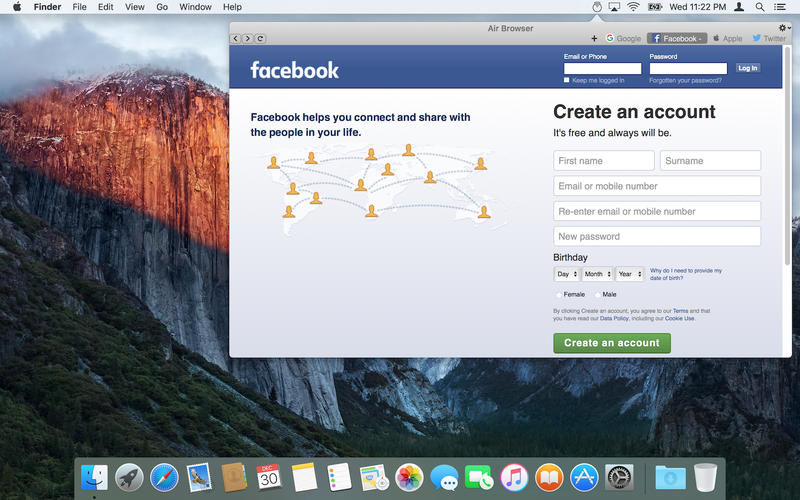
With Air Browser, all your favorite websites are pre-loaded in the background, easily accessible from menubar.
An easy to configure app, air browser lets you take charge of your favorite websites the way you want.
Store all your frequently visited websites in Air Browser, with no more tab clutter in Safari, viola!
Now easily access
- Social networking sites
- Online Music
- Live Scores
- Project management portals
- News
- Stock Market
Main Features:
- Auto Reload page on open
- View Size fully adjustable
- Add up-to 7 websites
- Advanced website options
- Launch at login
- Supports native web browser functions like "go back", "go forward", "reload" and "stop".
WHAT’S NEW
Version 3.1
- Launch by keyboard shortcut
- Performance enhancement
- Fixed the bug where height decrease was not working
Screenshots
Frequently asked questions
How do I install the app?
Mount the image, drag the app into the "Applications" folder and launch it. If the system blocks the launch, allow it in "System Settings → Privacy & Security".
The app is damaged or won't launch
Reinstalling from a fresh image usually helps. Make sure your macOS version matches the one listed in the compatibility specs.
How do I update?
Download the new version from the site and install it over the current one — your settings will be preserved.
The download link doesn't work
Try a mirror or a download manager. For large files the browser often drops the connection.
How do I completely remove the app?
Use an uninstaller utility — it cleans up the service files that remain after moving the app to the trash.
VersionAirBrowser 3.1
DeveloperKaunteya Suryawanshi
CompatibilityOS X 10.11 or later, 64-bit processor
LanguageEnglish
IncludesPre-K'ed





Information
Visitors in the group Guests cannot leave comments on this publication.
Choose a download source
AirBrowser 3.1 · 5.52 MB