
CSSDesigner 5.0
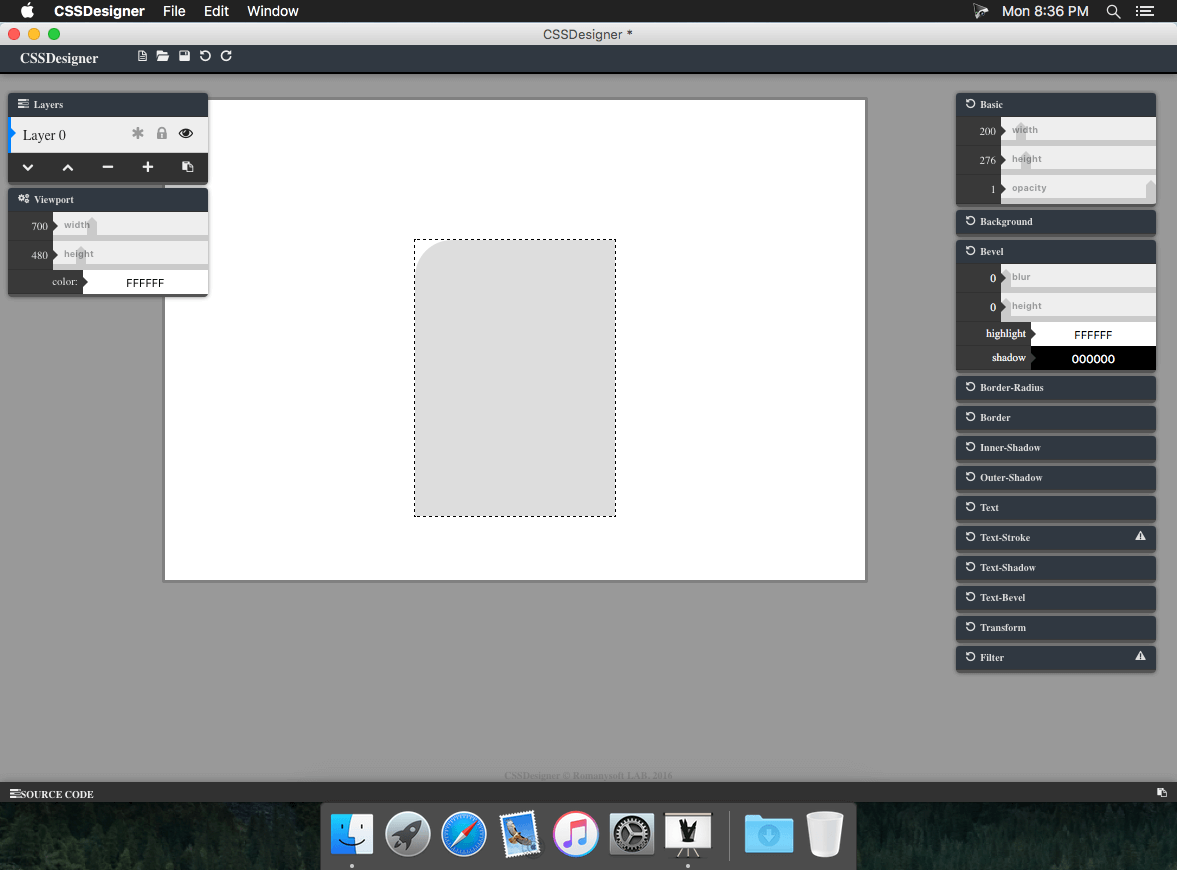
CSS Designer is a full-featured and powerful CSS design app. CSSDesigner takes full advantage of the latest Mac technologies, giving you speedy, powerful tools that let you touch up and enhance CSS, draw or paint, apply dazzling effects, or create advanced compositions amazingly easily.
Features
- Quickly and easily create any CSS3 (CSS2) effects
- Edit and apply special effects to portions of select
- Select and remove unwanted elements of your designer CSS properties
- Copy one layer to other
Top-notch painting tools:
- Paint with CSSDesigner as you would on canvas
- Use different sizes, shapes, and blending modes
- Adjust CSS settings to get just the look you want
Compatibility:
- Open and save CSS using CSS format
- Open and save CSS with layers Built exclusively for Mac
- CSS Designer uses a number of OS X features and technologies like Cocoa, OpenGL, OpenCL, Core Image, Grand Central Dispatch, 64-bit, and full-screen. And CSSDesigner's beautiful interface and CSS editing engine are fully optimized for the Macbook Pro with Retina display.
WHAT’S NEW
Version 5.0:
- Fixed some bugs
Screenshots
Frequently asked questions
How do I install the app?
Mount the image, drag the app into the "Applications" folder and launch it. If the system blocks the launch, allow it in "System Settings → Privacy & Security".
The app is damaged or won't launch
Reinstalling from a fresh image usually helps. Make sure your macOS version matches the one listed in the compatibility specs.
How do I update?
Download the new version from the site and install it over the current one — your settings will be preserved.
The download link doesn't work
Try a mirror or a download manager. For large files the browser often drops the connection.
How do I completely remove the app?
Use an uninstaller utility — it cleans up the service files that remain after moving the app to the trash.
VersionCSSDesigner 5.0
DeveloperRomanysoft LAB
CompatibilityOS X 10.6 or later, 64-bit processor
LanguageEnglish
IncludesPre-K'ed




Information
Visitors in the group Guests cannot leave comments on this publication.
Choose a download source
CSSDesigner 5.0 · 4.17 MB