
Unity PRO 5.5.1
Unity Pro delivers a stable and scalable platform for creating captivating content. Content that is efficient to create, and that works on low as well as high-end hardware.
Features
- Unity is the only Mac-based high-end game development tool sporting a stylish pro-app GUI, no-friction workflow and top-of-the-line technical features such as extensible graphics, great particle effects, highly optimized scripting, the Ageia physX Engine, skinned character animation and ragdolls, and making standalone games for Mac and Windows (and Dashboard Widgets and web-plugins).
- Unity is a 3D game editor which happens to contain one of the most advanced game engines out there. Packed with power it is built to meet the demands of next-generation game developers.
- Create dazzling, different, captivating games with state of the art technology such as the Ageia physX Physics Engine, the most modern graphical effects, and highly optimized javascript.
- Automatic asset importing, prefabs, and ultra fast edit-play-modify turnaround while you assemble and test your game helps maintain the creative flow. Asset production was never this fast before. The editor ties together all the powerful features of the engine in an intuitive way.
WHAT’S NEW
Unity PRO 5.5.1
Release Notes
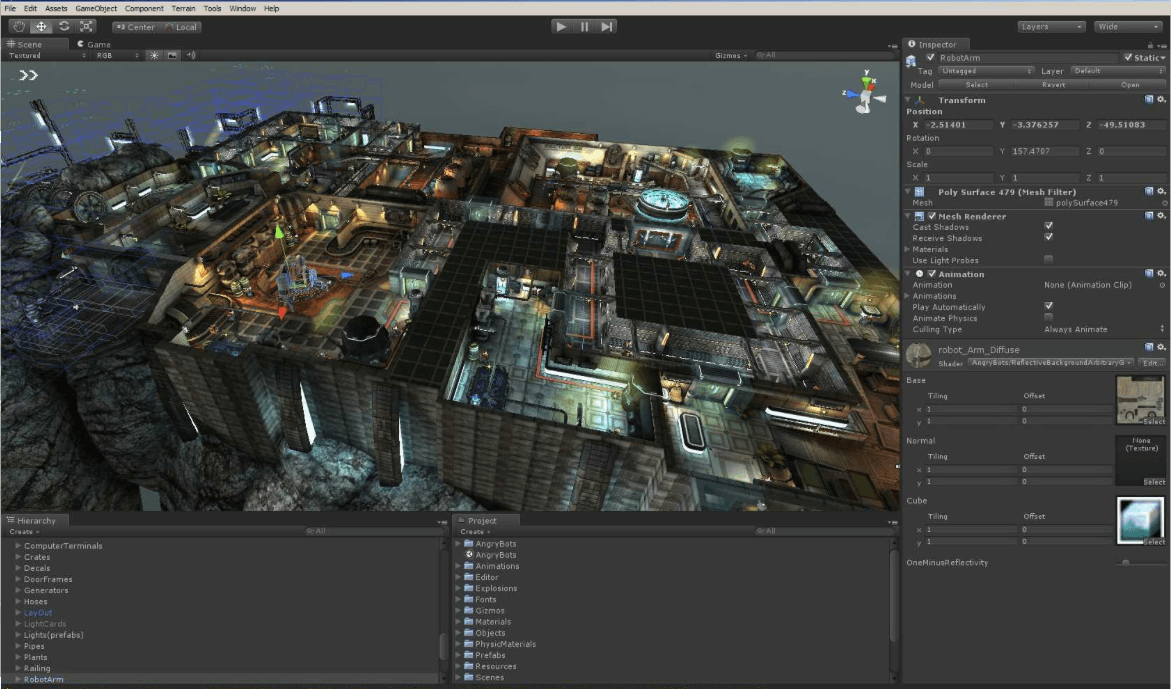
Screenshots
Frequently asked questions
How do I install the app?
Mount the image, drag the app into the "Applications" folder and launch it. If the system blocks the launch, allow it in "System Settings → Privacy & Security".
The app is damaged or won't launch
Reinstalling from a fresh image usually helps. Make sure your macOS version matches the one listed in the compatibility specs.
How do I update?
Download the new version from the site and install it over the current one — your settings will be preserved.
The download link doesn't work
Try a mirror or a download manager. For large files the browser often drops the connection.
How do I completely remove the app?
Use an uninstaller utility — it cleans up the service files that remain after moving the app to the trash.
VersionUnity PRO 5.5.1
DeveloperUnity Technologies
CompatibilityOS X 10.8 or later, 64-bit processor
LanguageEnglish
IncludesPre-K'ed





Information
Visitors in the group Guests cannot leave comments on this publication.
Choose a download source
Unity PRO 5.5.1 · 3.47 GB