DM1 - The Drum Machine 3.1
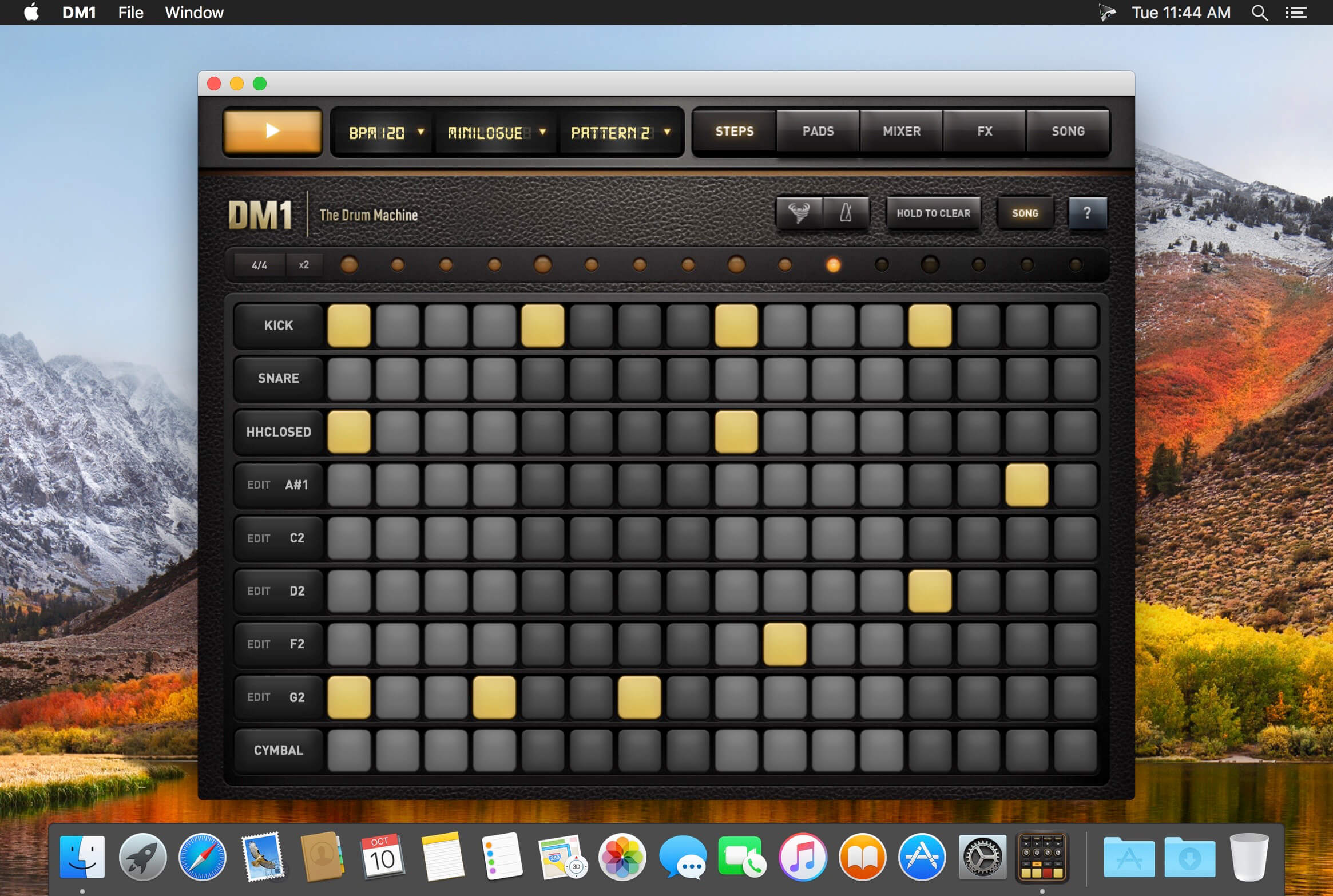
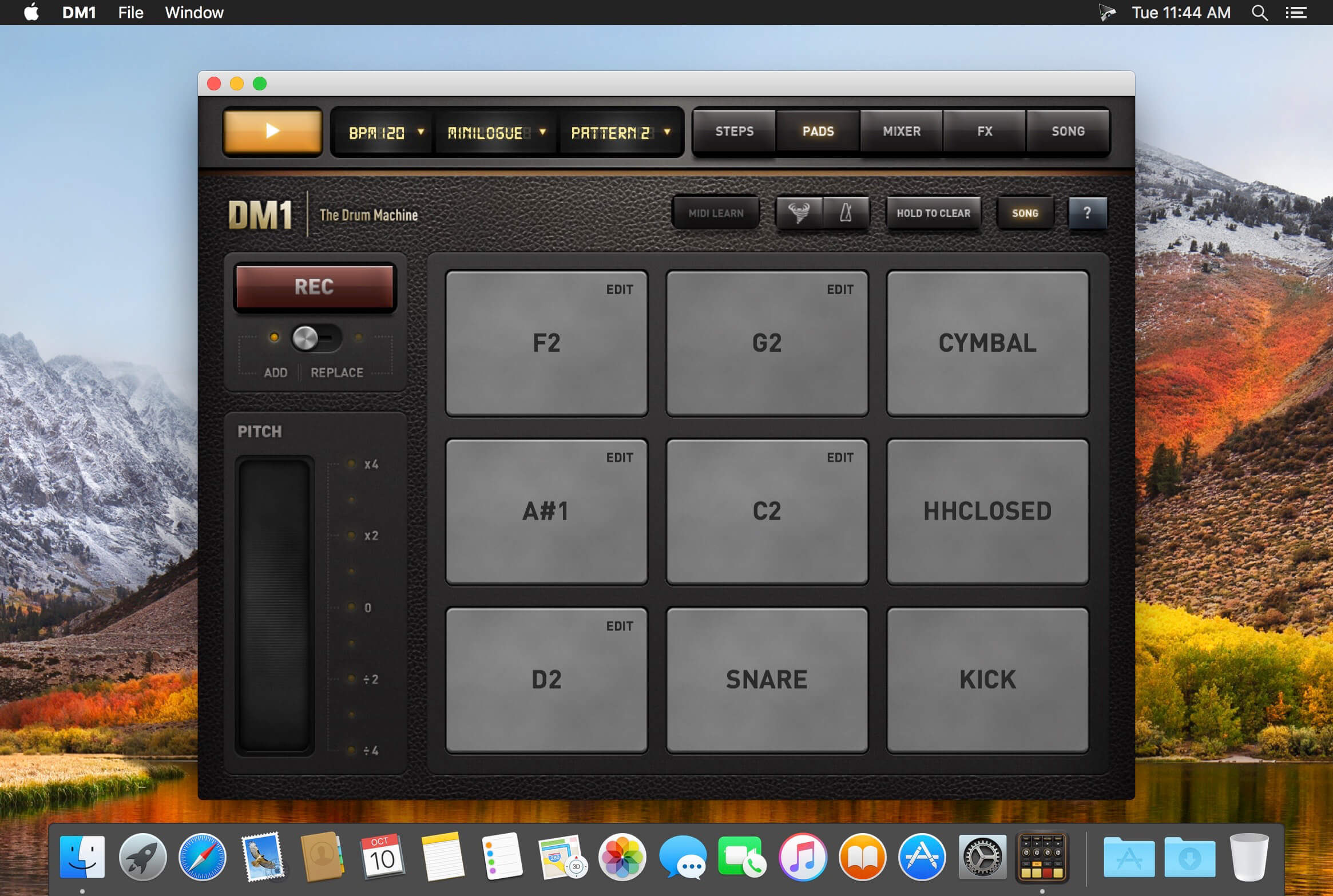
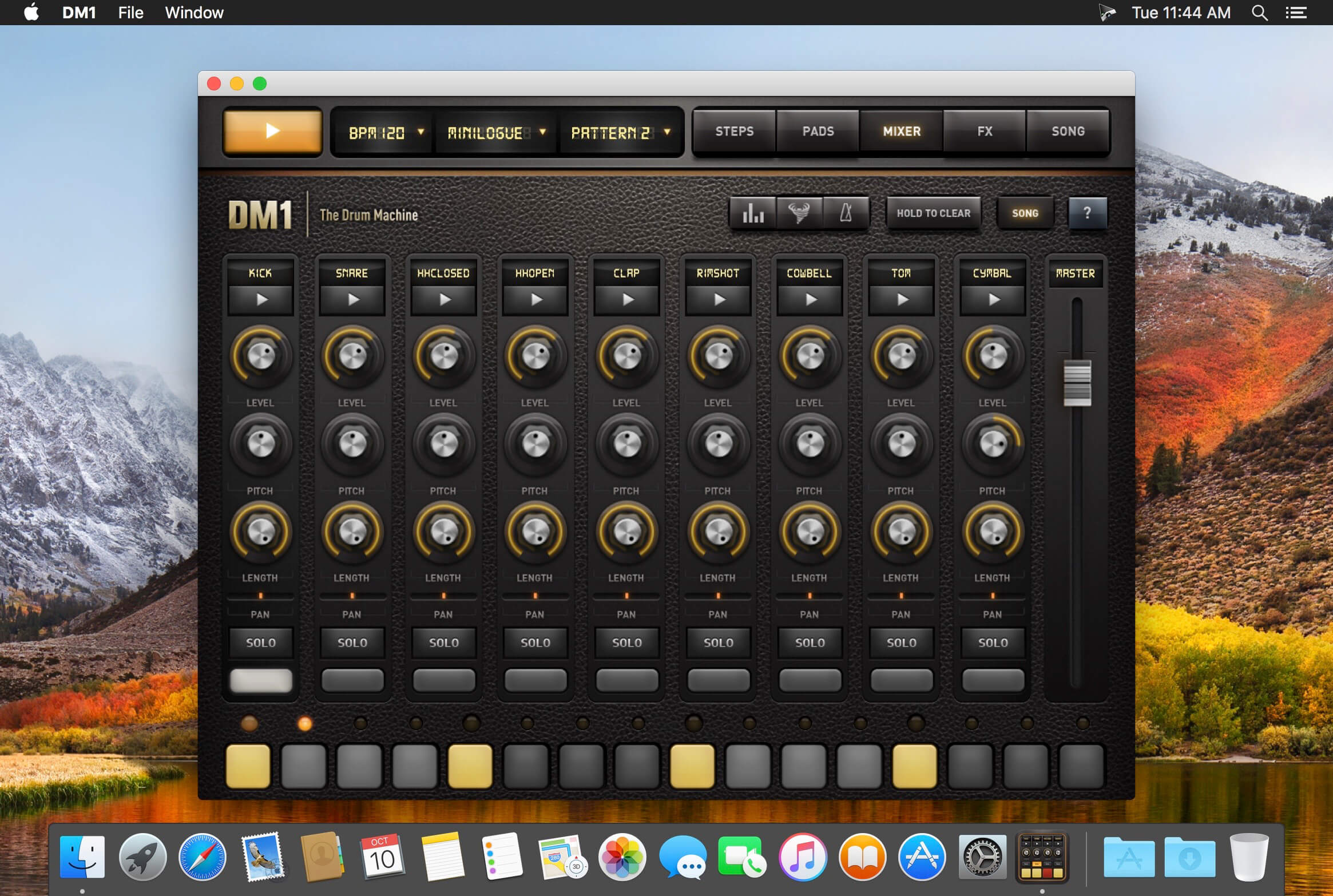
DM1 is an advanced Drum Machine. It turns your computer into a fun and creative beat making machine. Easy and fast to use, loaded with 99 superb electronic drum kits and beautiful hyper-realistic graphics, DM1 has been designed for a lot of instant fun.? With Midi In & out, DM1 is ready to fit your digital audio workstation.
As electronic musicians ourselves, we, at Fingerlab, have developed DM1 with the intention of delivering the perfect mix between fun playability and powerful sonic capacities. We always keep in mind the importance of a beautiful design with the right balance of powerful abilities while avoiding clumsy, overbusy interfaces. Check our 99 electronic drum kits. 28 classic vintage drum kits plus 71 in-house produced electronic kits, edited and mastered at Fingerlab professional studio.
DM1 offers 5 main sections:
- THE STEP SEQUENCER Just turn on and off steps in your sequence to create cool beats, or unexpected rhythms!
- THE DRUM PADS simply lets you play and record the beat that tickles your fingers on the keyboard. No need to be a first-class drummer, automatic quantize does the work for you.
- THE MIXER for quick and subtle sound mixing of your drum kits. Featuring settings for volume, pitch, pan, sample length, custom drum kit element for each channel, mute and solo mode.
- THE FX TRACKPADS a creative duo of FX trackpads to distort, modulate and transform your beats. The effects include: Overdrive, Delay, Reverb, Phaser, Dalek, Formant, Resonant Filter & Compressor.
- THE SONG COMPOSER allows you to quickly make a song with the beat patterns you have created. Just drag and drop the patterns onto the timeline. Fast and easy.
- Fullscreen Retina Display
- Smart ergonomy for fast creativity and fun
- 86 vintage and produced drum kits, mastered at in-house Fingerlab Sound Studios
- import your samples and create your own kits
- Mixer with pitch, length and level rotary controls, pan controls, and custom drum kit per channel
- Automation Panel for a precise and intuitive control of any Mixer parameter over time
- Automation recording for FXs
- FX Trackpad for real-time sonic destruction and multi-FX
- Time signatures
- The Randomizer tool
- Extra fast drum kit loading
- Playable pattern selection for extra creativity
- Mode song with intuitive editing
- High-quality export
- Separated tracks and AAC encoding export options
- Full Midi Implementation
- Import & Export your song proje
Version 3.1
- NEW: MacOS HighSierra ready!
- New Instrument mode, you can now add bass, chords and melody to your rhythm, with 6 instruments: Piano, Korg MicroPreset, Cello, Clavinet, Marimba and MiniLogue.
- 48 new drum kits
- 5 new FX: Enveloppe Filter, Dub Delay, Noise Gate, Texturizer and Robotizer
- Metronome Tap tempo bug fix
- Swing slider added to fullscreen display
- Minor bugs fix
Frequently asked questions
How do I install the app?
Mount the image, drag the app into the "Applications" folder and launch it. If the system blocks the launch, allow it in "System Settings → Privacy & Security".
The app is damaged or won't launch
Reinstalling from a fresh image usually helps. Make sure your macOS version matches the one listed in the compatibility specs.
How do I update?
Download the new version from the site and install it over the current one — your settings will be preserved.
The download link doesn't work
Try a mirror or a download manager. For large files the browser often drops the connection.
How do I completely remove the app?
Use an uninstaller utility — it cleans up the service files that remain after moving the app to the trash.
VersionDM1 - The Drum Machine 3.1
DeveloperFingerlab SARL
CompatibilityOS X 10.9 or later, 64-bit processor
LanguageEnglish
IncludesK'ed by TNT
Information
Visitors in the group Guests cannot leave comments on this publication.
Choose a download source
DM1 - The Drum Machine 3.1 · 117.35 MB