Hider 2.5.0
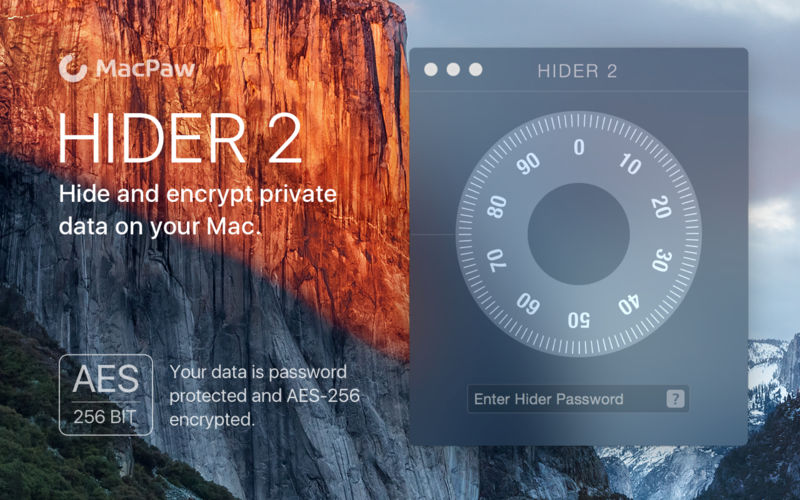


Put out of sight your confidential information from third parties or other unwanted eyes. Encrypt, hide and password protect your data with Hider 2! Redesigned for and completely compatible with macOS High Sierra!
Instantly encrypt and hide any file or folder by dragging them to Hider 2 — it’s that simple! Our user-friendly application makes sure all of your personal files and folders will be encrypted, hidden and protected by password.
It’s incredibly secure.
- Each file you hide is AES-256 encrypted.
- Keeps your data locked up and password protected.
- Hide data on an external drive for an extra layer of security.
Stay organized.
- Create custom file groups to keep your data categorized.
- Finder tags are imported into the app to make organization simple.
- Hide and encrypt entire folders instead of selecting tons of individual files.
- Write down confidential data into an encrypted, in-app Secure Note.
Accessible to you (and only you).
- Your files will be hidden from Finder or Spotlight.
- Access recently hidden items directly from your menu bar.
- Do a full app search among all your hidden files within the app.
- Instantly lock the app or hide of all your files with global shortcut keys.
Version 2.5:
- Improved UI to support new Dark Mode.
- Stability improvements.
Frequently asked questions
How do I install the app?
Mount the image, drag the app into the "Applications" folder and launch it. If the system blocks the launch, allow it in "System Settings → Privacy & Security".
The app is damaged or won't launch
Reinstalling from a fresh image usually helps. Make sure your macOS version matches the one listed in the compatibility specs.
How do I update?
Download the new version from the site and install it over the current one — your settings will be preserved.
The download link doesn't work
Try a mirror or a download manager. For large files the browser often drops the connection.
How do I completely remove the app?
Use an uninstaller utility — it cleans up the service files that remain after moving the app to the trash.




Choose a download source
Hider 2.5.0 · 10.86 MB
Previous versions
Hider 2.5.0
Previous versions are available to registered users.