
Airfoil 5.13.0
Airfoil: Turn your Mac into a whole-home sound system
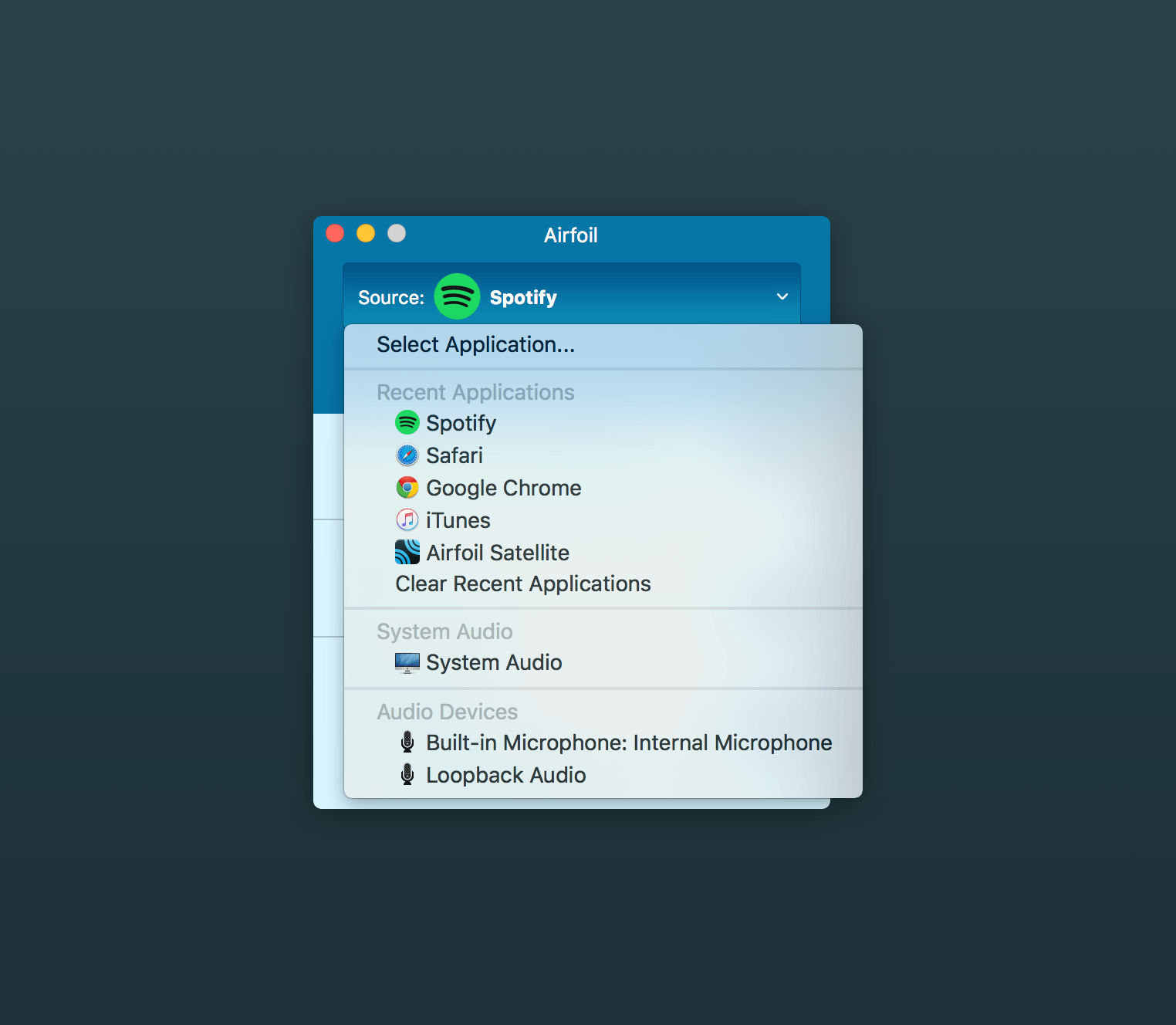
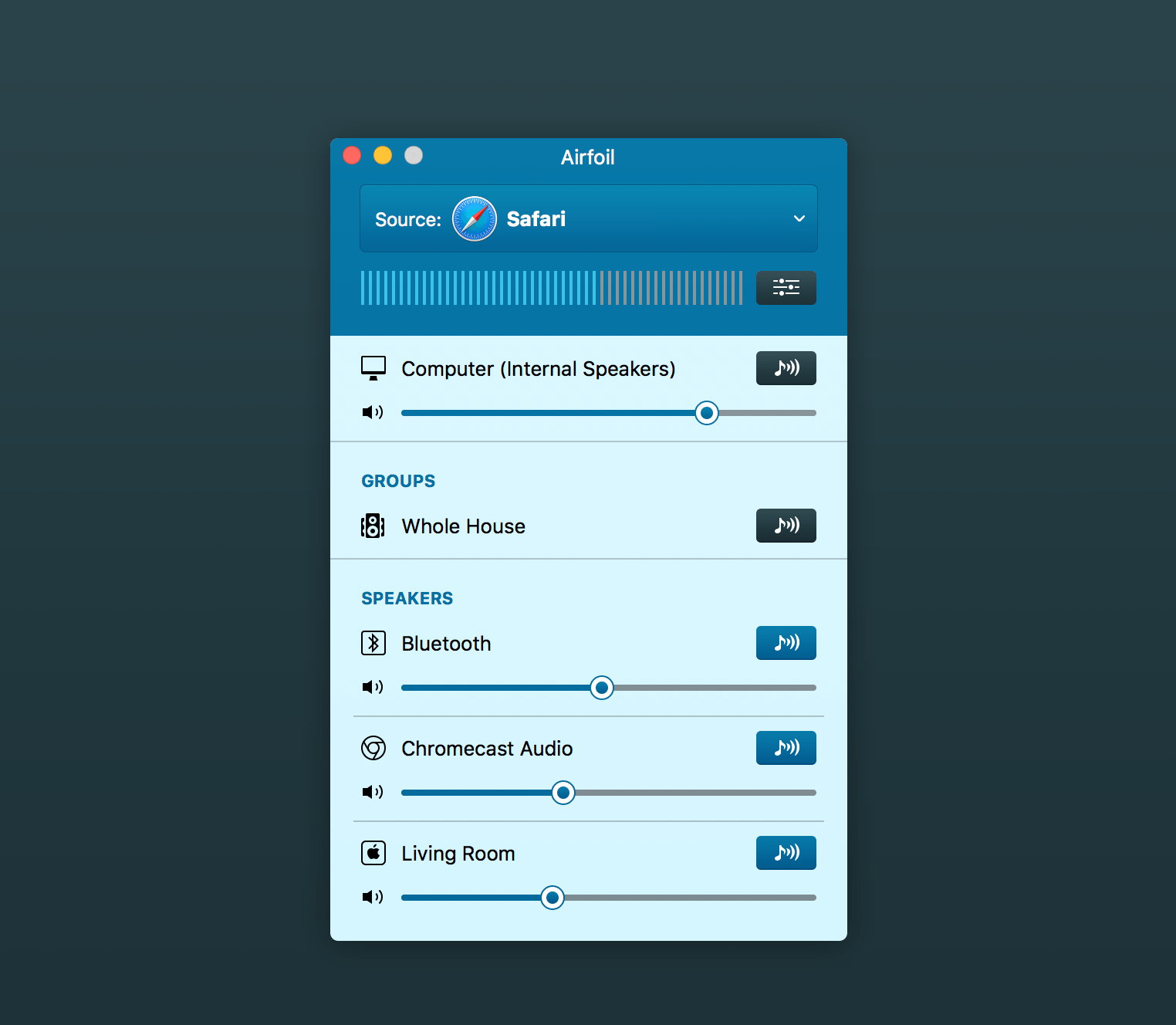
Send audio from your Mac to speakers and devices anywhere on your network. Play music from Spotify, Pandora, Safari, Chrome, or any other Mac app through Apple TV, HomePod, Chromecast, Sonos, Bluetooth speakers, iOS devices, other computers, and more.
Turn your entire home into a wireless sound system.
Stream Audio to Thousands of Supported Devices
- Apple TV
- HomePod
- Third-Party AirPlay Hardware
- Sonos Devices
- Google Chromecasts, Cast TV & Cast Speakers
- Bluetooth Speakers & Headphones
Play Everywhere, In Sync
Stream to multiple outputs at once and enjoy synchronized audio across different speaker types. Create speaker groups for your whole home or organize multiple zones for different rooms.
Stream from Any Source
Airfoil works with virtually any audio playing on your Mac, including:
- Music streaming services
- Web-based audio
- Podcasts and videos
- Internet radio
- Games and apps
- Local music and other media
Control Airfoil Remotely
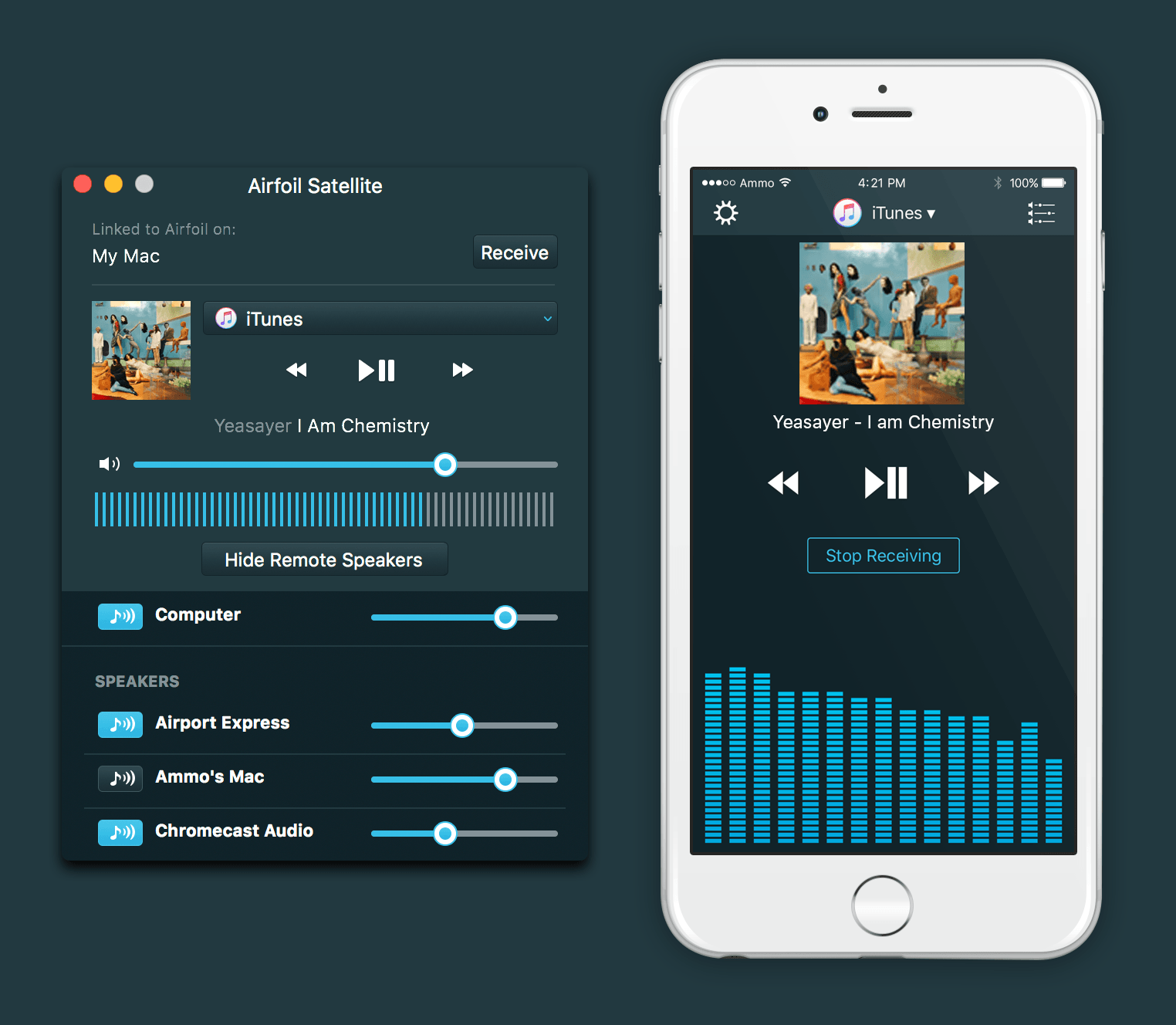
Use the free Airfoil Satellite companion app on iOS, Mac, Windows, or Android to control Airfoil remotely and manage supported audio sources from anywhere in your home.
You can also use Airfoil Satellite to receive audio on your Mac or stream audio from iOS to multiple networked outputs.
More Great Features
- Auto-Transmit: Start streaming automatically when Airfoil launches.
- Silence Monitor: Automatically disconnect when no audio is playing.
- Speaker Groups: Send audio to multiple outputs with a single click.
- Menu Bar Mode: Keep Airfoil conveniently tucked away in your menu bar.
- Audio Effects: Fine-tune your sound with the built-in equalizer.
- Metadata Support: Display track titles and album artwork on compatible devices.
- Remote Control: Control Airfoil and supported audio sources with Airfoil Satellite.
Stream the audio you love to every room with Airfoil.
Version 5.13.0
Apple TV and HomePod Support Restored
Airfoil can once again stream audio to all Apple TVs and HomePods, working around a bug introduced by tvOS 27 and HomePod OS 27.
New “Control Center” Special Source
On MacOS 27 (Sequoia) and higher, the new “Control Center” special source captures audio the Mac receives via AirPlay, as well as volume adjustment blips. This replaces the former “AirPlay Receiver” special source due to changes in Golden Gate. More details on special sources can be found in this support article.
Frequently asked questions
How do I install the app?
Mount the image, drag the app into the "Applications" folder and launch it. If the system blocks the launch, allow it in "System Settings → Privacy & Security".
The app is damaged or won't launch
Reinstalling from a fresh image usually helps. Make sure your macOS version matches the one listed in the compatibility specs.
How do I update?
Download the new version from the site and install it over the current one — your settings will be preserved.
The download link doesn't work
Try a mirror or a download manager. For large files the browser often drops the connection.
How do I completely remove the app?
Use an uninstaller utility — it cleans up the service files that remain after moving the app to the trash.




Choose a download source
Airfoil 5.13.0 · 31.88 MB
Previous versions
Airfoil 5.13.0
Previous versions are available to registered users.