

EagleFiler 1.9.10
Screenshots
Click to enlarge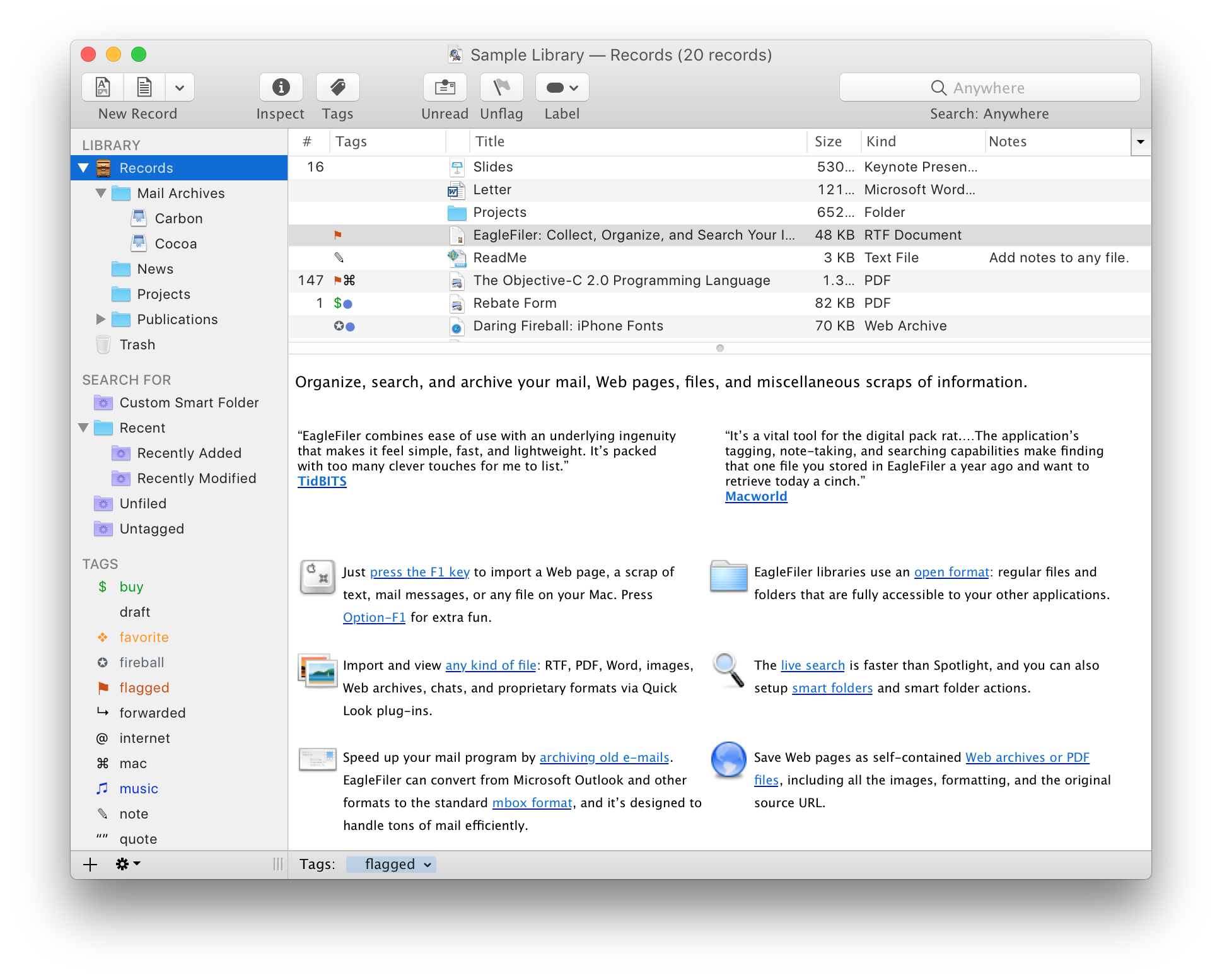
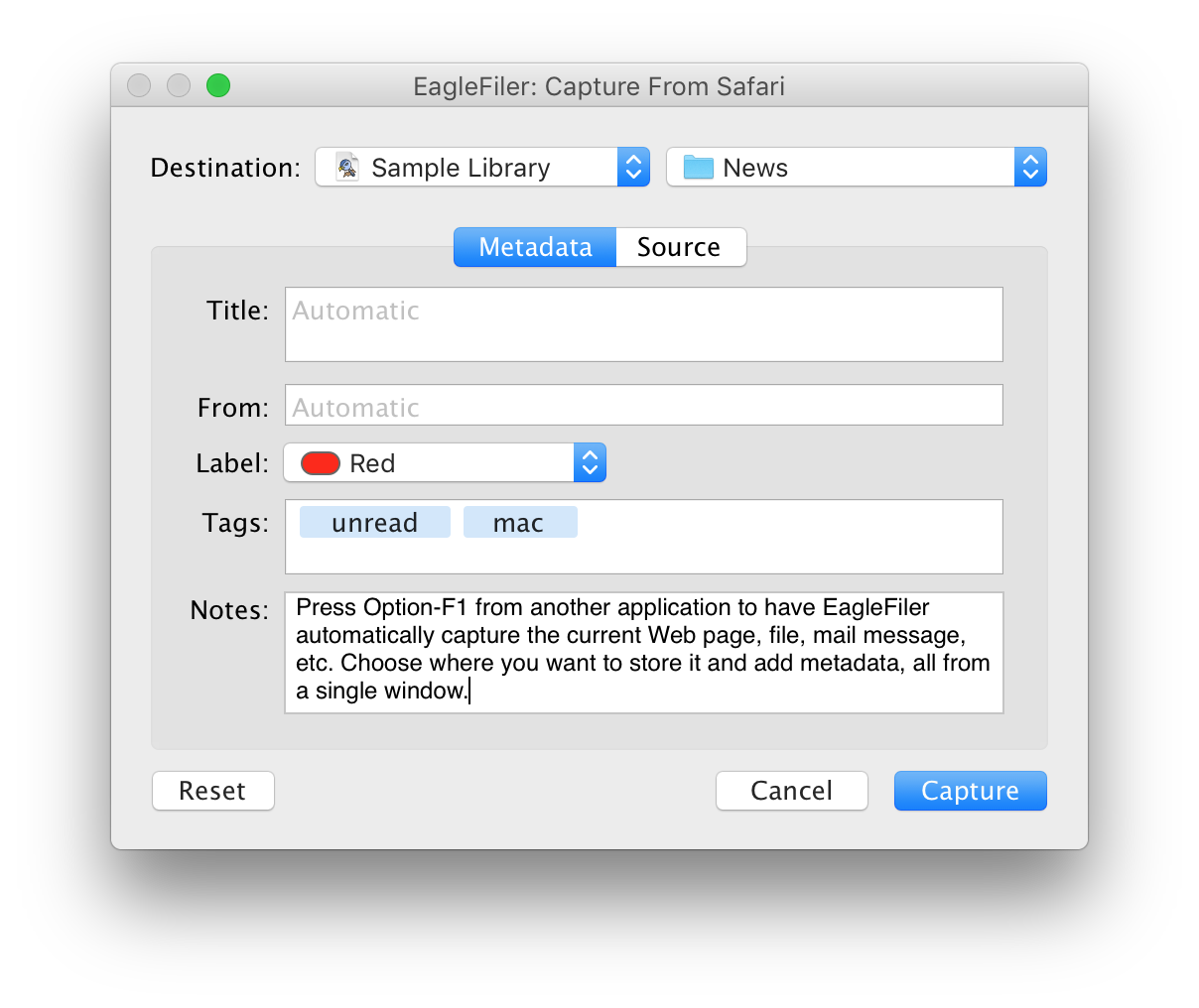
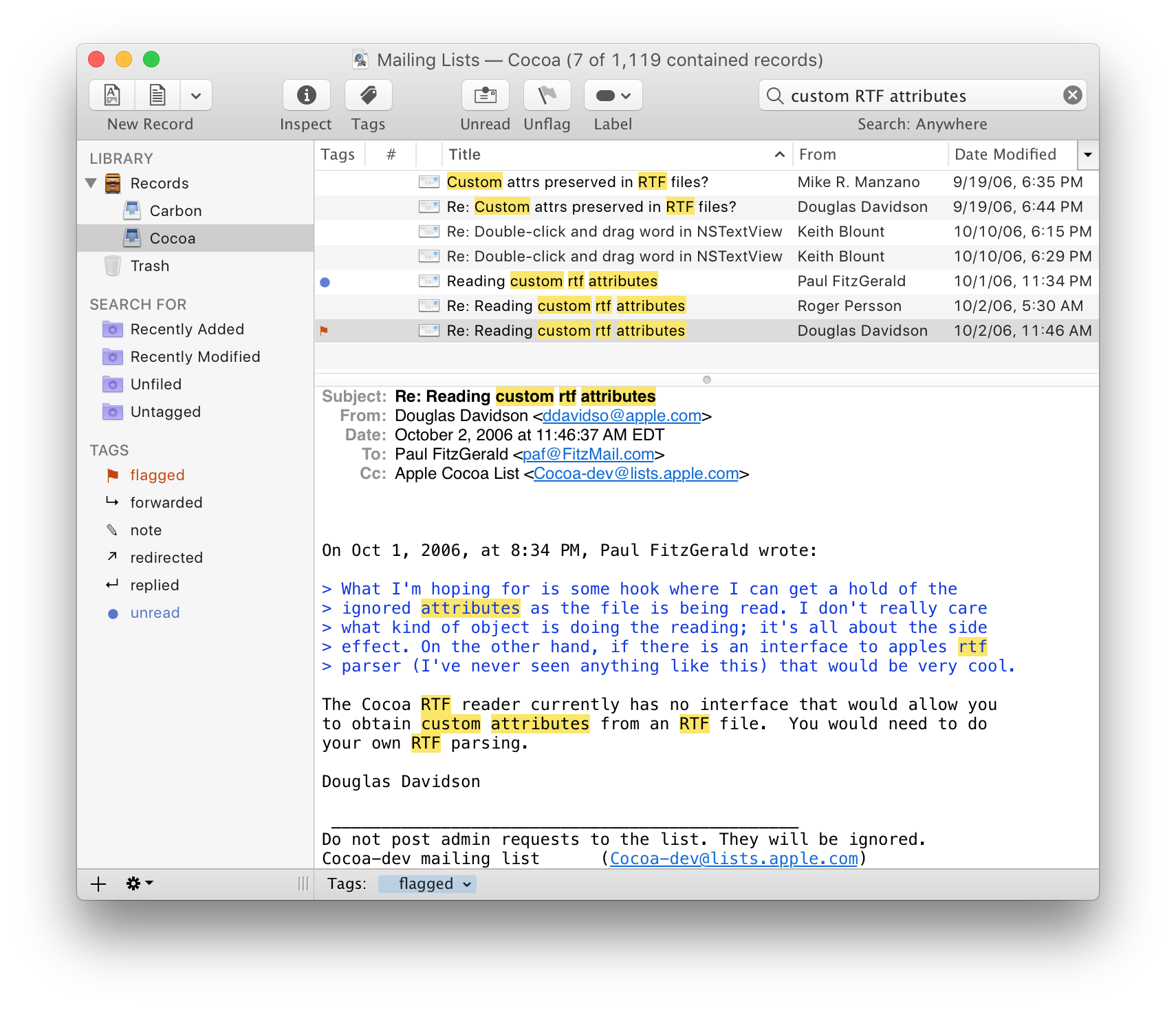
EagleFiler makes managing your information easy. It lets you archive and search mail, Web pages, PDF files, word processing documents, images, and more. Use it to collect information from a variety of sources. Browse different types of files using a standard three-pane interface. Organize them into folders and annotate them with tags and notes, or leave everything in one folder and pin-point the information you need using the live search. Since EagleFiler stores its library in Finder format, you can use it in concert with the other tools in your Mac ecosystem.
EagleFiler in a nutshell:
- With a single keypress, import Web pages, mail messages, or any file on your Mac.
- EagleFiler stores them in an open format: regular files and folders that are fully accessible to your other applications.
- Optionally: encrypt the files, add tags, notes, color-coded labels, and other metadata.
- Browse by folder or by tag, or use the live search to find the information you need (faster than Spotlight).
- View, edit, or create documents directly in EagleFiler's streamlined interface, or double-click to edit using another application.
EagleFiler is a digital filing cabinet, a research assistant, and a snippet collector. You can use it to write a journal, track all the files for a project or job, save your favorite Web articles, store financial statements, run a paperless office, plan a trip, collect your course notes, archive your e-mail correspondence, search mailing list archives, research a purchase, remember recipes to cook or books to read, store scientific papers, gather legal case notes, or assemble a scrapbook. It's the most flexible tool on your Mac.
Version 1.9:
Updated the user interface for macOS 11 Big Sur:
- Redesigned the application, document, and mailbox icons.
- EagleFiler uses the new inline title bar style on macOS 11, and information about the current source and search results is now shown in the subtitle.
- The toolbar defaults to icon-only mode and supports the new large icon style. The toolbar icons have been updated. EagleFiler uses the new system share button and the new search field, which automatically expands and collapses.
- The Info, Tags, and Tag Cloud toolbar icons now highlight when that inspector window is open.
- The source list icons have been updated.
- EagleFiler now colors the source list icon of a folder or mailbox to indicate its label.
- Improved the appearance of the records list columns menu.
- The source list now uses the system text and icon sizing, which can be configured in the General pane of System Preferences and overridden using SourcesRowSizeStyle in the esoteric preferences. The EagleFiler-specific font and icon preferences for the source list have been retired.
- The source list now indicates folder and mailbox labels with a colored circle. The toolbar and menus now show labels with circles instead of round rectangles, to match.
- The records list now shows labels using colored circles in File column instead of coloring the background of the whole row. This is consistent with Finder and works better on macOS 11 Big Sur.
- The capture key now works with Apple Mail on macOS 11.
- The capture key now works with the Microsoft Edge browser.
- If you use the Batch Change… command with only one record selected, EagleFiler now pre-fills all the fields based on that record. This makes it possible to use Batch Change as a modal editor for the record’s properties, tabbing from one field to the next.
- The To column now shows all the recipients of message, not just the first.
- You can now search by Any Address, e.g. to find messages sent to or from a particular address.
- You can now open the original copy of an e-mail in Apple Mail by using the Open Source URL command. (If the original e-mail has been deleted, you can still double-click to open EagleFiler’s copy of the message in Apple Mail.)
- You can hold down the Command key when dragging a record onto a tag in the Source List to "move" instead of "copy" to that tag, i.e. assign that tag and unassign all others (inspired by OmniFocus).
- From the Info window, you can now use the Command-Shift-T keyboard shortcut to jump the Tags field.
- Arrow-keying through the records list is faster.
- A folder of smart folders now shows the merged contents of all the smart folders it contains.
- Improved importing of Web pages from Discourse forums, Stack Overflow, Twitter, and various Web sites that have pop-ups.
- When you import a duplicate file, the Reveal in Library button now shows the pre-existing file in its containing folder rather than mixed in with everything else under Records.
- When importing a message from Apple Mail that has a missing attachment, EagleFiler now adds the missing_attachments tag to the mailbox and mentions the missing file in the mailbox’s note, so that you can still find this information after closing the Errors window.
- Improved the following sections of the manual:
- Applications That Support Capture
- Export…
- How can I encrypt my files?
- How does indexing in EagleFiler work?
- Importing From a Scanner
- Importing From iOS
- Importing Mail From Outlook
- Scan for New Files
- Improved the Apple Help navigation bar coloring and layout.
- Records now have an is folder AppleScript property. This is faster and more concise than comparing the record’s universal type identifier property with public.folder.
- Added the Import From Specified Folders script.
- The Copy Notes to Spotlight Comments script now works with folder records that have notes.
- EagleFiler is better able to display and merge malformed .eml files.
- Worked around a bug in Safari 14 that prevents apps from receiving Web archive text or rich text when using the system service. EagleFiler will instead import the selected text as plain text.
- Worked around a problem where iCloud Drive would rename files out from under EagleFiler, causing it to lose track of them. This particularly happened with long filenames containing lots of Asian characters or emoji.
- When importing a file, EagleFiler will remove any stray quarantine information that would prevent macOS from opening it when double-clicked. For example, this can help when importing files that were saved to iCloud Drive from an iPhone.
- Worked around a change in Airmail that prevented importing messages via drag and drop. This once again works for single messages. Multi-message drags fail due to a macOS issue. On macOS 10.14, drag and drop from Airmail doesn’t seem to work at all (even to Finder) so EagleFiler shows an error that recommends you use the File ‣ Save command instead.
- Worked around a bug in Apple Mail that could cause a dragged-and-dropped message to import within a numbered folder.
- When initiating a search of a specific library via URL, e.g. from Alfred or LaunchBar (see the Searching From Other Applications section of the manual), EagleFiler now brings that library’s window to the front.
- Worked around a macOS bug where source list text was hard to read when esoteric font smoothing preferences are set.
- Worked around a bug in macOS 11 that prevented progress bars from being drawn.
- Updated to version 1.4.4 of the SkimNotes framework.
- Fixed a bug where, on macOS 11, sometimes a new plain text file wouldn’t be selected in the records list when created from the toolbar.
- Fixed a bug where exact searches and search match highlighting weren’t case-insensitive for certain non-ASCII characters.
- Fixed a bug that could cause a crash when opening the Quick Look window.
- Fixed a bug where file names and extensions excluded from Scan for New Files were only excluded when scanning the top-level folder.
- Fixed a bug where in rare cases a mailbox or subfolder could be added to a folder without this being reflected in the source list.
- Fixed a bug where a movie’s audio would keep playing if you switched to viewing another record without pausing it.
- Fixed a regression where negative search terms like -foo didn’t work (but !foo did).
Comments
No comments yet. Be the first.