
batchSAVE 2.05
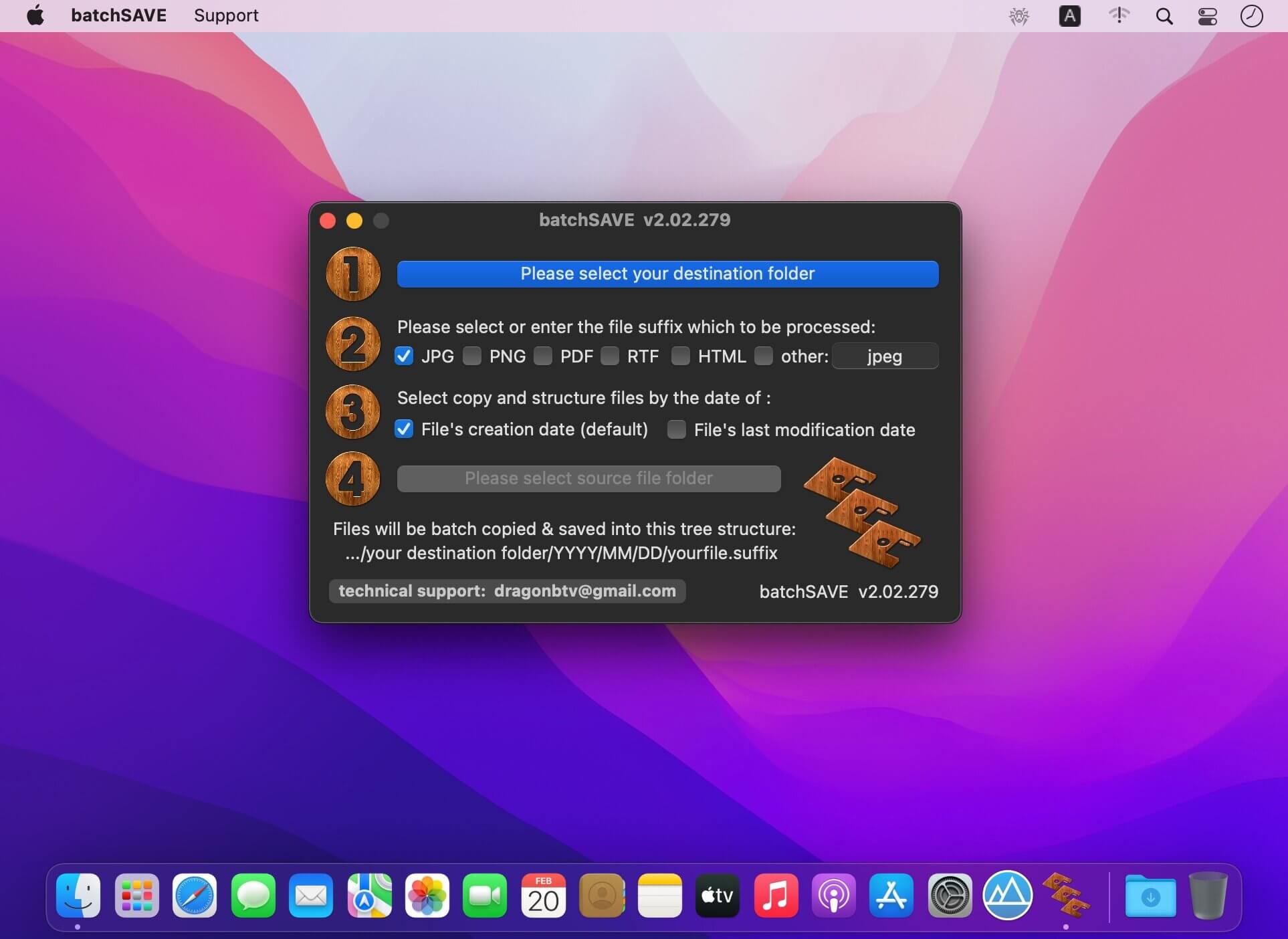
batchSAVE will copy, sort, organize and save your files into tree structure folders according to the file's creation date or last modification date.
It is really a smart tool for organizing the collection of your data files, photos, spreadsheet, and documents.
Hundreds of thousands of pictures will be automatically copied to the exact folder of the correct year, month, and day with just a few clicks.
Organize your files and pictures into Tree Structure within a few seconds!
Features
- COPY files only, will not harm your original collections;
- Automatic overwriting protection, never worry about files in the SAME NAME;
- Can handle ANY kind of files in any file extension;
- Automatic structure of the directories according to either file creation date or modification date;
- Beep after each file processing;
- Total files processed can be read out in real-time;
Tips
- Never worry about overwriting, if it happens, your photos/ files in the same name will be processed like "my lover(2)", "my lover(3)"…
- If you find some files were sorted to the folder of the year 1900 around after processing, that means the file had lost the information of its creation date before by some reason, please point to that 1900 year folder and process the folder again with "File's last modification date" checkbox selected. It will not only be organized to the correct folder but also be "repaired".
- Please move all your files together to the source folder, batchSAVE will NOT go deep into subfolders. As the processing speed is tremendous fast, actually you can repeat the processing for each subfolder manually instead of moving files to a single folder in advance.
Version v2.05
v2.02 -> v2.05
- interface more compact
- all deprecated code rewritten
- More by dragonBTV menu updated
Frequently asked questions
How do I install the app?
Mount the image, drag the app into the "Applications" folder and launch it. If the system blocks the launch, allow it in "System Settings → Privacy & Security".
The app is damaged or won't launch
Reinstalling from a fresh image usually helps. Make sure your macOS version matches the one listed in the compatibility specs.
How do I update?
Download the new version from the site and install it over the current one — your settings will be preserved.
The download link doesn't work
Try a mirror or a download manager. For large files the browser often drops the connection.
How do I completely remove the app?
Use an uninstaller utility — it cleans up the service files that remain after moving the app to the trash.



Choose a download source
batchSAVE 2.05 · 4.05 MB